Warehouse Mapping
Route: /connections/:id/settings/warehouse
Tutorial ID: settings-warehouse
Breadcrumb: Settings → TikTok Shop Warehouse · Header link: TikTok Shop Seller Center
Purpose
Section titled “Purpose”- Configure TikTok Shop warehouses via the embedded Seller Center widget
- Map Shopify locations to TikTok Shop warehouses for FBT (Fulfilled by TikTok) flows
Requires TikTok Shop widgets in your environment.
| Tab | URL ?tab= | Use when |
|---|---|---|
| Warehouse Setting | (default) | Editing TTS warehouse config in-widget |
| Warehouse Mapping | mapping | Linking Shopify ↔ TTS warehouses for FBT |
Why mapping matters
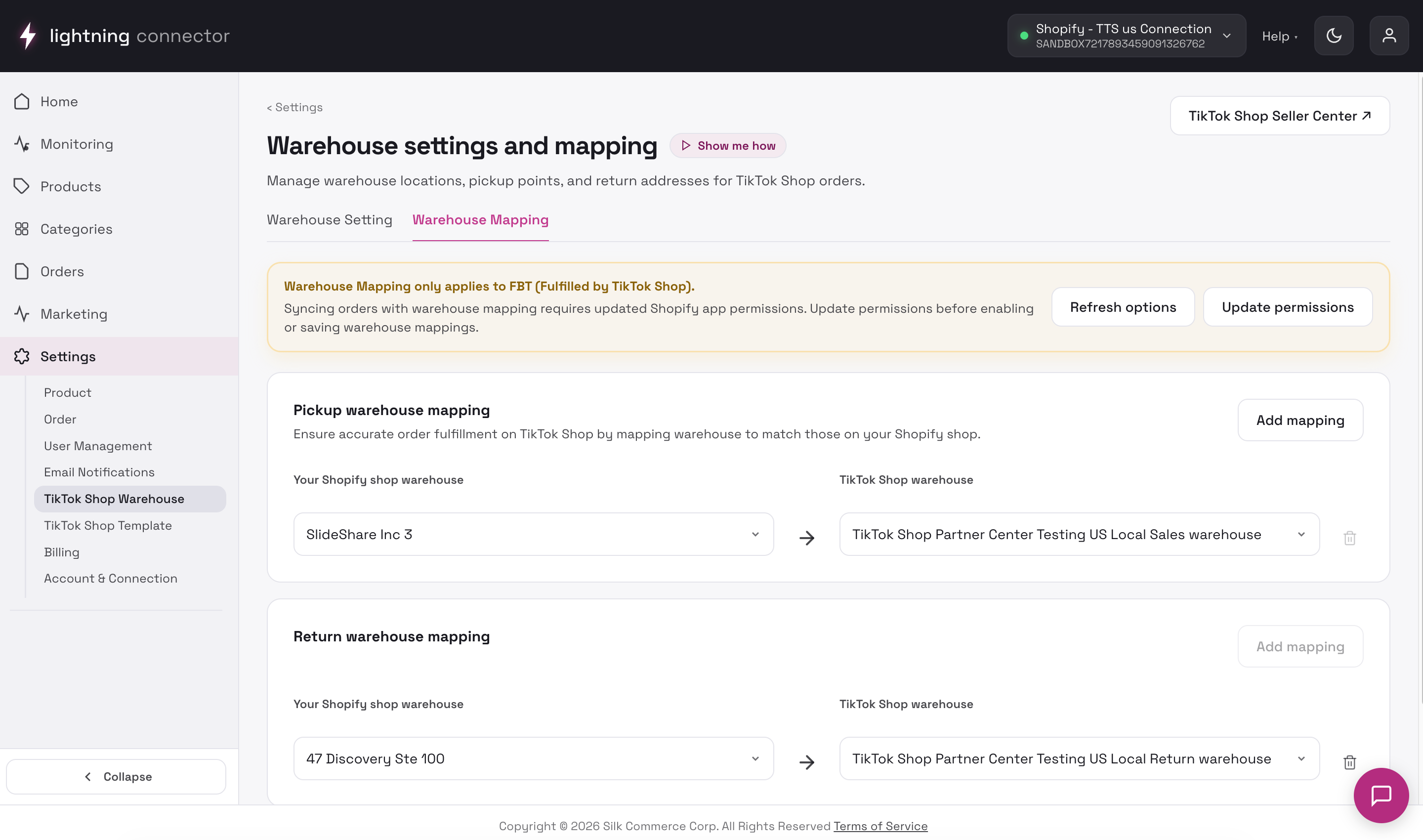
Orders with warehouse mismatch on Manage Orders often need a row here linking the Shopify location TikTok expects to the correct TikTok warehouse.
Warehouse Setting tab
Section titled “Warehouse Setting tab”Embeds the TikTok Shop Open Widget (warehouse).
First visit — Attention modal
Section titled “First visit — Attention modal”Explains that the Seller Center account logged into the widget must match this connection’s TikTok Shop. Wrong shop → wrong warehouses saved.
Configure warehouses inside the widget; changes apply in TikTok Shop. Loading state: “Loading TikTok Shop settings…” while the widget token loads.
Warehouse Mapping tab
Section titled “Warehouse Mapping tab”Scope: Fulfilled by TikTok orders only.
Banner reminders
Update Shopify permissions if locations are missing. Mapping fixes warehouse mismatch on Manage Orders.
Toolbar
Section titled “Toolbar”- Refresh options — reload warehouse dropdowns
- Update permissions — re-authorize Shopify for location access
Pickup warehouse mapping
Section titled “Pickup warehouse mapping”Rows: Shopify warehouse ↔ TikTok Shop warehouse. Add mapping, remove a row (pickup keeps at least one row), then Save.
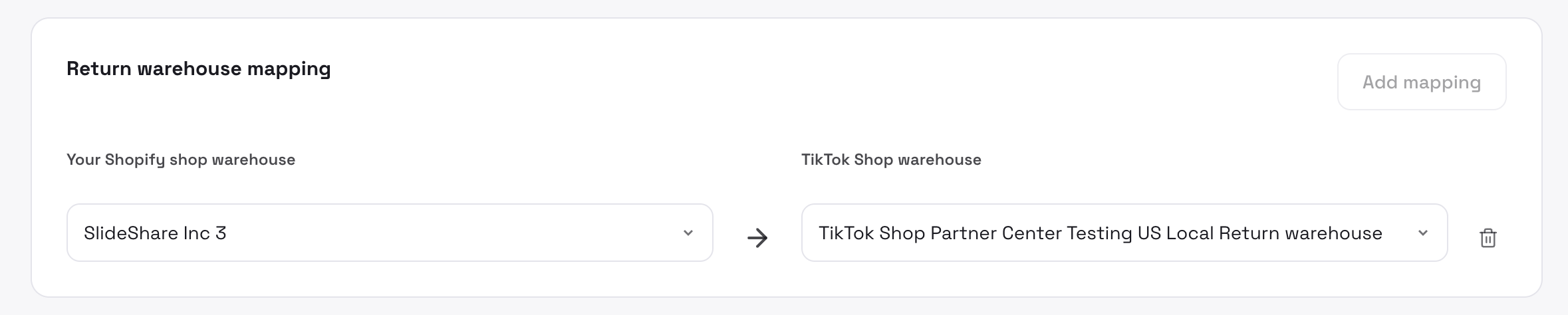
Return warehouse mapping
Section titled “Return warehouse mapping”Maximum one return mapping row. Add mapping or remove with confirmation: “Are you sure you want to delete this mapping?” Then Save.
If a saved warehouse no longer exists in Shopify or TTS, the row shows an inline warning — refresh options or pick a valid warehouse.
Fix warehouse mismatch on an order
Section titled “Fix warehouse mismatch on an order”- Note the order’s warehouse issue on Manage Orders.
- Open Settings → Warehouse → Warehouse Mapping.
- Add or correct pickup mapping.
- Save.
- On Manage Orders, Refresh Order for affected orders.
Tips / common issues
Section titled “Tips / common issues”- Connection read-only / disabled — alert at top; you cannot save.
- Version conflict on save — refresh options and retry.
- Widget blank — check Seller Center login; reconnect TTS.