Account & Connection
Route: /connections/:id/settings/account
Tutorial ID: settings-account
Breadcrumb: Settings → Account & Connection
Purpose
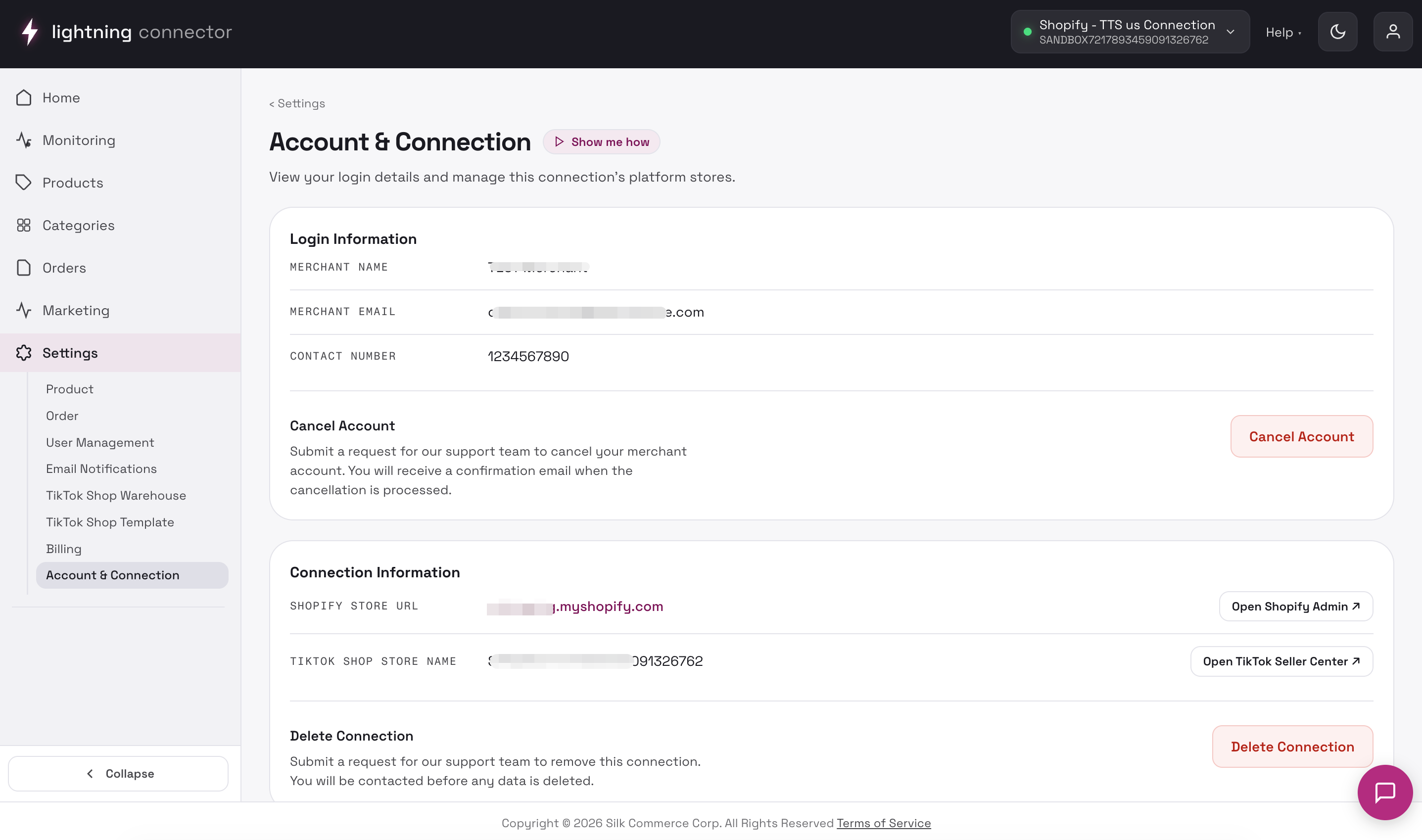
Section titled “Purpose”View merchant login information, open linked Shopify and TikTok Shop admin surfaces, and request account cancellation or connection deletion (handled by support — not instant).
Login information
Section titled “Login information”Read-only fields:
- Merchant Name
- Merchant Email
- Contact Number
Cancel Account (Owner only)
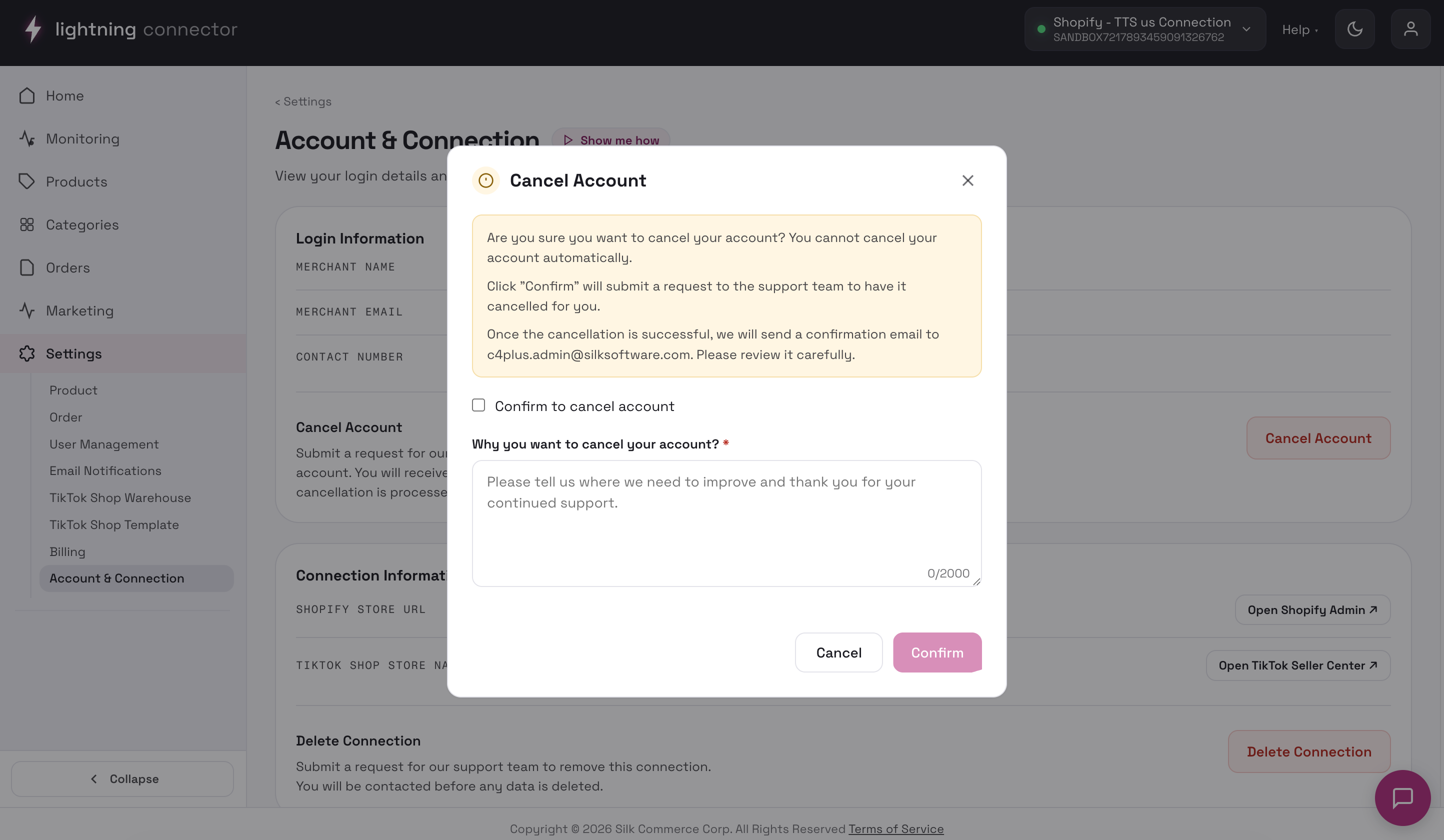
Section titled “Cancel Account (Owner only)”Cancel Account opens a confirmation modal with an acknowledgement checkbox, a required reason, and Confirm.
Request, not instant deletion
Support or a backend workflow completes the change. Document the connection name and merchant email when following up. You receive email confirmation after support processes cancellation.
Connection information
Section titled “Connection information”| Field | Action |
|---|---|
| Shopify Store URL | Open Shopify Admin ↗ |
| TikTok Shop Store Name | Open TikTok Seller Center ↗ |
Delete connection
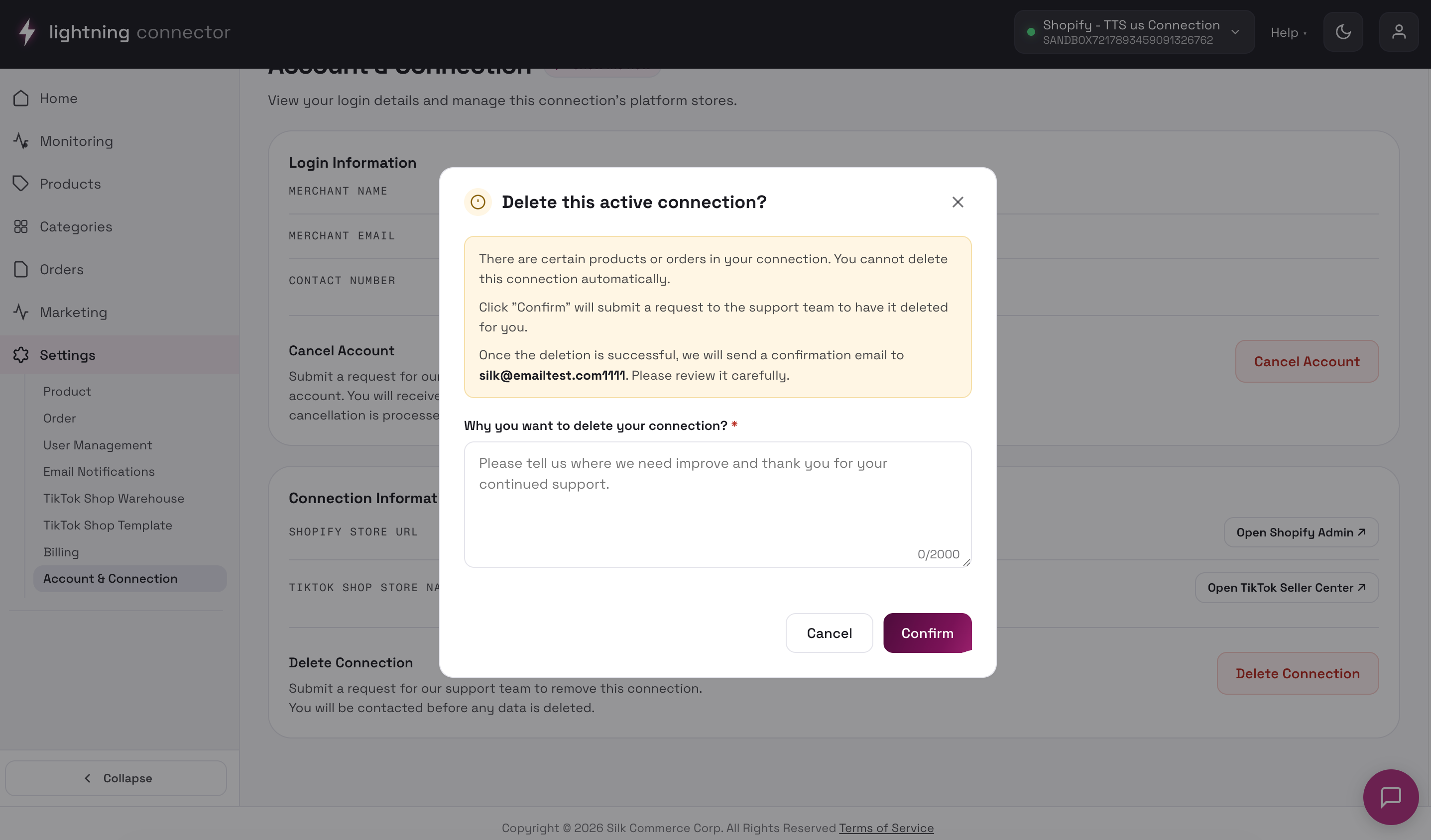
Section titled “Delete connection”Delete Connection opens Submit deletion request:
| Field | Required |
|---|---|
| Reason For Deletion | Yes |
| Suggestions For Improvement | No |
If the connection has an active subscription, choose:
- Keep subscription
- Cancel subscription
Buttons: Cancel / Submit Request. Deletion is not immediate — the support team reviews and confirms by email.
Tips / common issues
Section titled “Tips / common issues”- Connection not found — re-select the connection from the header switcher.
- Submit fails — retry; contact support with the connection name.