Product Settings
Route: /connections/:id/settings/product
Tutorial ID: settings-product
Breadcrumb: Settings → Product Settings · See also: Manage Products
Purpose
Section titled “Purpose”Configure how products move from Shopify to TikTok Shop: pull rules, field-level sync behavior, category mapping, package defaults, inventory thresholds, and promotion sync.
| Tab | URL | Topics |
|---|---|---|
| Listing & Rules | listing (default; legacy sync maps here) | Auto-pull, sync rules, category source, metafields |
| Shipping | shipping | Default weight and package dimensions |
| Inventory | inventory | Low-stock actions, inventory location source |
| Discounts | discounts | Promotion type sync toggles |
When changes apply
Product Settings changes affect future syncs and pulls. Existing TikTok listings may need Sync or Update from Manage Products after you change rules or dimensions.
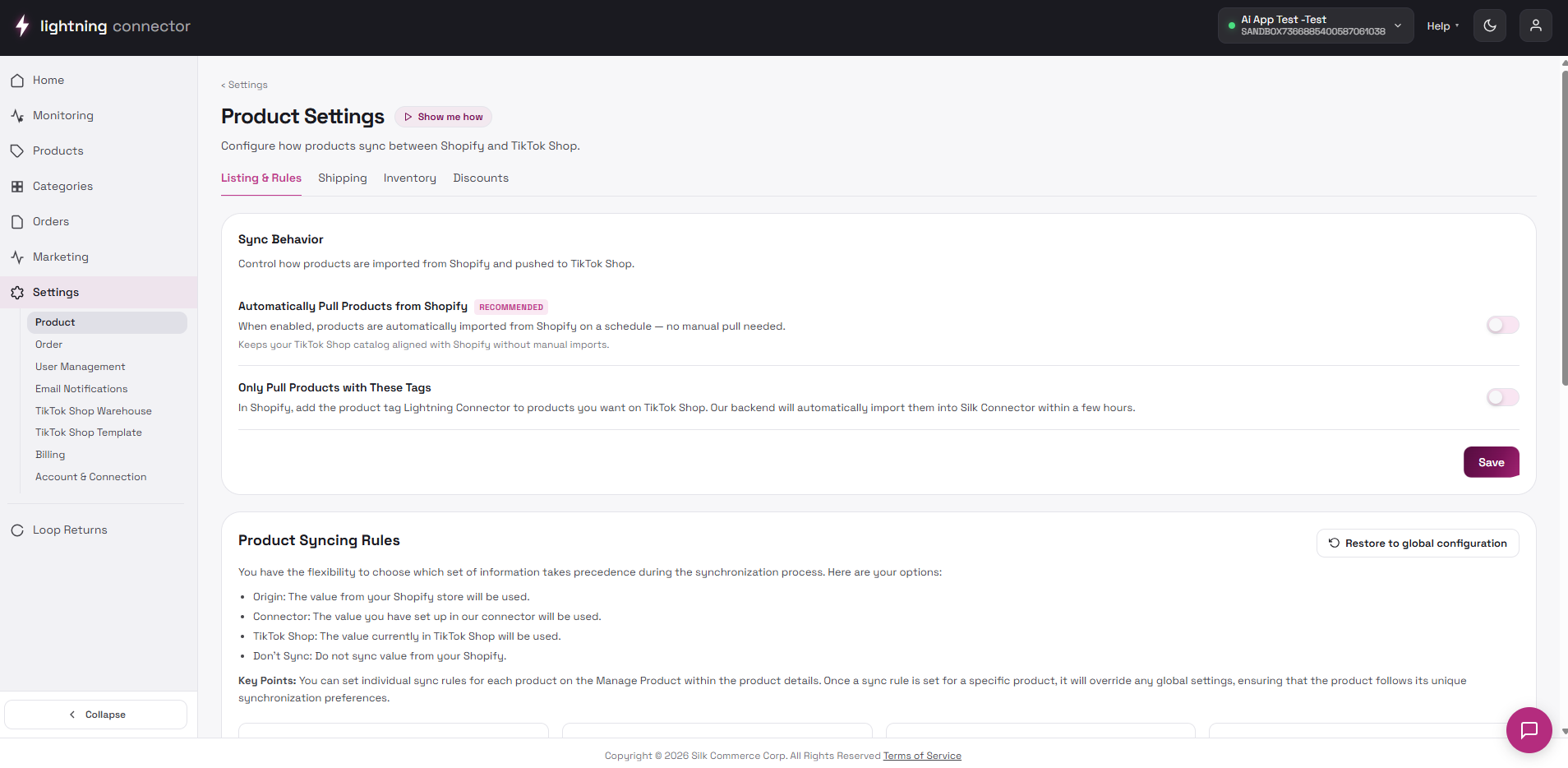
Listing & Rules
Section titled “Listing & Rules”Sync Behavior
Section titled “Sync Behavior”Automatically Pull Products From Shopify (Recommended): when ON, eligible Shopify products are pulled into the connector. Helper text references tag Silk TikTok — tag-based pull is labeled Coming soon; the toggle still controls auto-pull via the current backend rule. Click Save to persist.
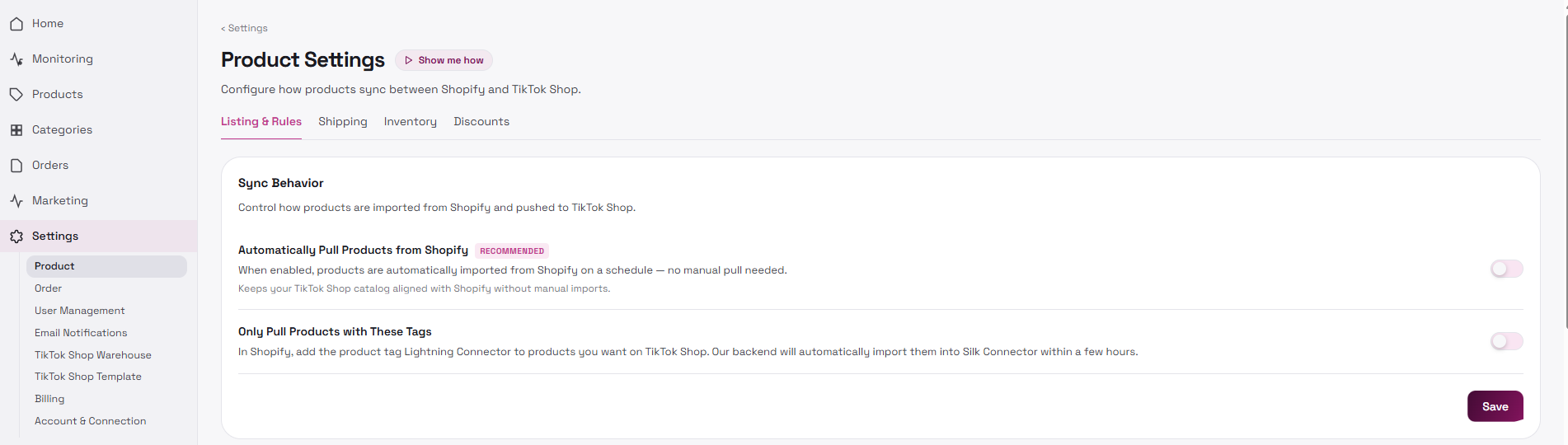
Without auto-pull, you rely on manual Pull products from the Products page.
Sync rules (field-level)
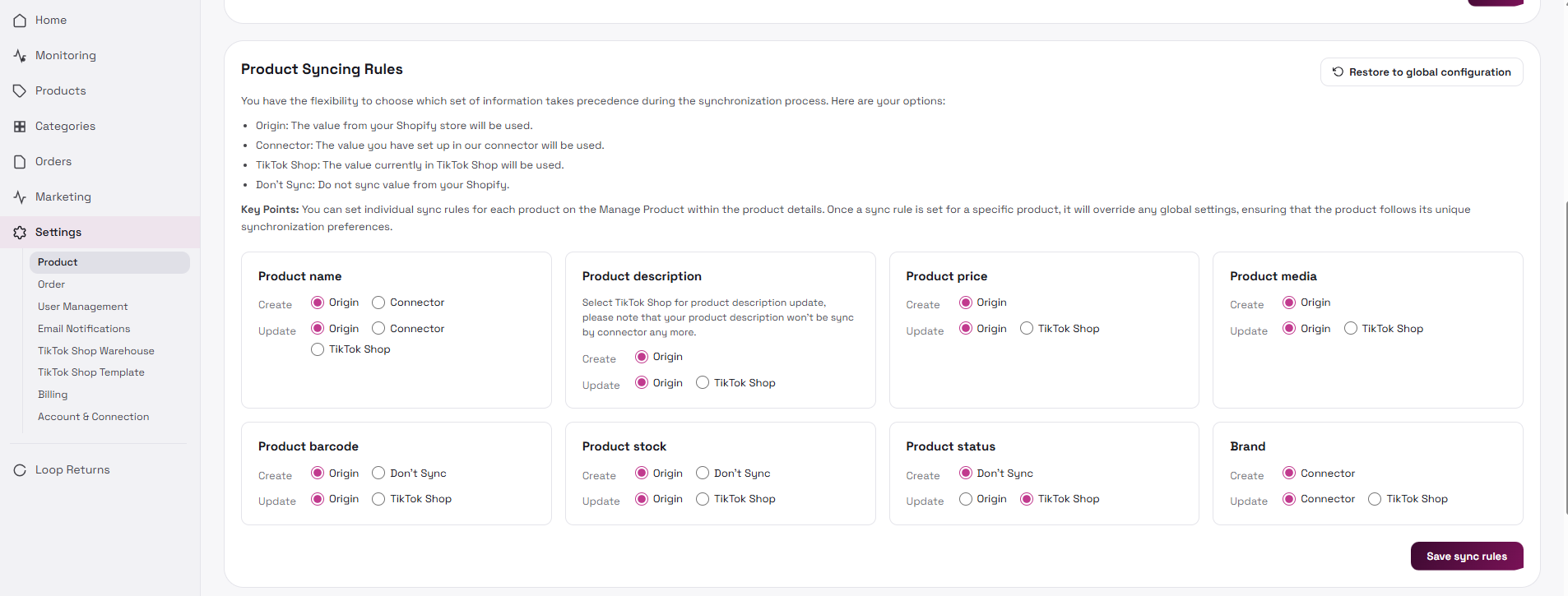
Section titled “Sync rules (field-level)”Per field, Create and Update can copy from Origin (usually Shopify), Connector, TikTok Shop, or Don’t Sync. Fields include product name, price, media, barcode, stock, status, video, brand, and description.
Actions: Restore to global configuration and Save sync rules. After saving, run a controlled Sync on one test SKU before bulk updates.
Automatic Listing (feature-gated)
Section titled “Automatic Listing (feature-gated)”Visible when settings auto-listing is enabled: Basic Automatic Listing (standard products) and Enhanced Automatic Listing (includes AI-recommended attributes). A compliance note (e.g. Prop 65) may appear when enhanced listing is on.
Shopify Category Source
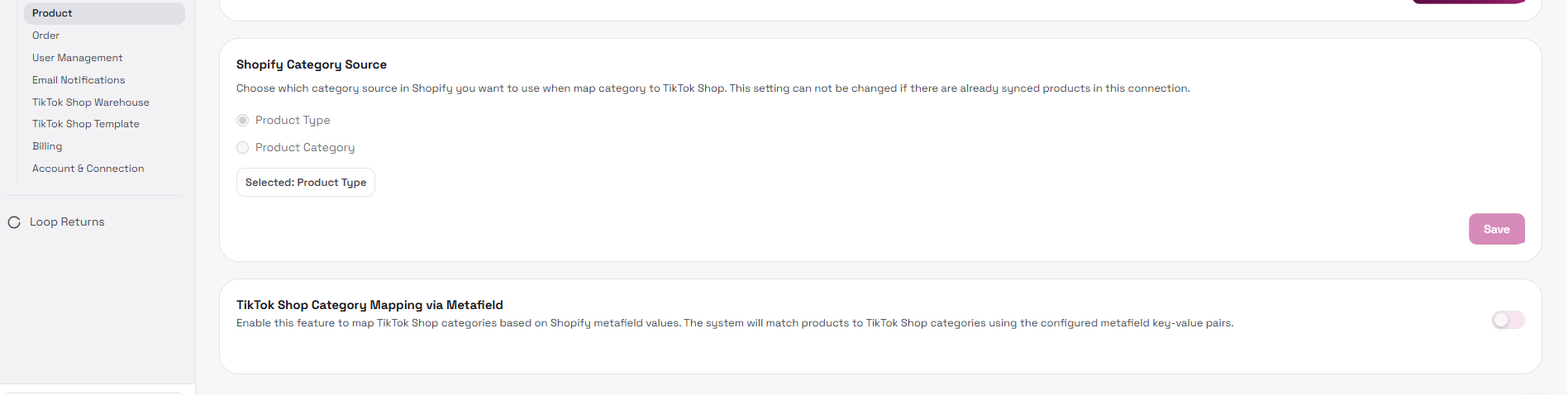
Section titled “Shopify Category Source”Product Type or Product Category (radio). Save is locked after products have synced (cannot change source).
TikTok Shop Category Mapping via Metafield
Section titled “TikTok Shop Category Mapping via Metafield”Master toggle to map TTS category from Shopify metafields. Add metafield key rows, drag to reorder, then Save. Turning the master toggle OFF saves immediately.
GPA connections may also show market-specific GPA Price Rules.
Shipping tab
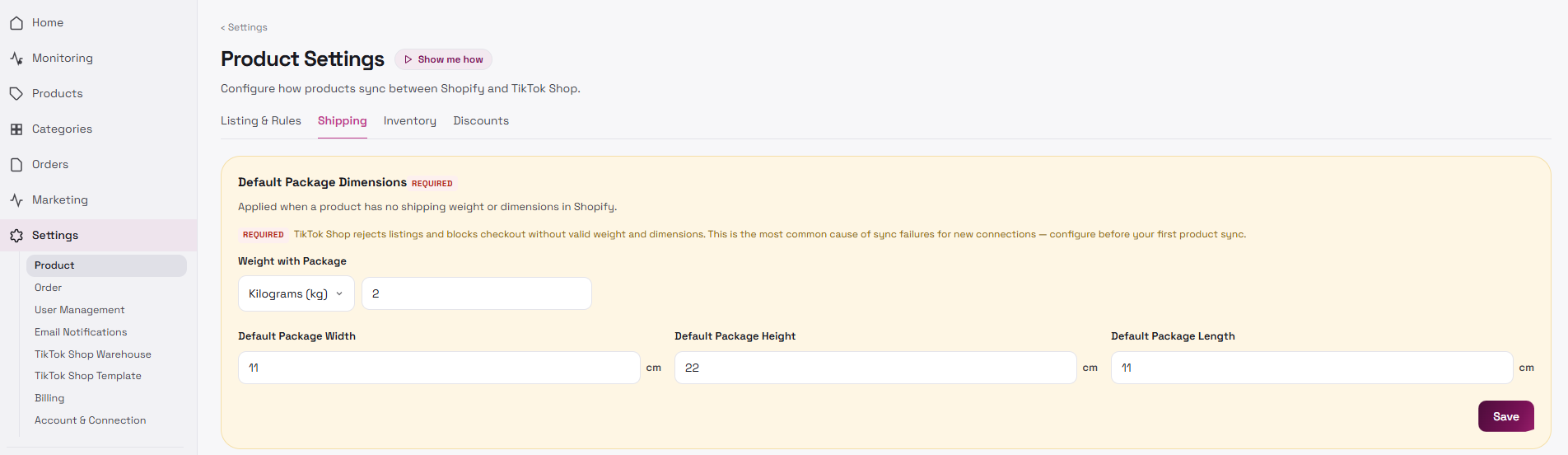
Section titled “Shipping tab”Default package dimensions are required for listing: Weight with Package (lb, oz, g, kg) plus Width / Height / Length (inch for lb/oz, cm for g/kg).
Setup Guide may redirect you here if dimensions are missing. TikTok requires weight and dimensions for shipping quotes; missing defaults cause listing or sync failures that can also block order sync for those SKUs.
Inventory tab
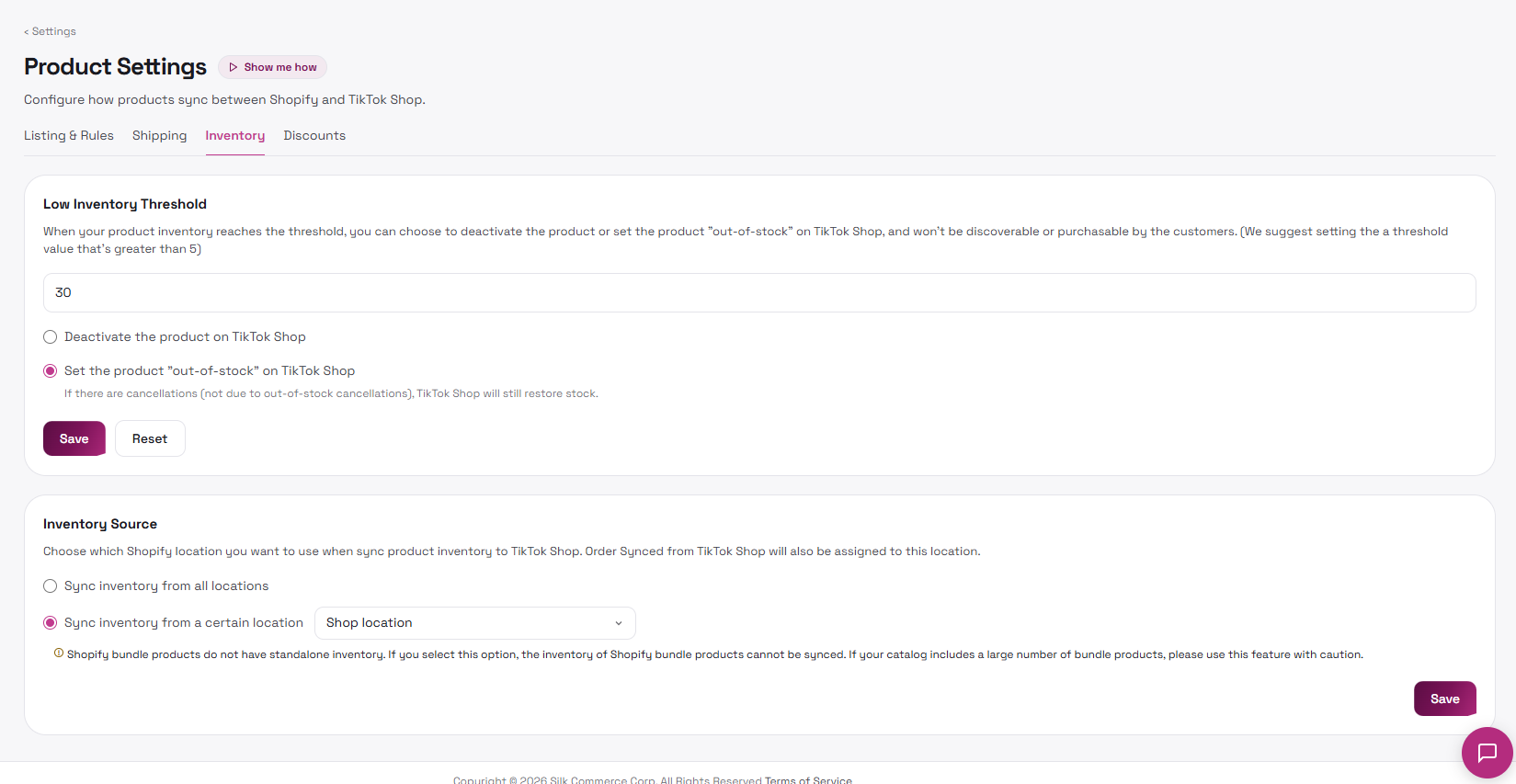
Section titled “Inventory tab”Enter a numeric low inventory threshold. When stock falls at or below it, either Deactivate the product on TikTok Shop or Set the product “out-of-stock” on TikTok Shop. Save / Reset.
Inventory source: Sync inventory from all locations, or from a certain Shopify location. Bundle products may show a warning.
Discounts tab
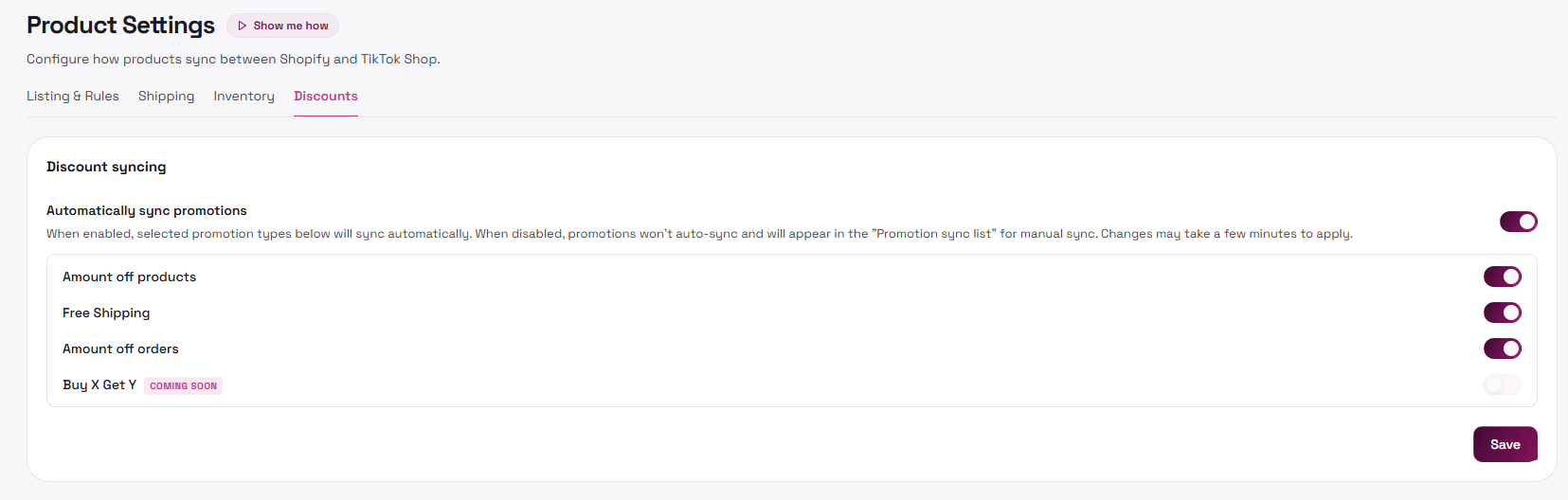
Section titled “Discounts tab”Automatically sync promotions is the master toggle. Sub-types when ON: Amount off products, Free Shipping, Amount off orders, Buy X Get Y (Coming Soon). Click Save.
When the Product setup spotlight is active, a bottom bar offers Save & continue to Order settings / Skip for now.
Tips / common issues
Section titled “Tips / common issues”- Loading product settings… — wait for connection config to load.
- Sync rules won’t save — ensure rules loaded from the server first.
- Category source Save disabled — products already synced; contact support if you must change source.
- Invalid low inventory value — fix the number per the toast.