LightningCommerce Review App Guide
Note: This document explains every button, input, and clickable element by page/section.
Jump to Definition to view word introduction
Platform
Section titled “Platform”PowerReviews <> TikTok Shop
Function Guide
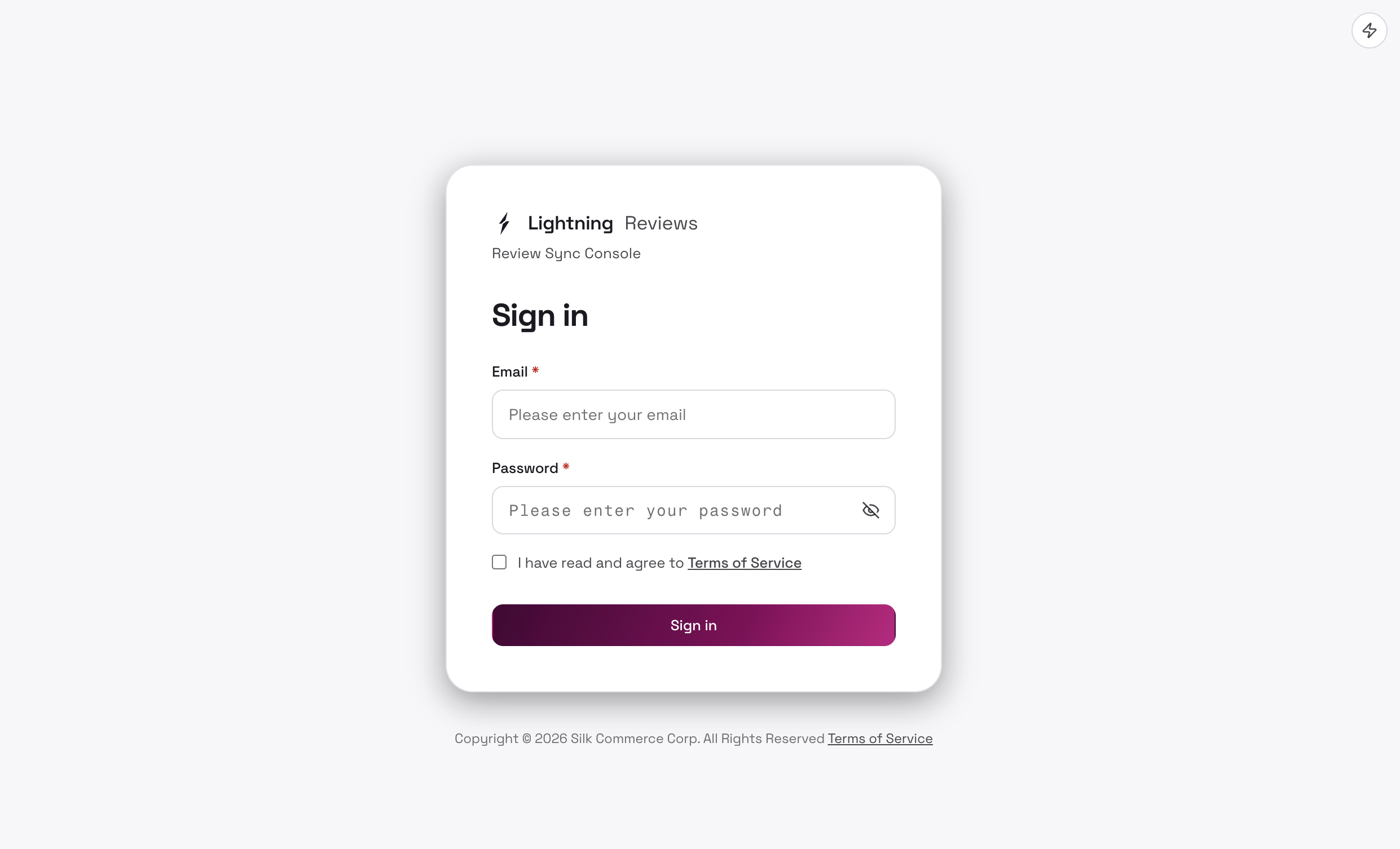
Section titled “Function Guide”1. Login Page
Section titled “1. Login Page”| Control | Description |
|---|---|
| Email input | Enter your login email |
| Password input + eye icon | Enter password; click the eye to show/hide it |
| Sign in | Submit login. On success, enter the brand Overview page |
2. Global
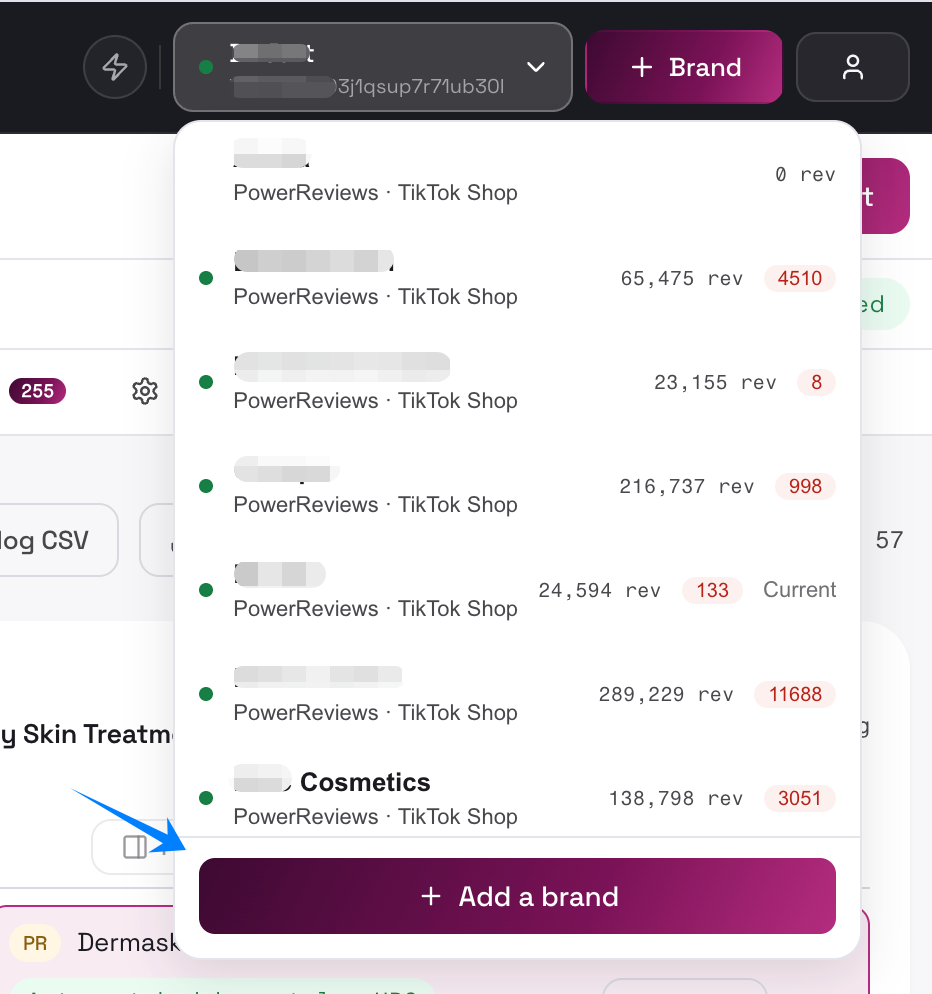
Section titled “2. Global”Add New Brand
Section titled “Add New Brand”Opens the “Add a brand” (Admin only)
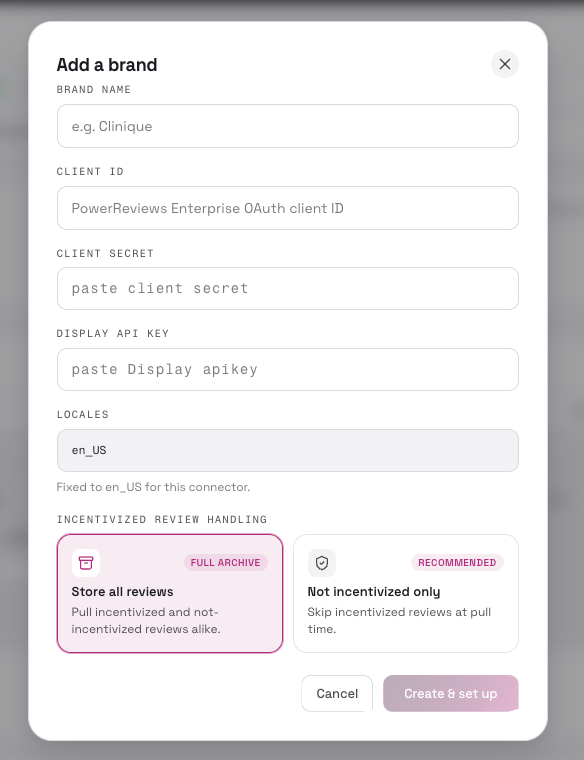
Need to fill in client id, client secret and API key. It recommends importing reviews with “Not incentivized only” reviews due to TikTok Shop’s rules.
| Control | Description | UI |
|---|---|---|
| Brand name input | Brand name (required) |  |
| Client ID | Platform credentials (required) |  |
| Client Secret | Platform secret (required) |  |
| Display API key input (PowerReviews only) | Display API key (required) |  |
| Locale | Default locale (defaults to en_US) |  |
| Incentivized review handling policy (radio cards) | How incentivized reviews are handled for the new brand | 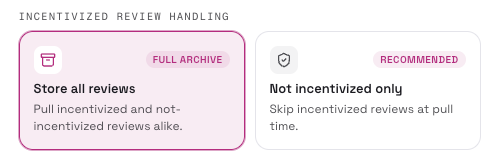 |
| Create & set up | Creates the brand and jumps to its Settings page to finish connecting |  |
Authorize TikTok Shop
Section titled “Authorize TikTok Shop”Authorize with TikTok Shop / Re-authorize with TikTok Shop
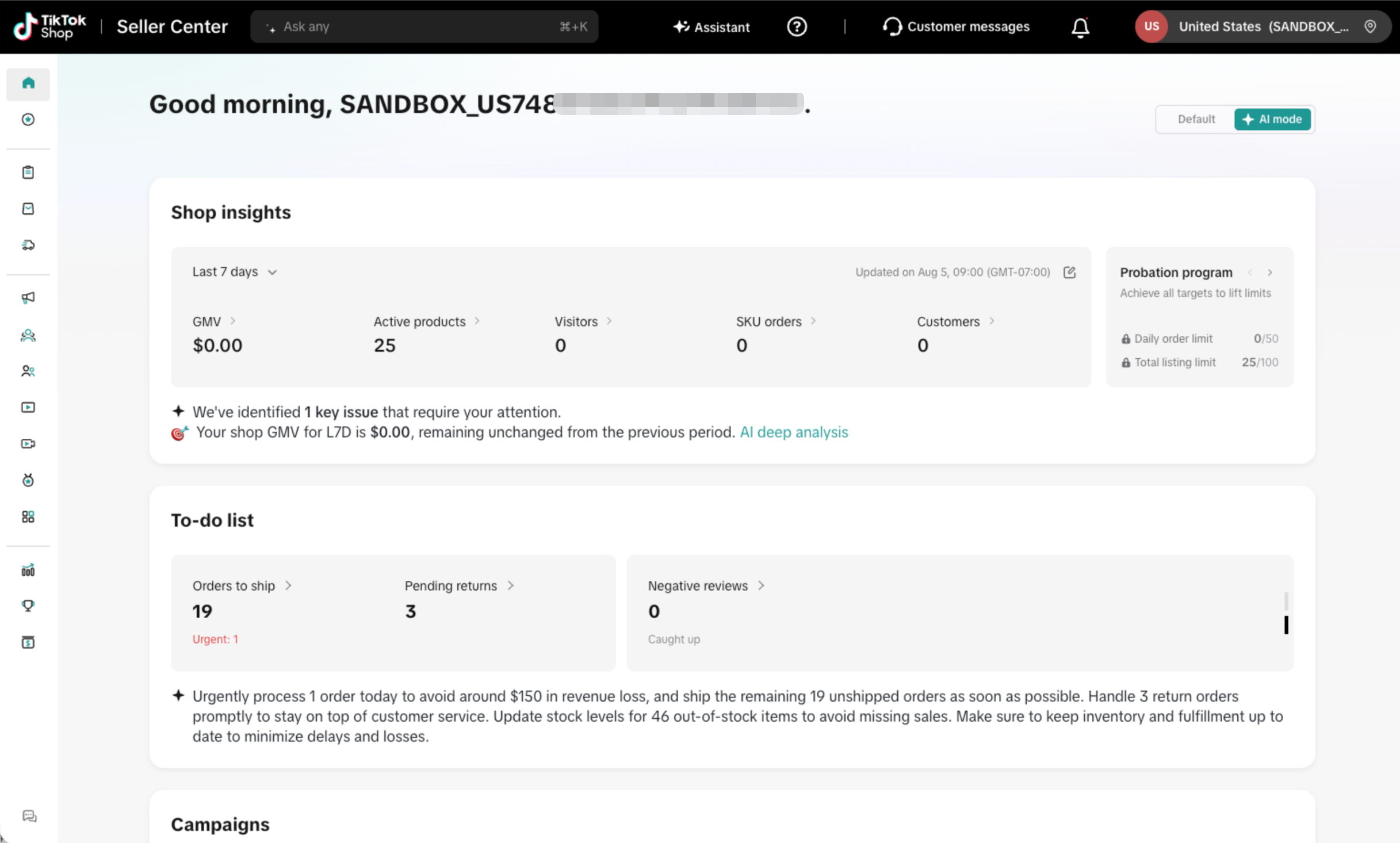
- Login to TikTok Shop before start to auth
- Go to Settings > TikTok Shop tab
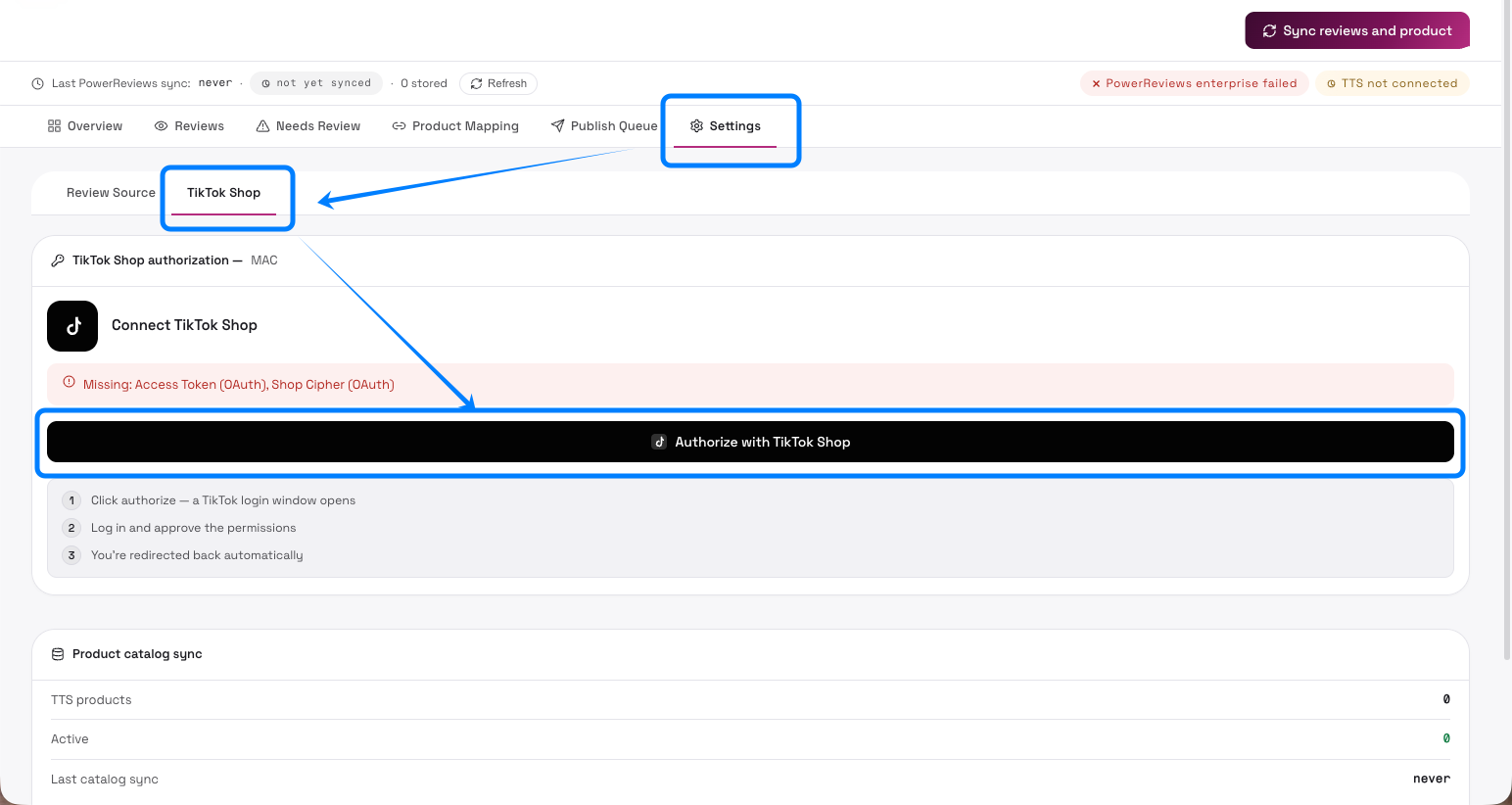
- Three-step: click authorize → log in and approve → auto redirect)
Global
Section titled “Global”| Control | Location | Description | UI |
|---|---|---|---|
| Dark/light mode toggle (🌙/☀️) | Login page & top-right of main UI | Switch between dark and light theme |  |
| Brand selector (current brand name) | Top bar | Dropdown listing all brands; click a brand to switch its workspace (each brand has independent sync, reviews, and publish queue) | 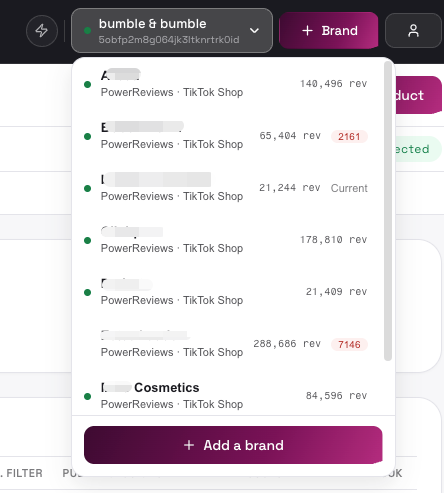 |
| Account button (👤) | Top-right | Opens account menu: Manage Users (Admin only), Change password, Logout | 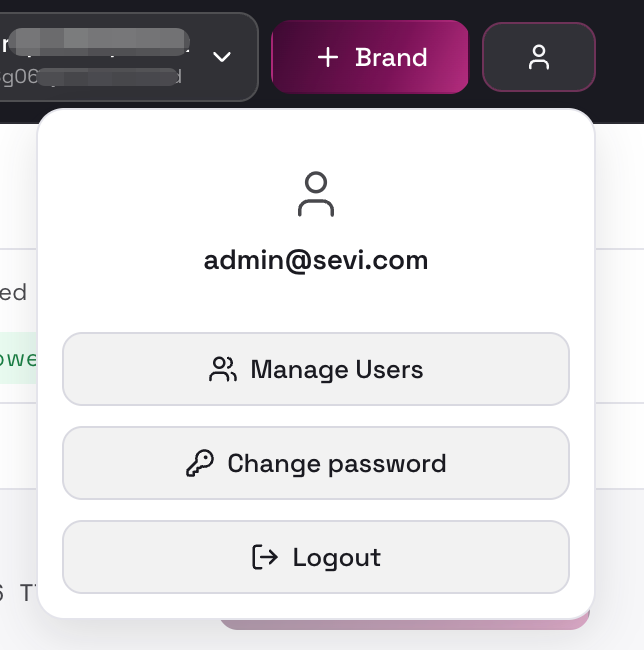 |
| Status strip “Last PR/TTS sync + time + status” | Below top bar | Shows time and health of the most recent review sync (healthy / partial / error / cancelled / not yet synced) |  |
| Refresh | Status strip | Manually refresh review count stats and the review list |  |
| PowerReviews connected / not connected (status pill) | Right side of status strip | Shows review-source connection status; click to jump to Settings → Review Source | 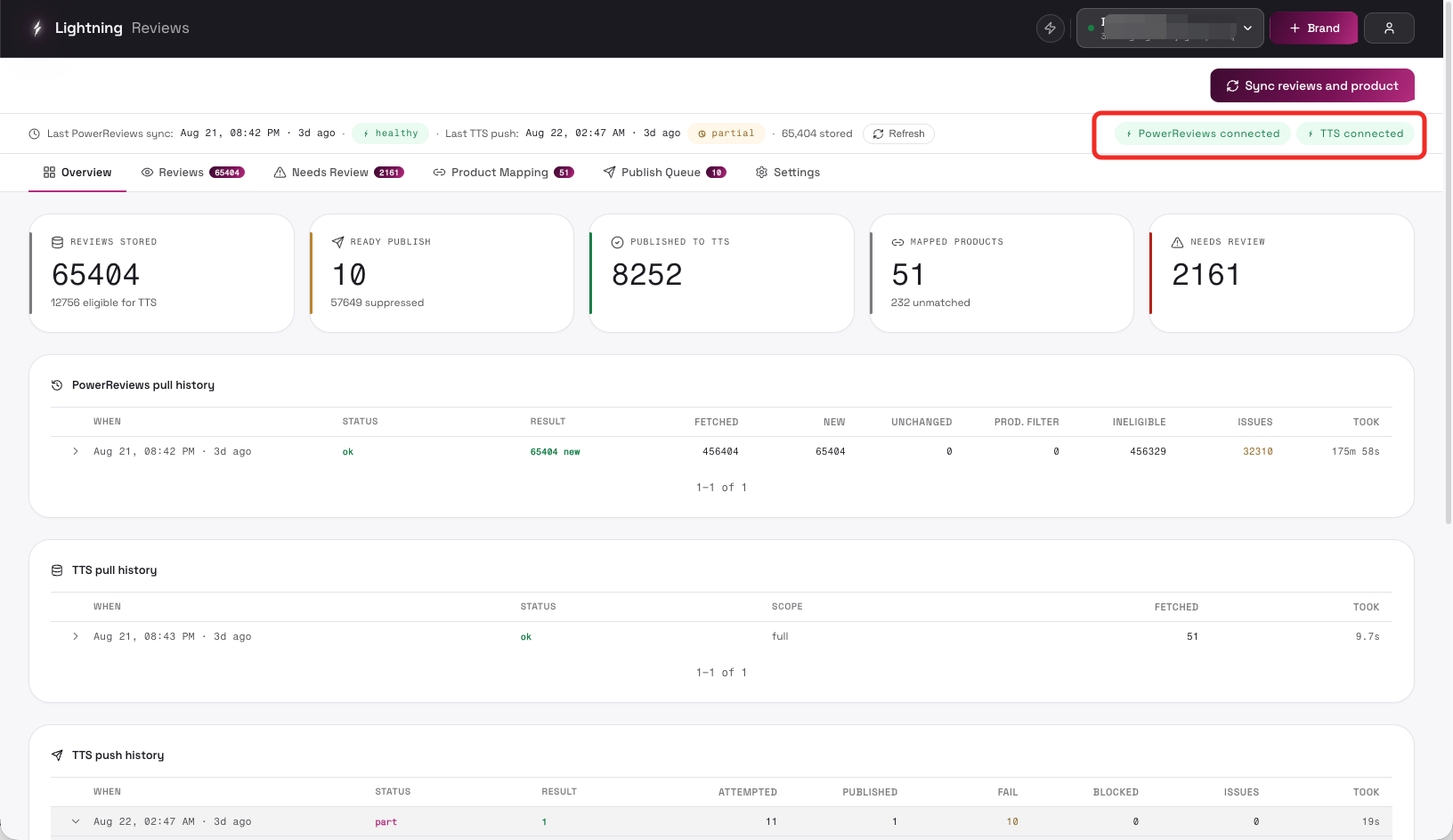 |
| TTS connected / TTS auth expired / TTS not connected (status pill) | Right side of status strip | Shows TikTok Shop authorization status; click to jump to Settings → TikTok Shop | |
| Overview / Reviews / Needs Review / Product Mapping / Publish Queue / Settings (tabs) | Below status strip | Switch to the corresponding page; red badges on tabs show pending counts (e.g. open issues, pending publishes) | 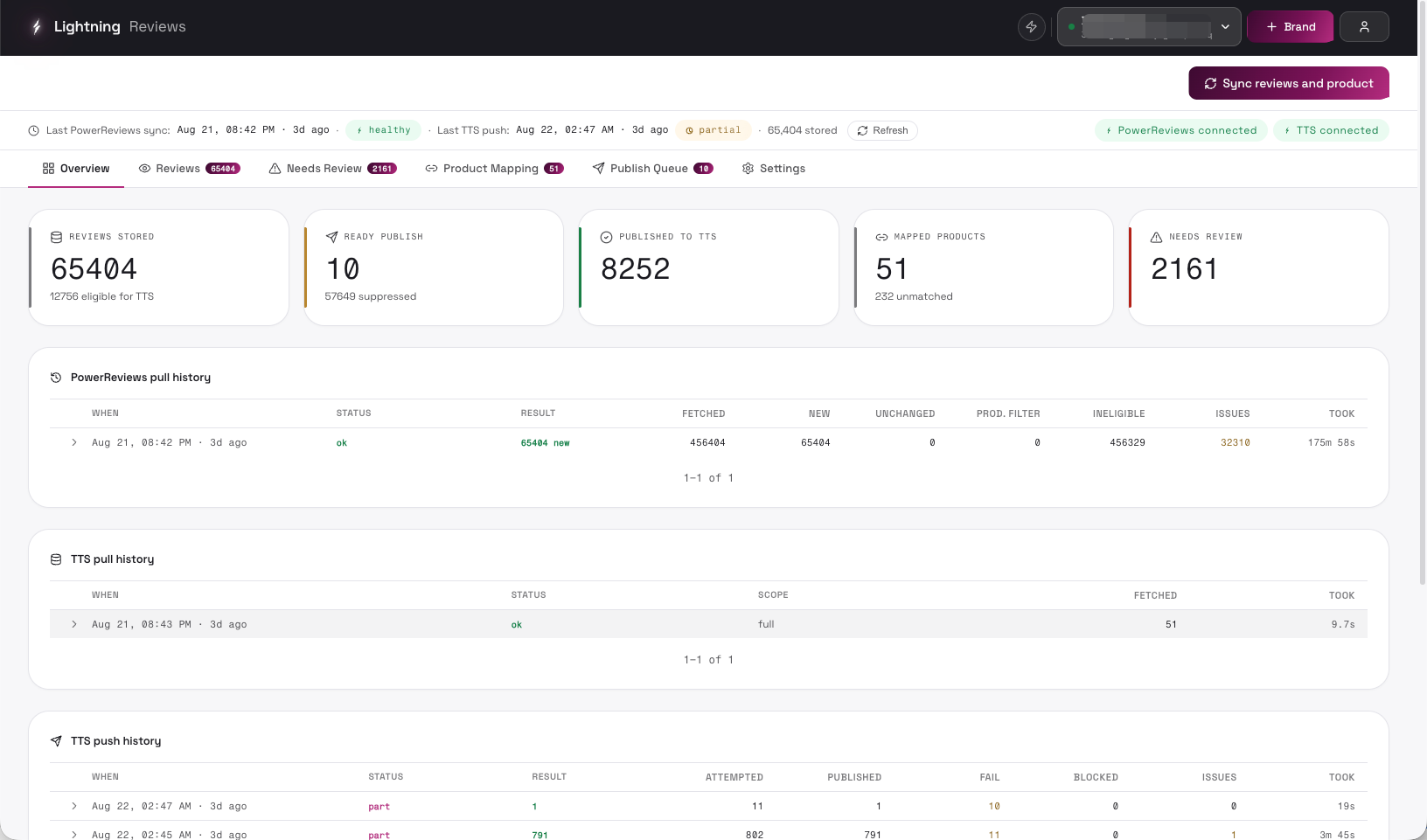 |
3. Overview Page
Section titled “3. Overview Page”| Control | Description | UI |
|---|---|---|
| Reviews stored stat card (Reviews stored / eligible for TTS) | Shows total stored reviews and how many are eligible for TTS publishing | 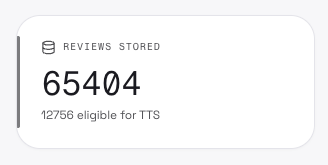 |
| Pending publish stat card | Shows pending publish count and suppressed count; click to jump to Publish Queue | 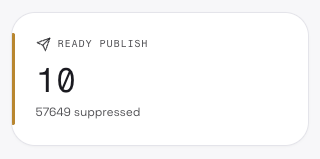 |
| Published to TTS stat card | Shows reviews successfully published to TikTok Shop; shows rejected count if TTS moderation rejected any | 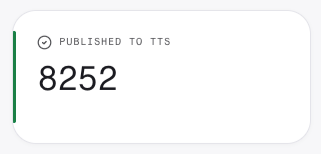 |
| Mapped products stat card | Shows mapped TTS products and unmatched count; click to jump to Product Mapping | 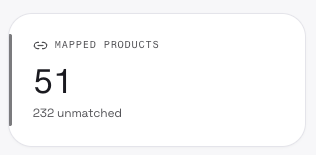 |
| Needs review stat card | Shows open issues count; click to jump to Needs Review | 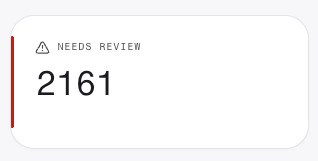 |
| Pull history rows | Table of past syncs: time, status, result, fetched, new, unchanged, product filter, excluded, issues, duration; click a row to expand/collapse its detail | 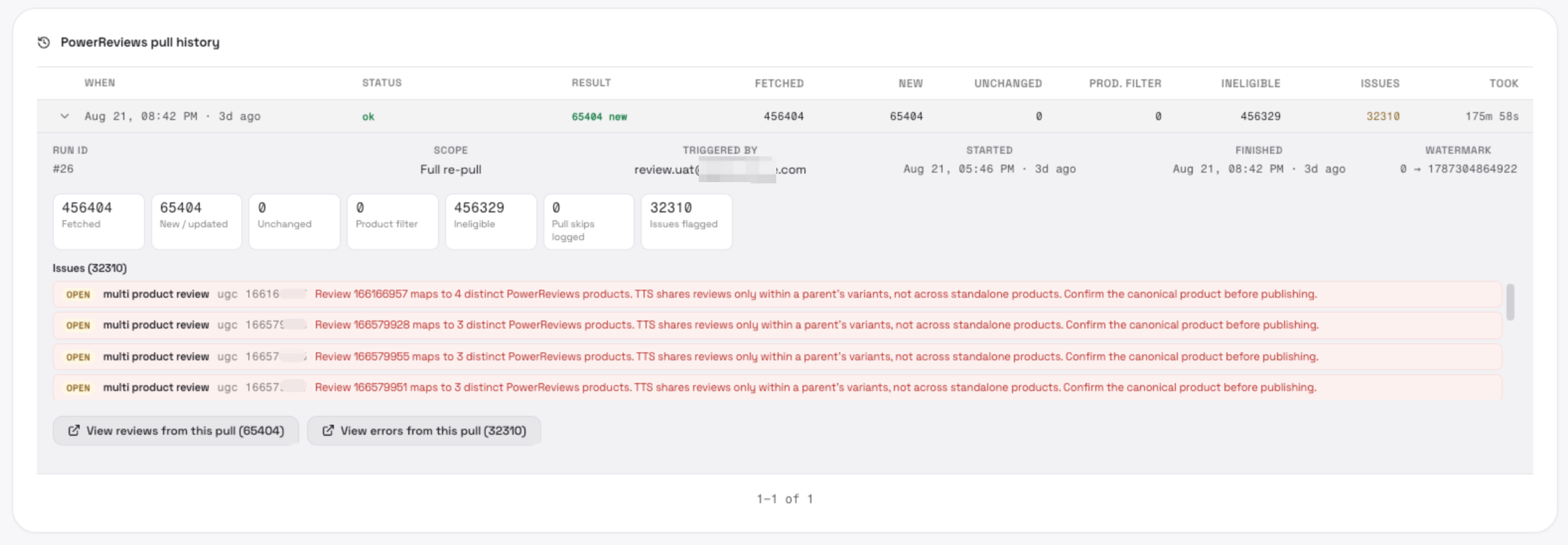 |
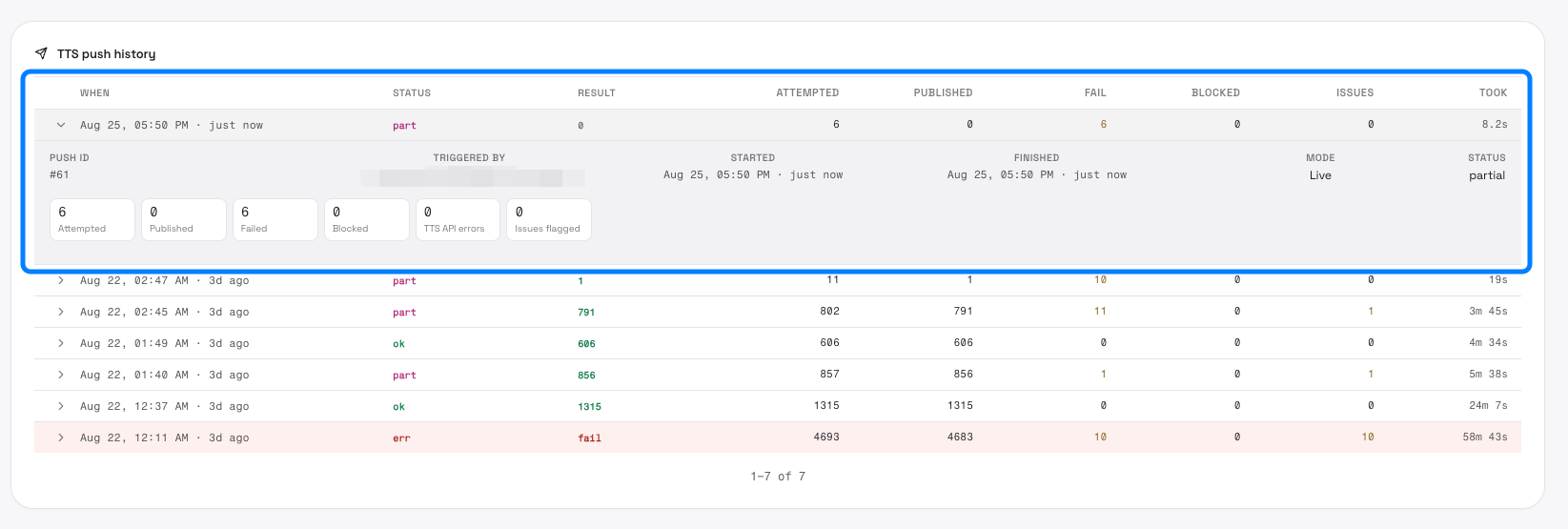
| TTS push history rows | Table of past pushes: time, status, result, attempted, published, failed, blocked, issues, duration; click a row to expand/collapse its detail | 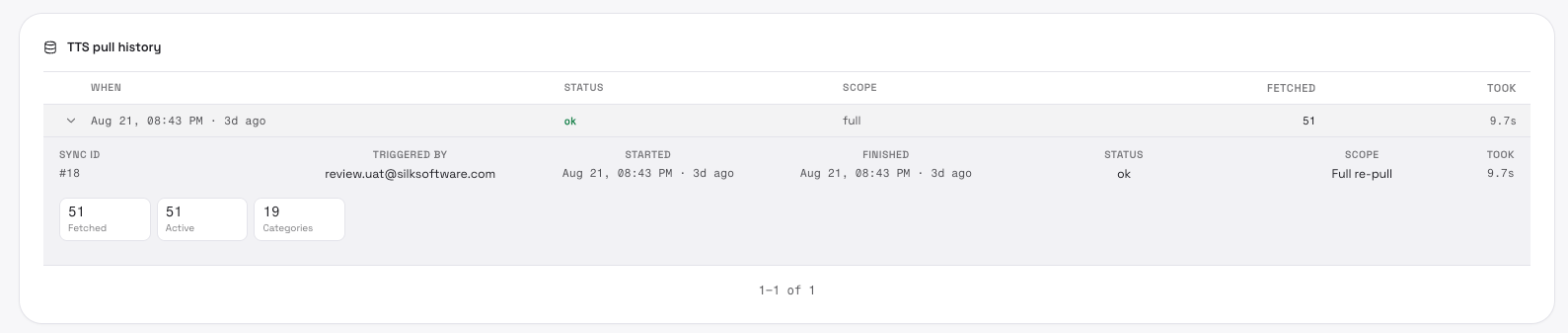 |
| Publish ledger bars | Bar chart of review counts by status (display only, not clickable) | 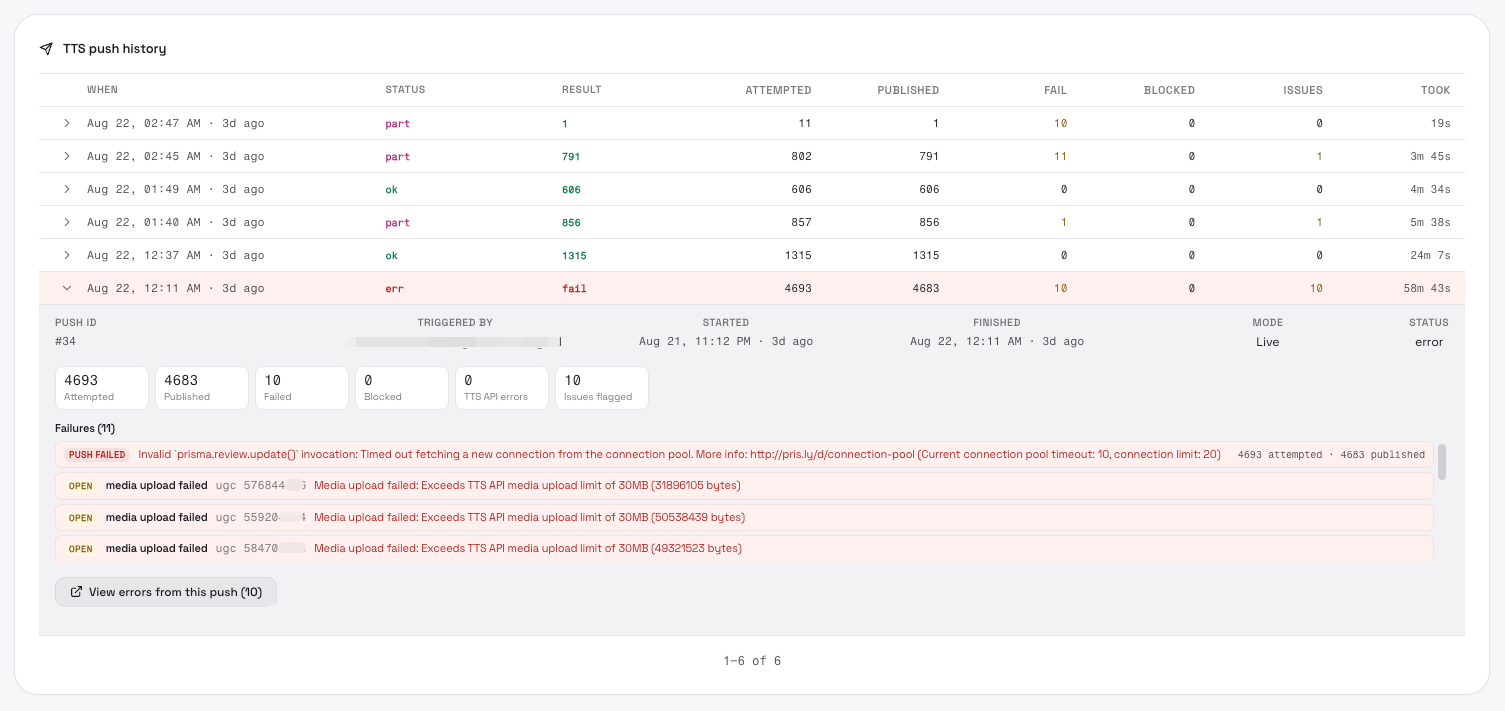 |
Sync run detail
Section titled “Sync run detail”- Retry products + display enrich / Retry display enrich
Re-runs product matching + display enrichment (or enrichment only) for a failed sync, without re-fetching reviews
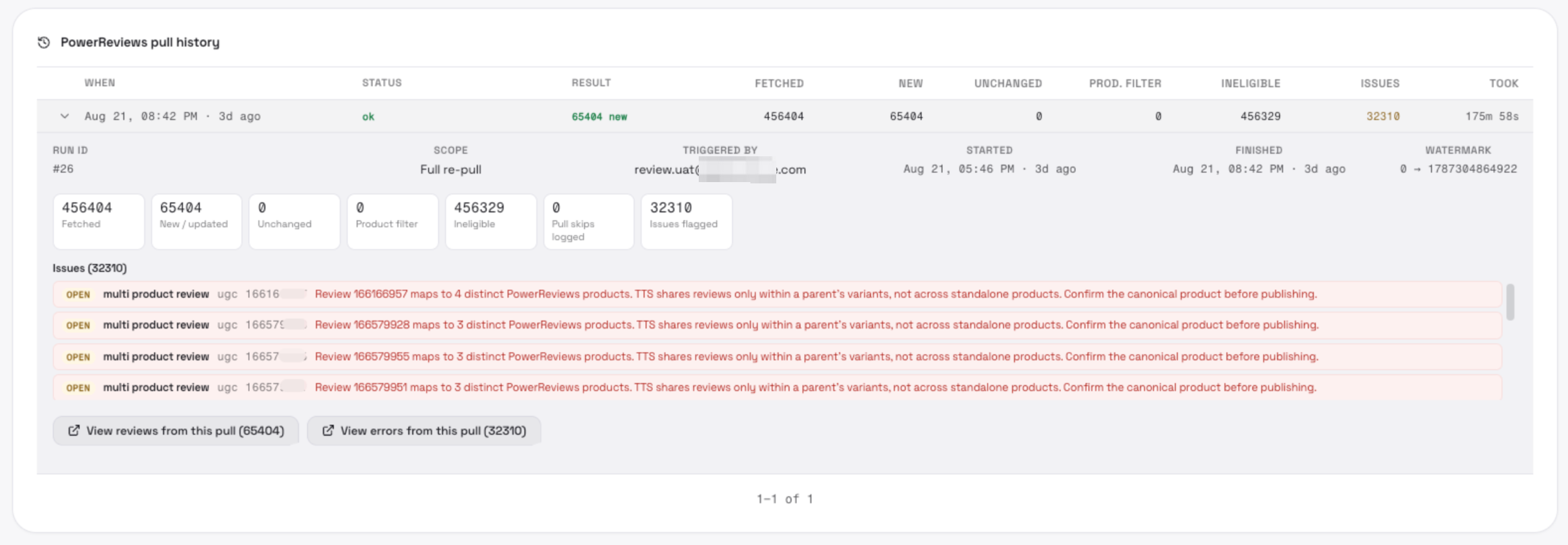
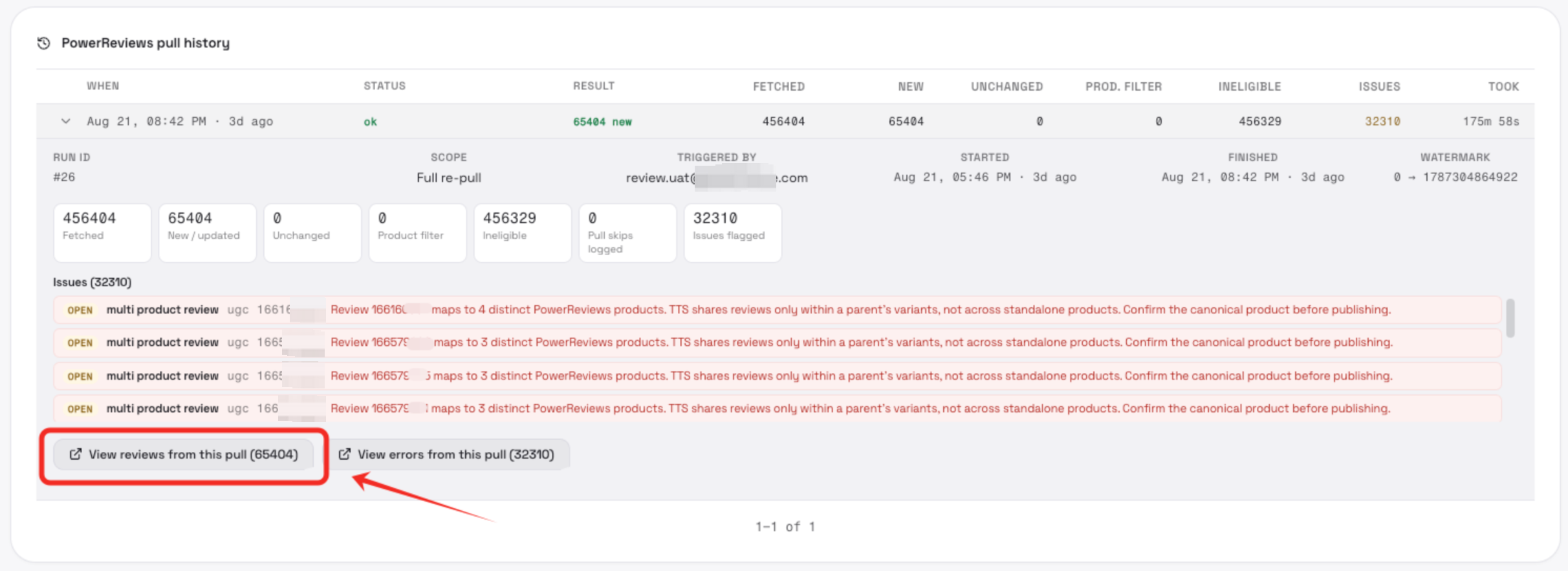
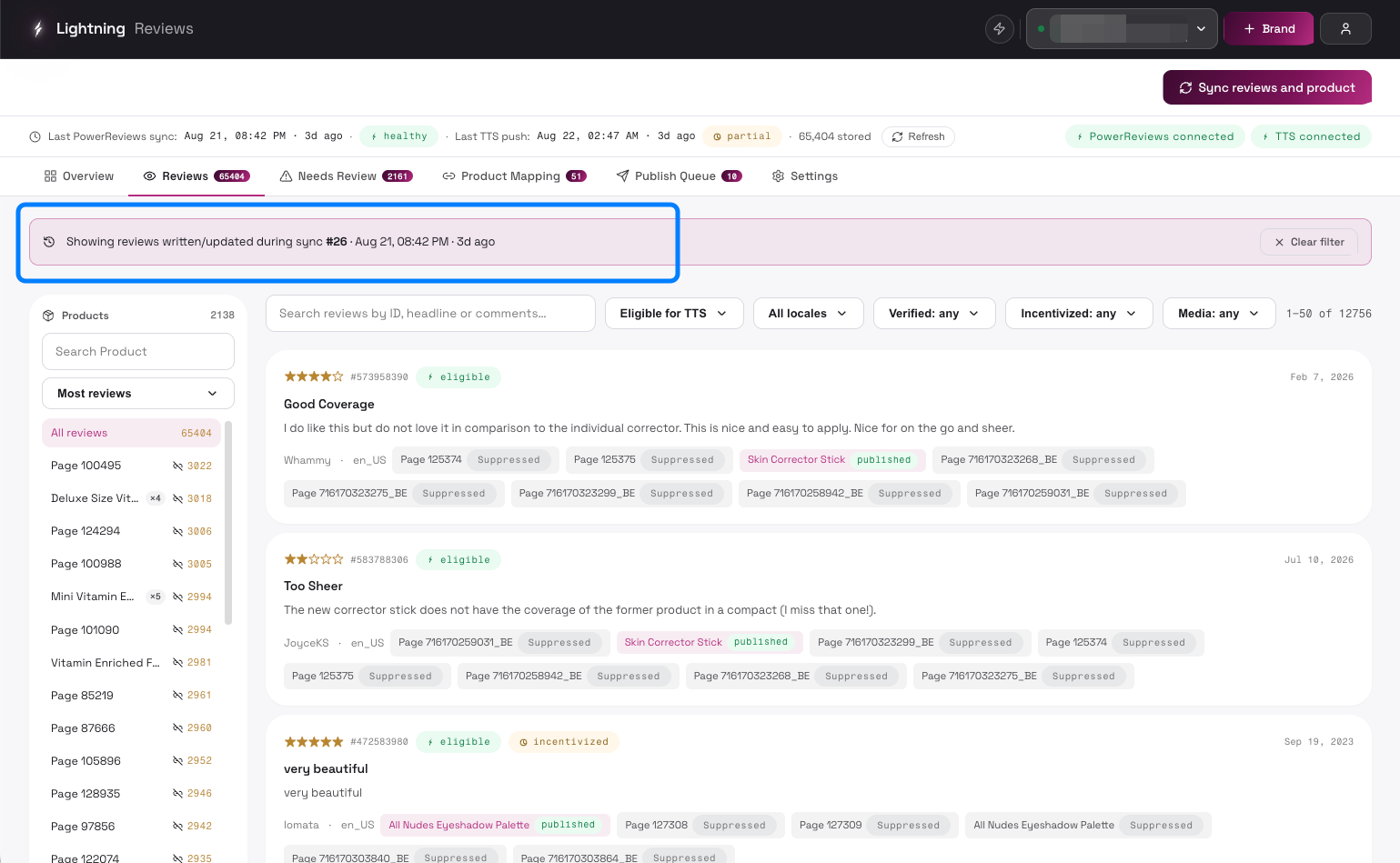
- View reviews from this pull (N)
Jumps to the Reviews page filtered to reviews ingested during this sync (with a filter banner)
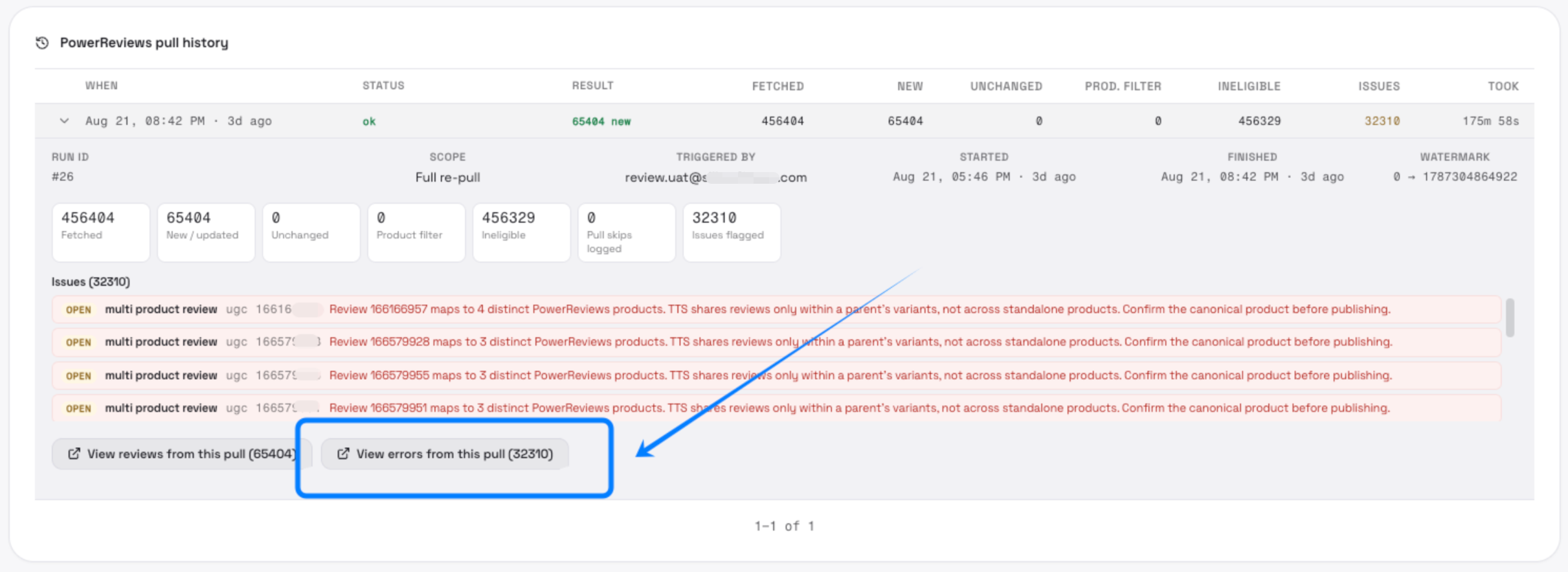
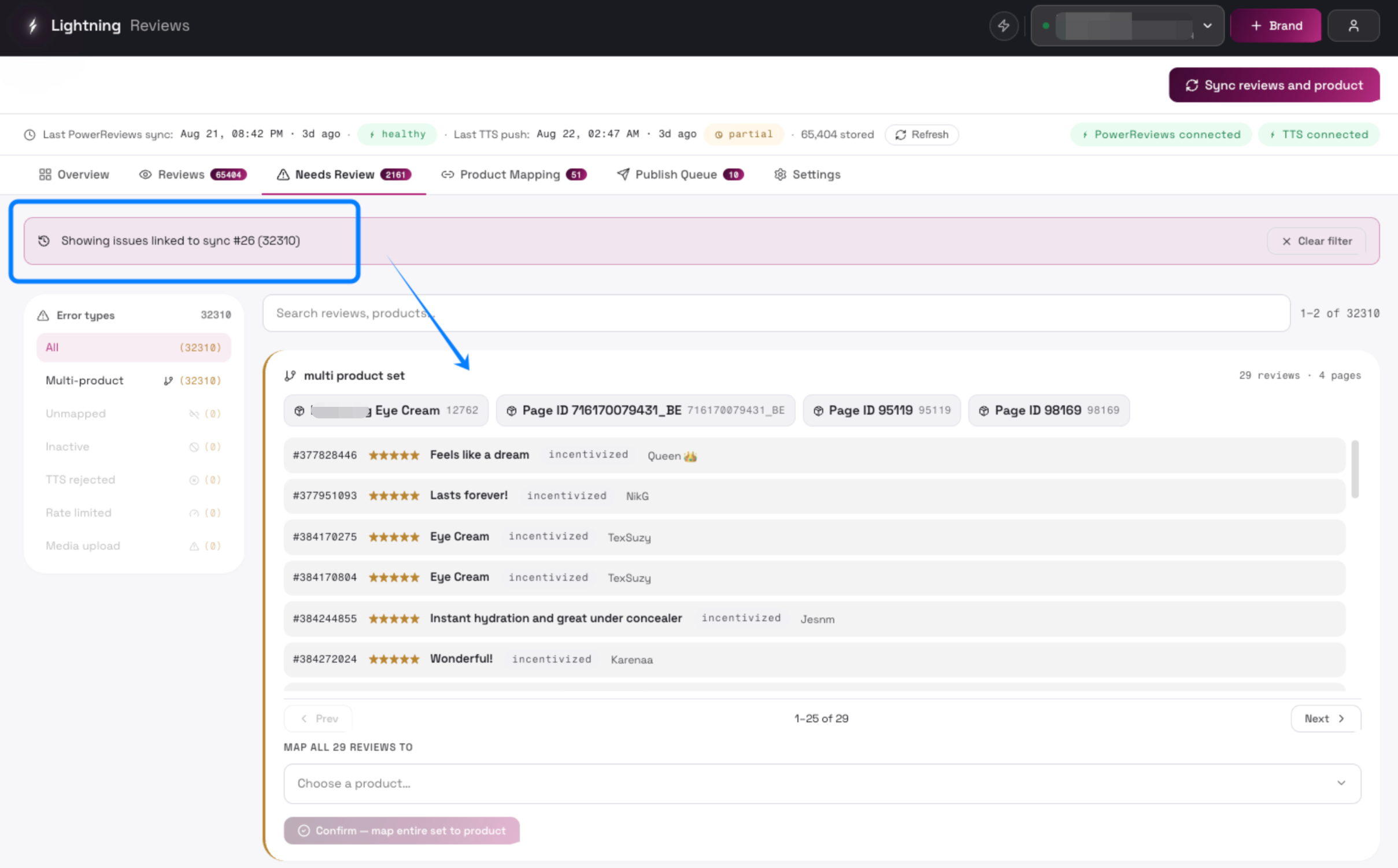
- View errors from this pull (N)
Jumps to Needs Review filtered to issues created by this sync
Push run detail
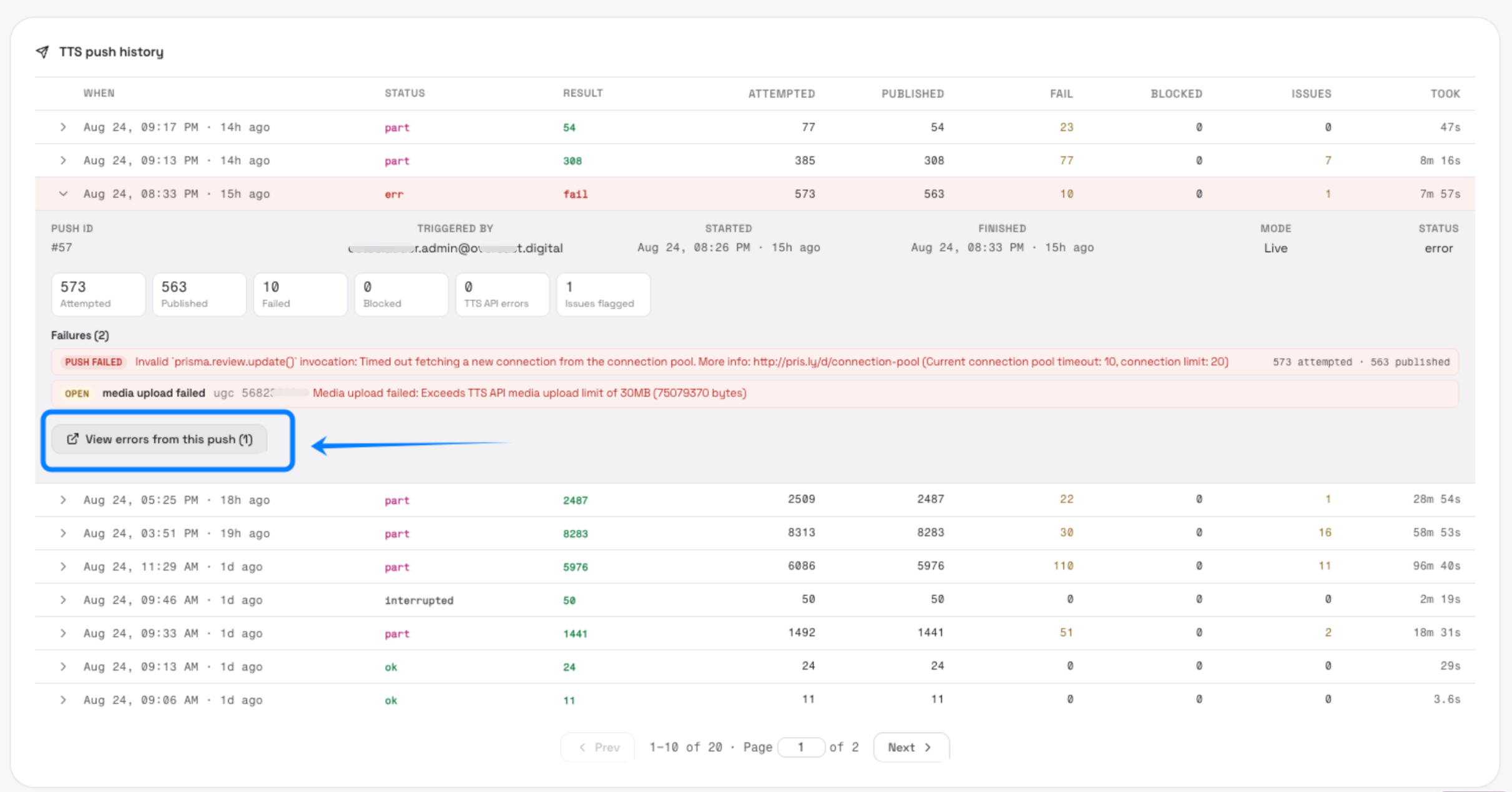
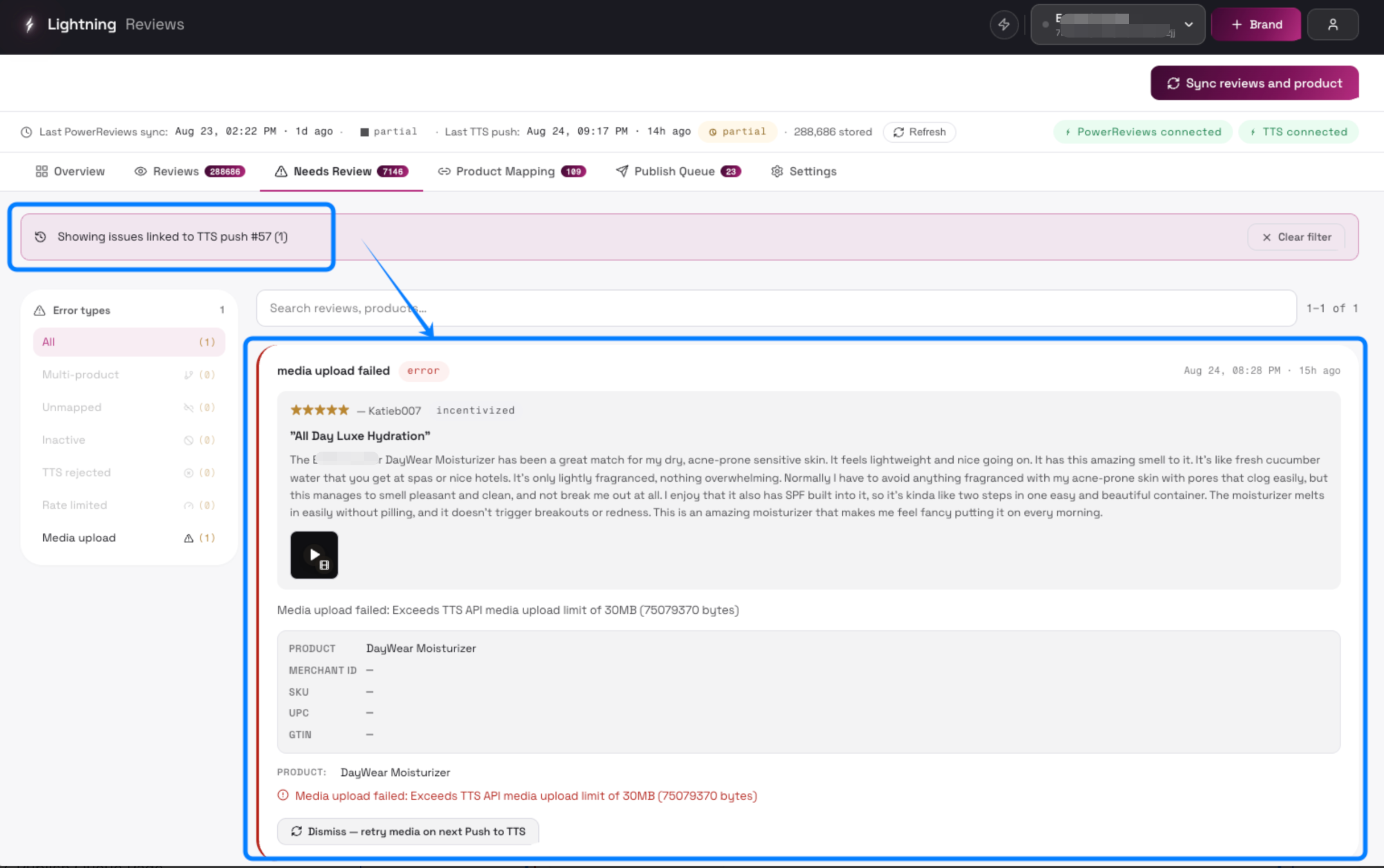
Section titled “Push run detail”View errors from this push (N)
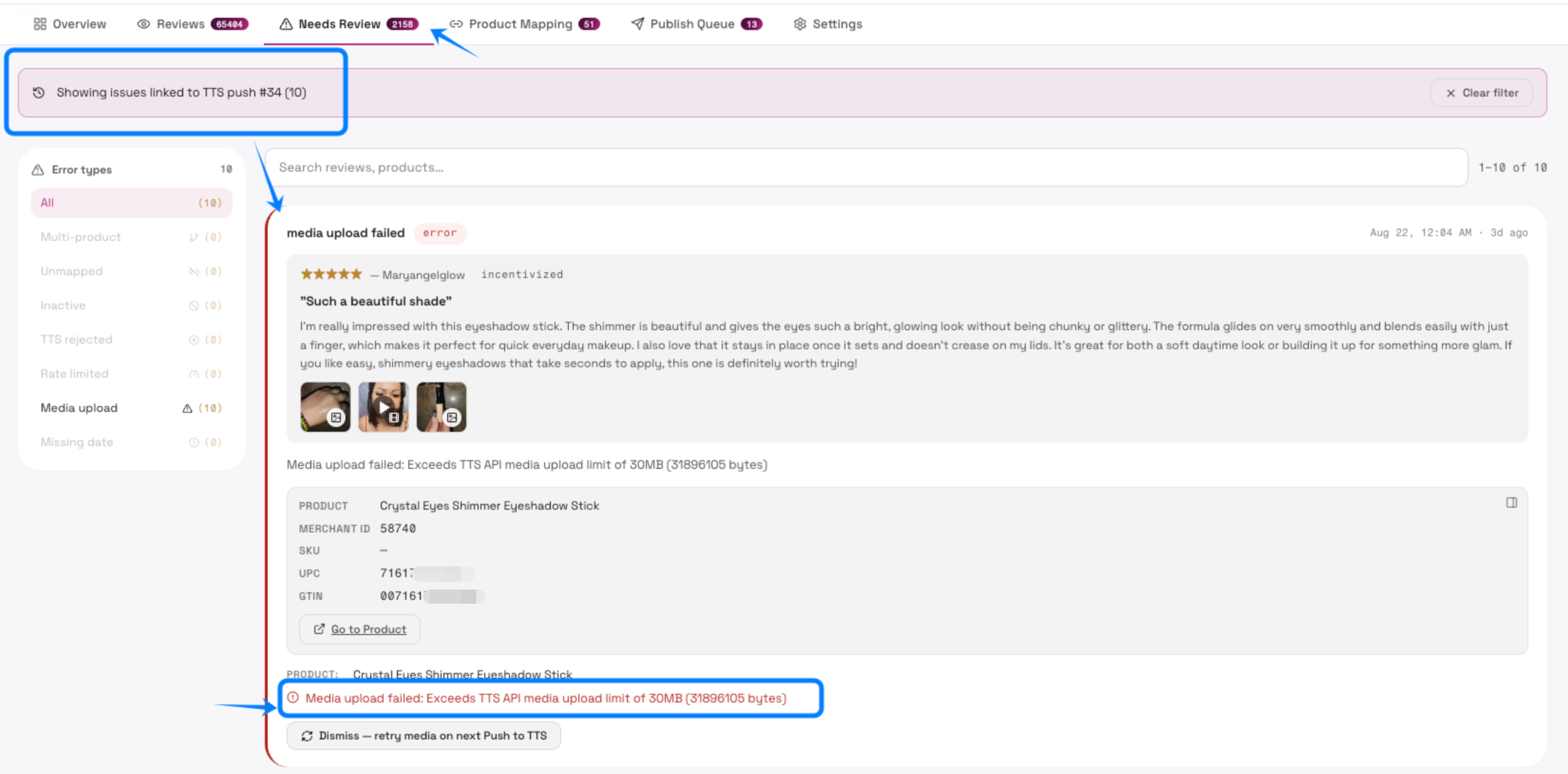
Jumps to Needs Review filtered to issues from this push (TTS rejected, rate limited, media upload failed, etc.)
4. Reviews Page
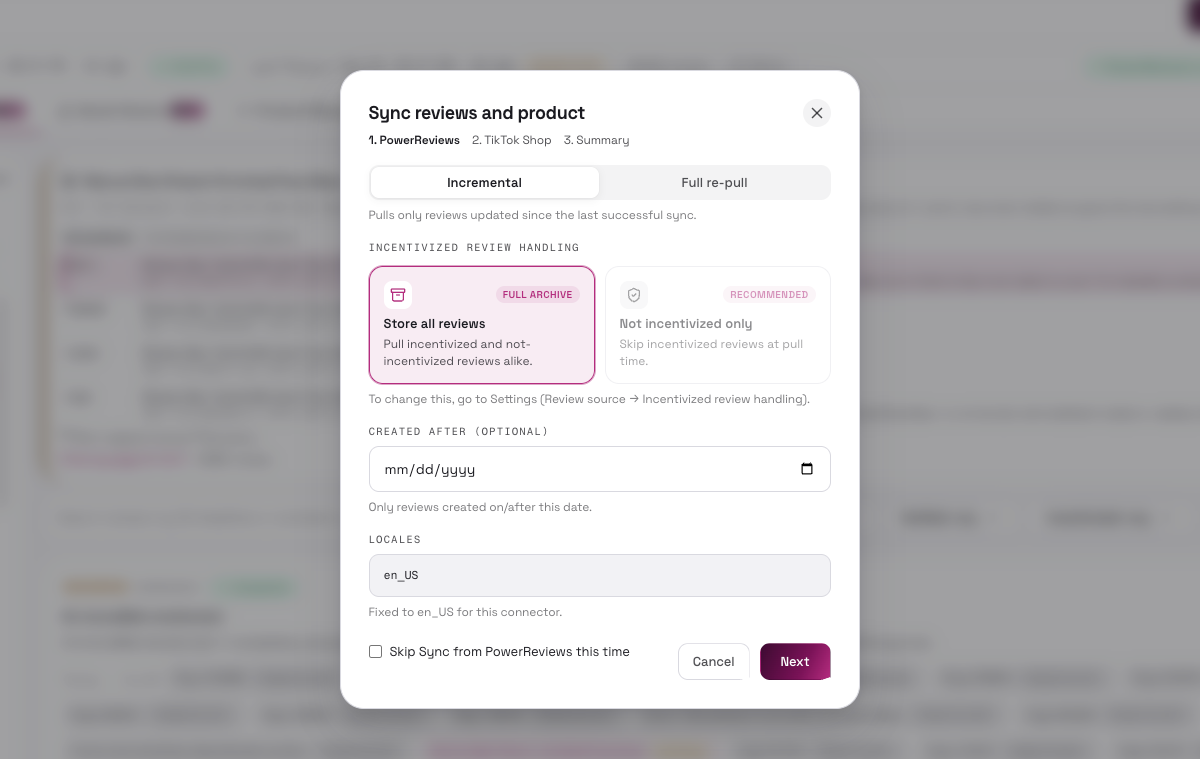
Section titled “4. Reviews Page”Sync from PowerReviews
Section titled “Sync from PowerReviews”Opens the sync options dialog; pulls reviews from the review platform after configuration
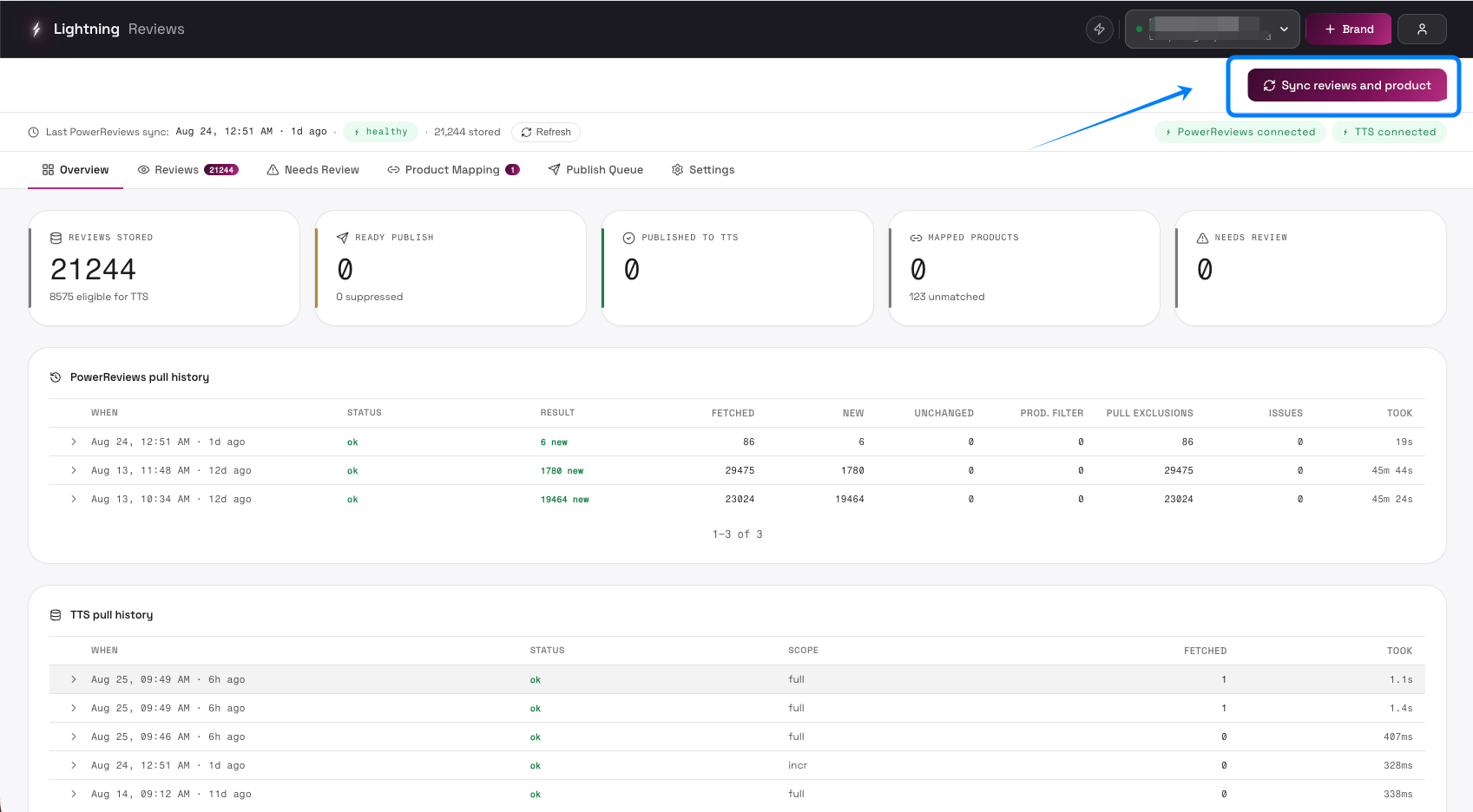
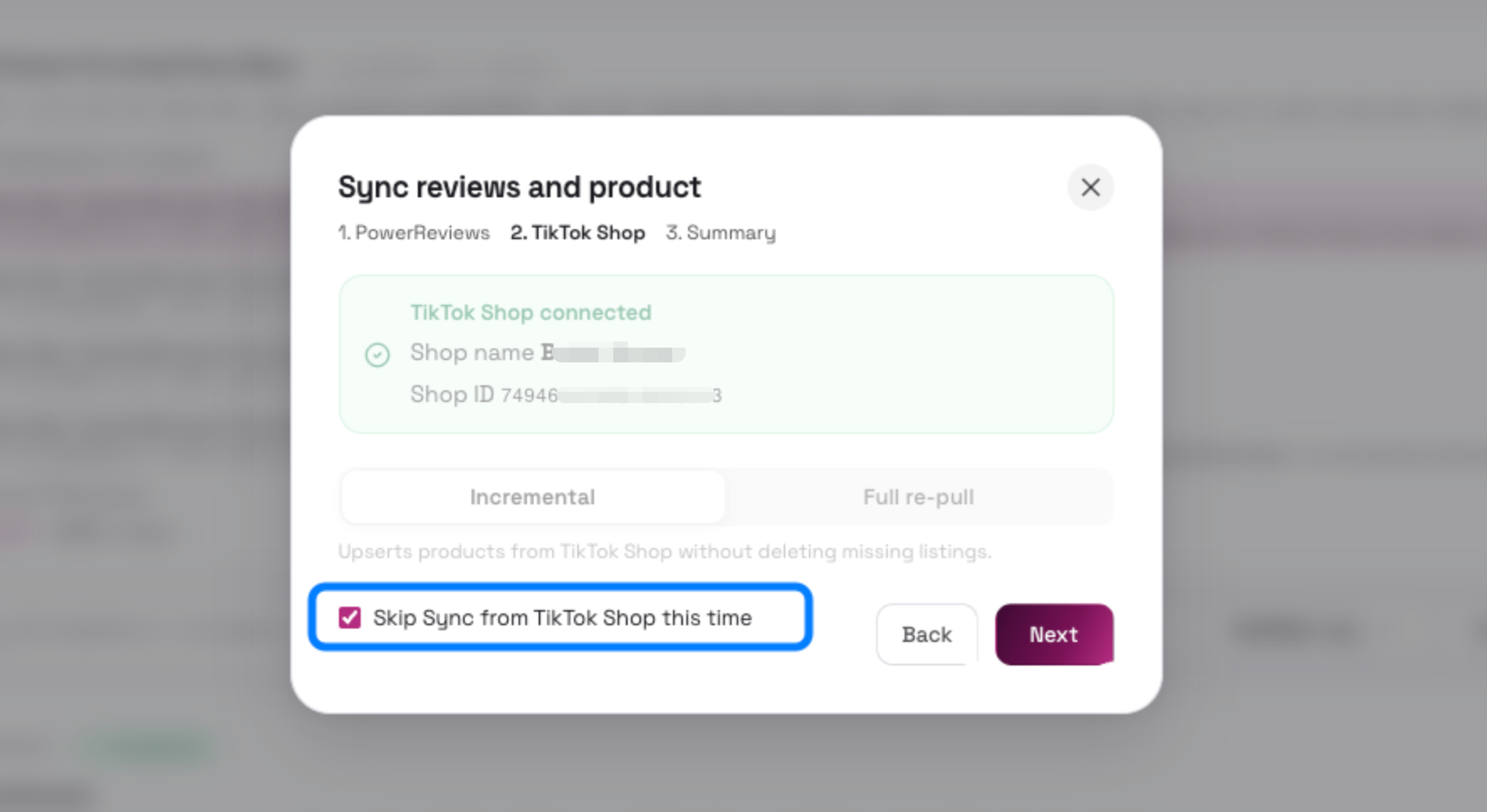
Check the box whether to sync from TikTok Shop at same time.
- Checked means skip for now.
Review Page Introduction
Section titled “Review Page Introduction”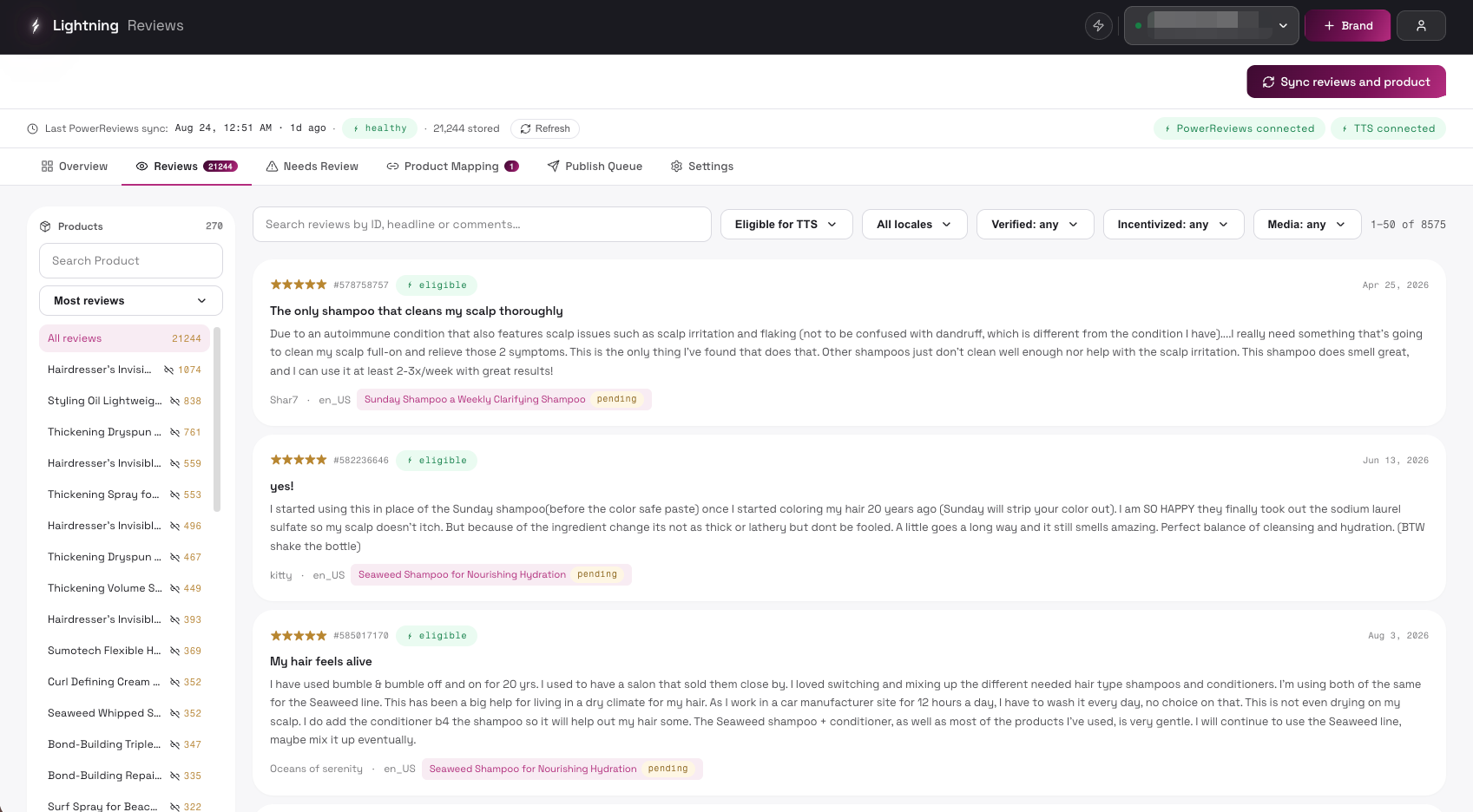
| Control | Description | UI |
|---|---|---|
| Products search box | Search products by name or page ID; filters the sidebar list live | 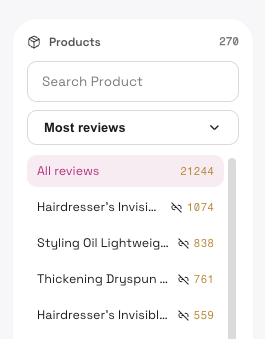 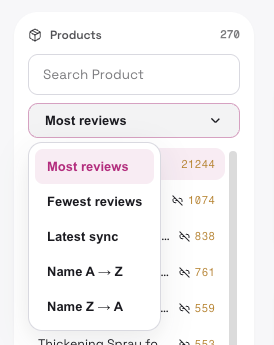 |
| Sort products dropdown | Sort order: Most reviews / Fewest reviews / Latest sync / Name A → Z / Name Z → A | |
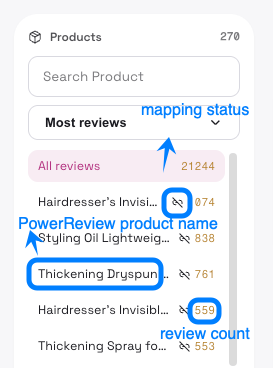
| All reviews | Shows all reviews with count; click to clear the product filter |
- **Product list item **
-
Shows product name, mapping status icon (mapped/unmapped), review count
-
Click to filter reviews to that product;
-
×N marker means multiple page IDs (shade variants) are grouped under one name
- **Product banner “N variants · M page IDs” **
-
Expand/collapse the list of page ID variants grouped under this product name
-
Variant page ID row
- Click to filter reviews to that single page ID; click again to clear

- Filters
All reviews / Eligible for TTS / Filtered out | Filter by TTS publish eligibility

All locales / specific locale | Filter by review locale (fixed to US only now)

Verified buyer: any / Verified only / Unverified only | Filter by buyer verification

Incentivized: any / Incentivized / Not incentivized | Filter by incentivized status

Media: any / With media / Without media | Filter by presence of media (images/videos)

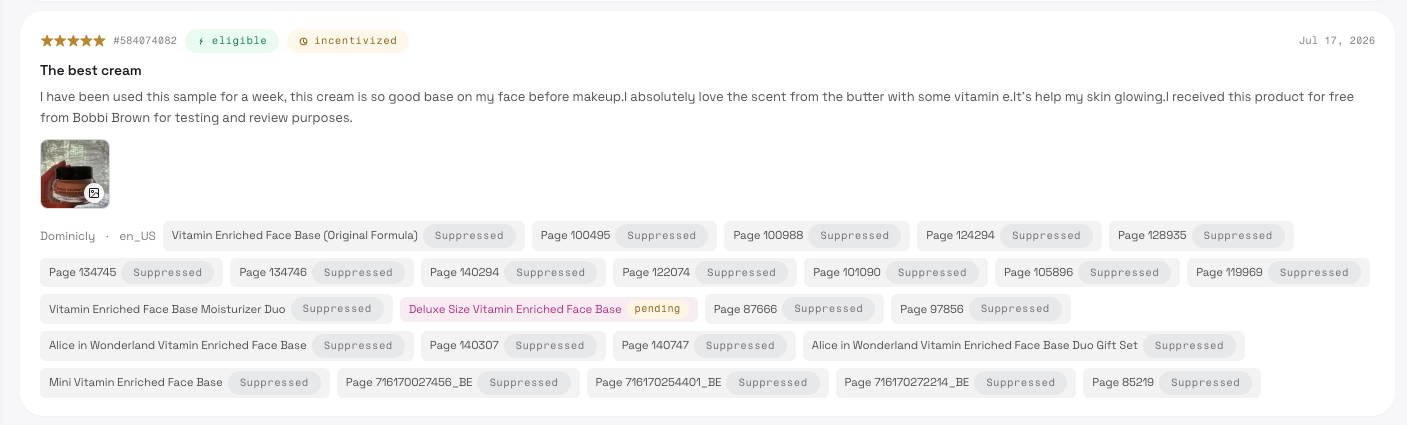
- Review card (display only)
-
Shows rating stars, review ID
-
Eligibility badge (eligible / incentivised / unverified)
-
Conflict badge (needs product choice), date, headline, body, media thumbnails, nickname, locale, mapped product(s) with publish status (pending / published / suppressed);
5. Product Mapping Page
Section titled “5. Product Mapping Page”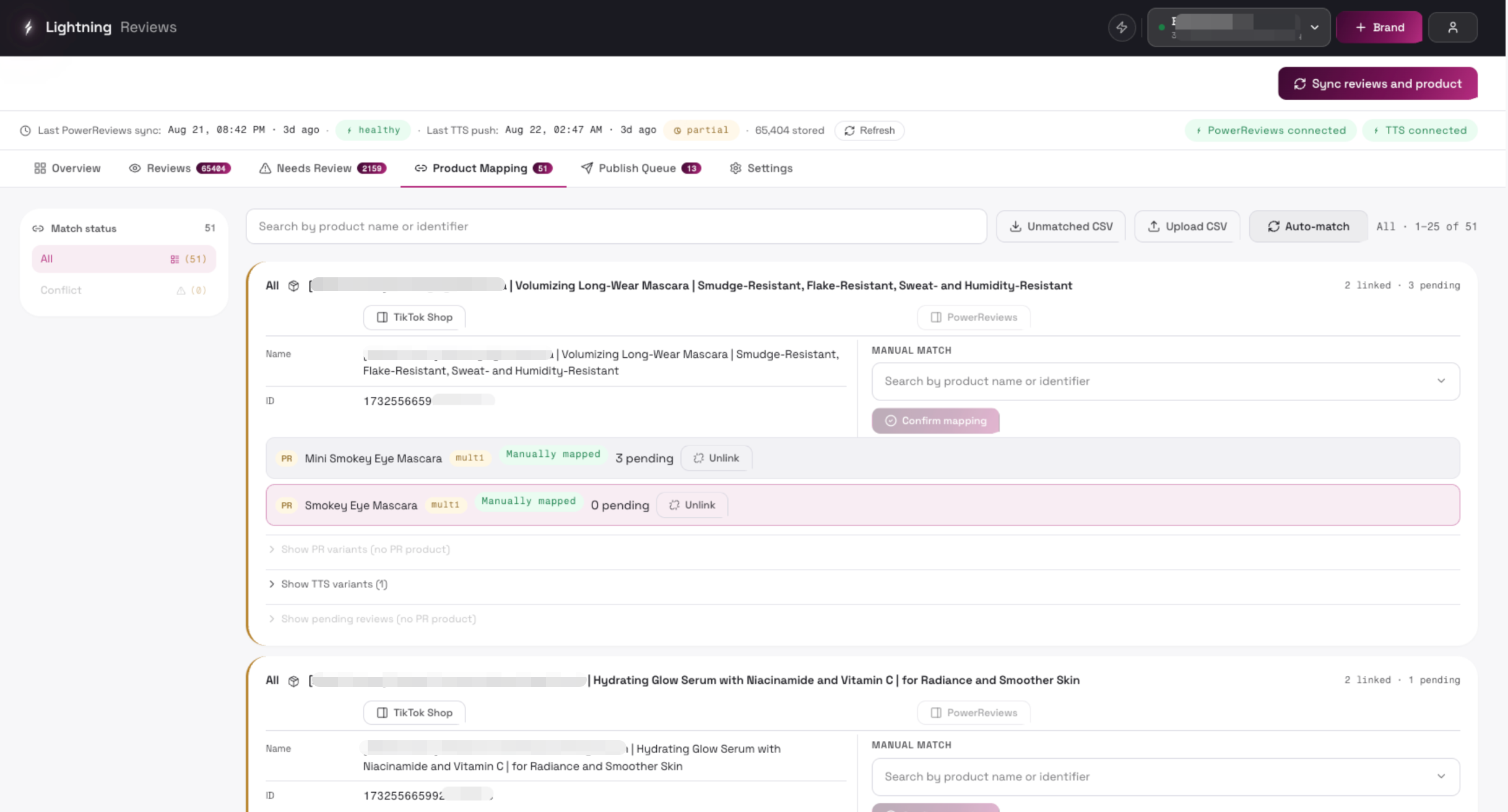
| Control | Description | UI |
|---|---|---|
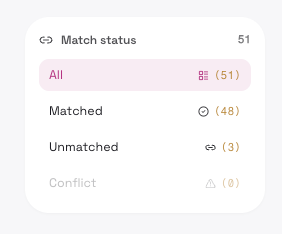
| Match status sidebar (Matched / Unmatched / Conflict) | Filter by match status: - All - Matched - Unmatched - Conflict (one PR product matching multiple TTS products) | 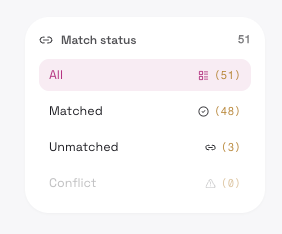 |
| PowerReview matched product | - Auto match(TTS product has at least one of SKU/UPC/GTIN) - Manual match | 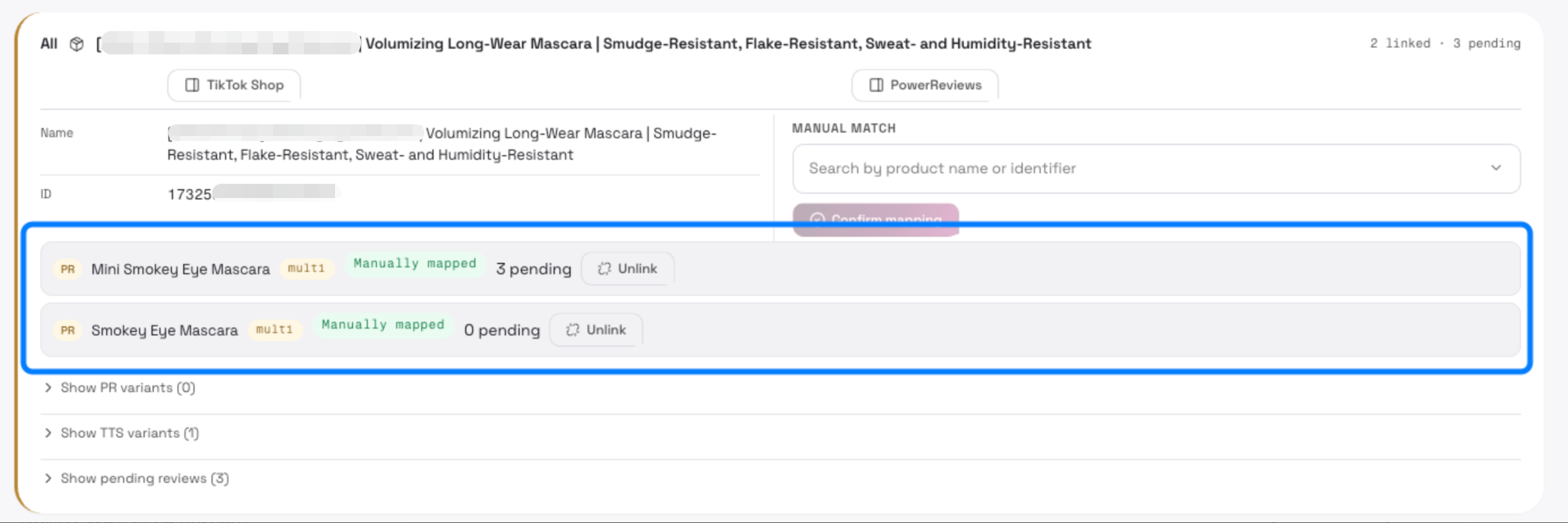 |
Auto Match
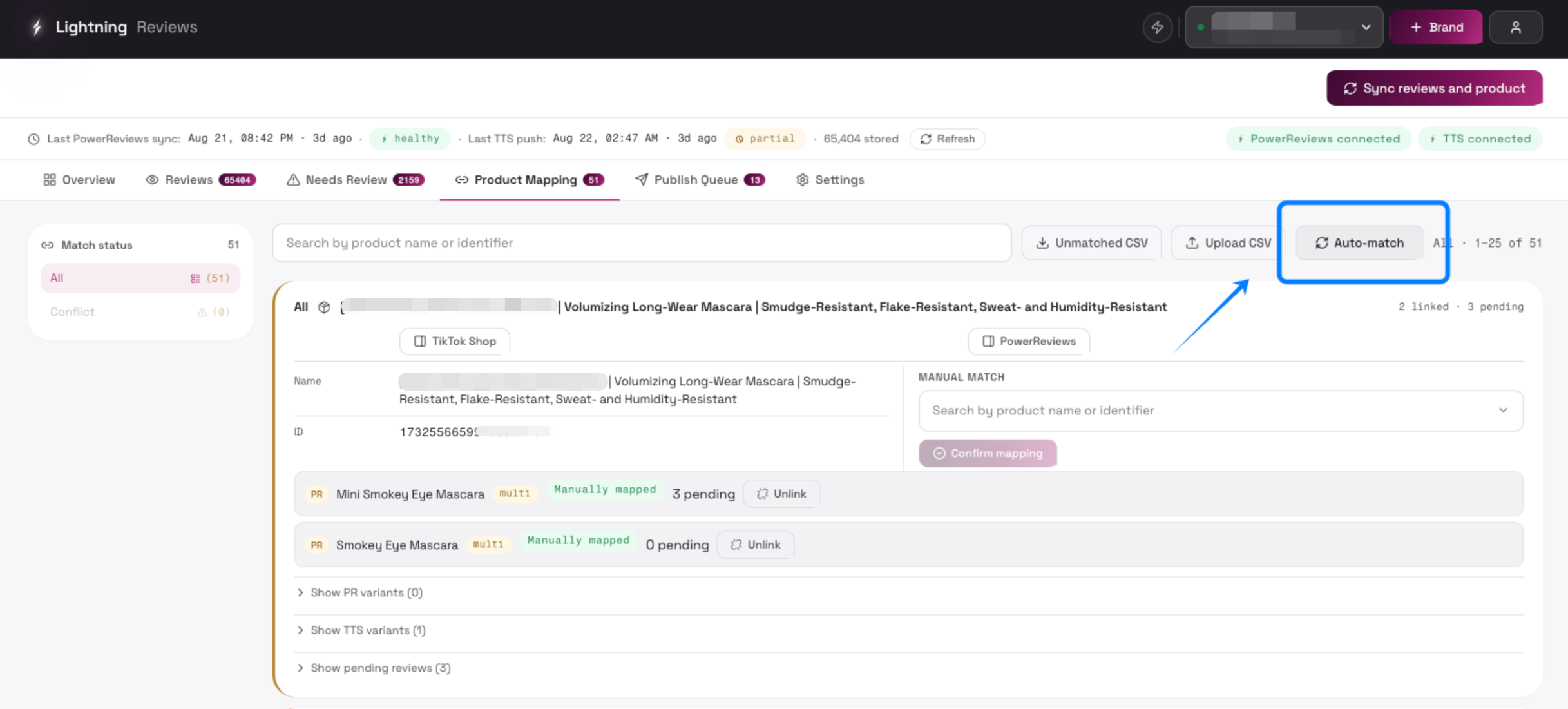
Section titled “Auto Match”Re-runs automatic matching (UPC → GTIN → Seller SKU → ASIN); shows “Auto-matching…” while running
Manual match
Section titled “Manual match”Unmatched/conflict products: search and select a TTS product, then “Confirm mapping” (see picker table)
Conflict candidates list
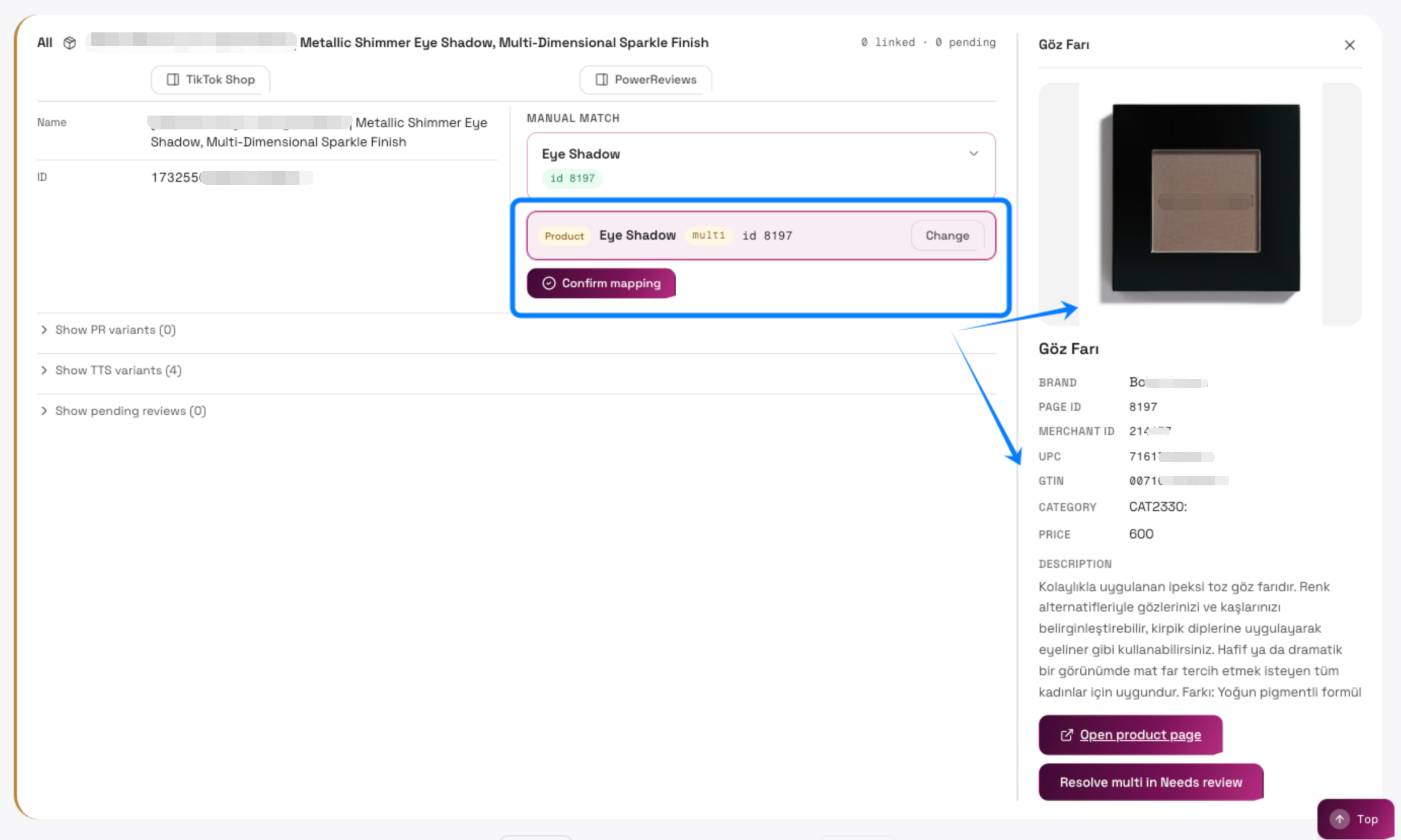
For conflicts: lists all candidate TTS products; **click a candidate to map directly**, with preview on the right
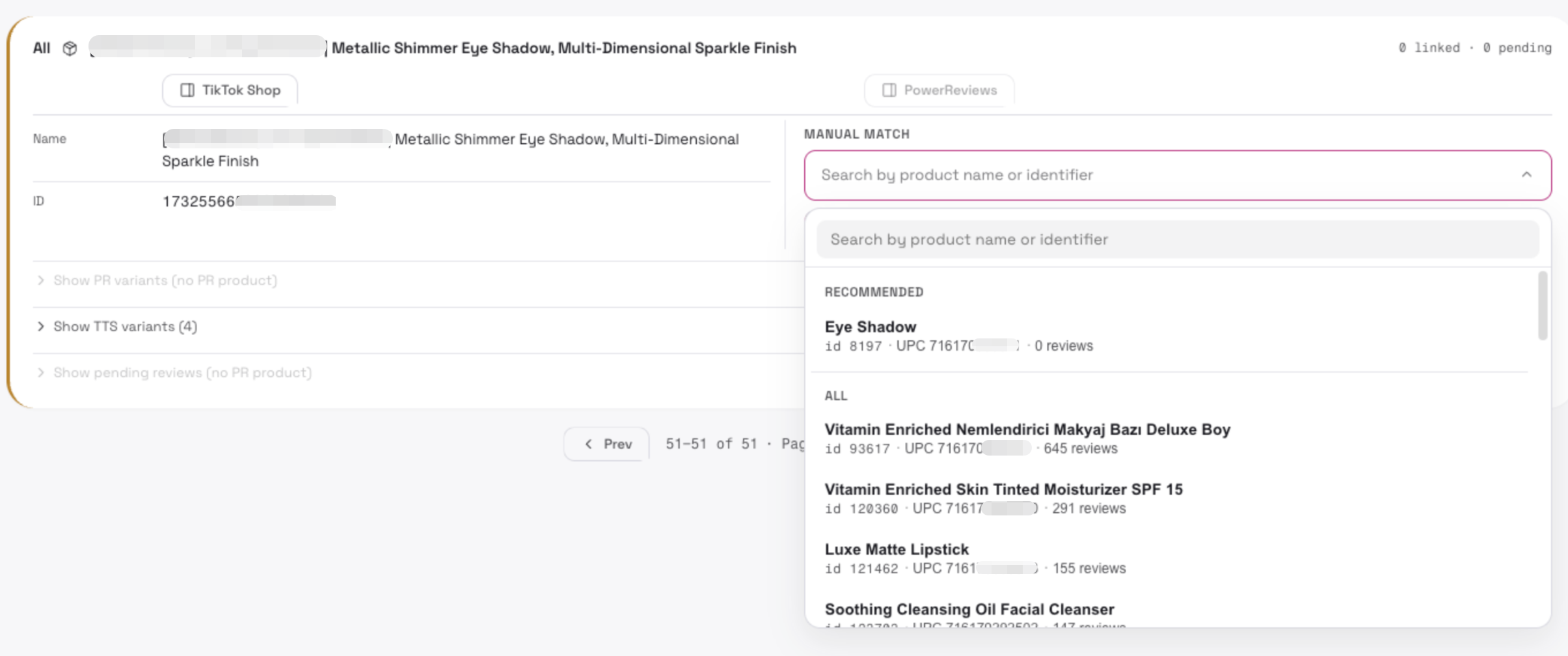
- View TikTok Shop product first
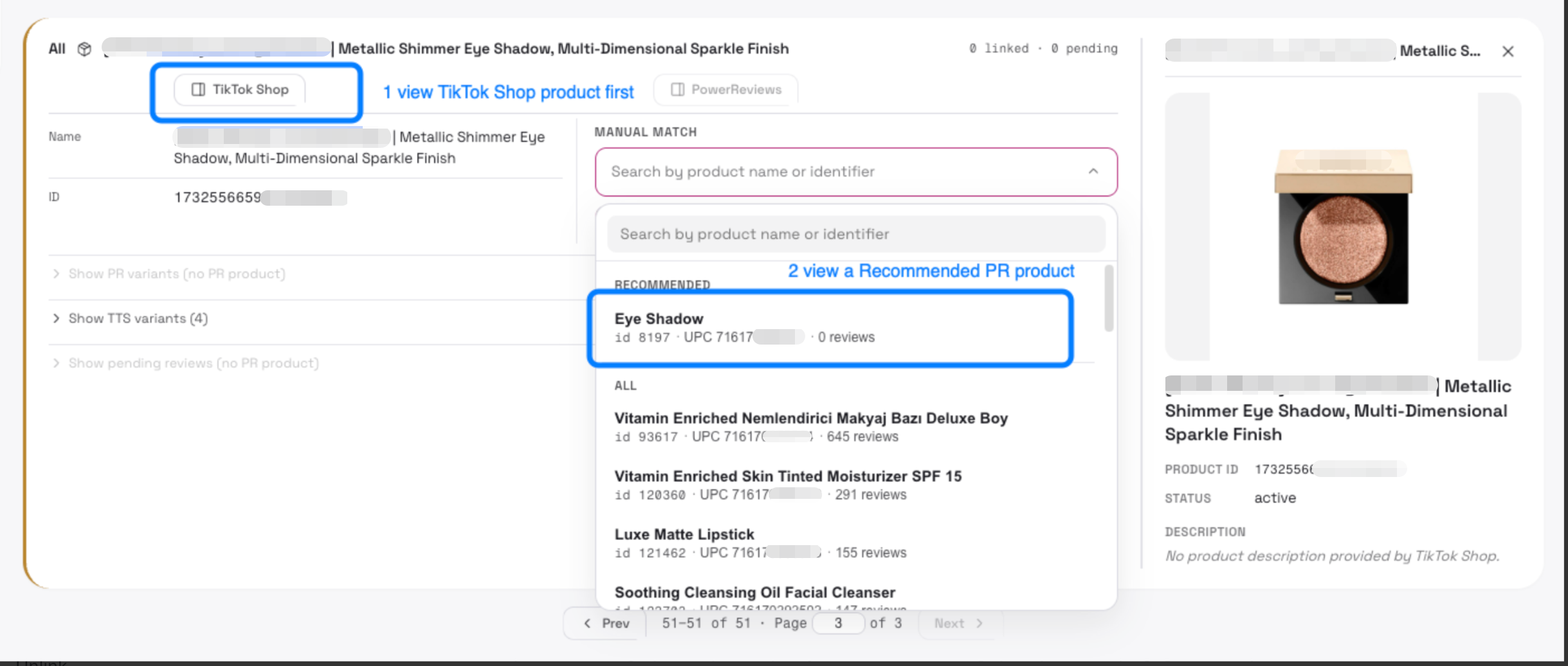
- View recommended product
Check with product image / UPC / GTIN, or you can also click [Open product page] to view product_url
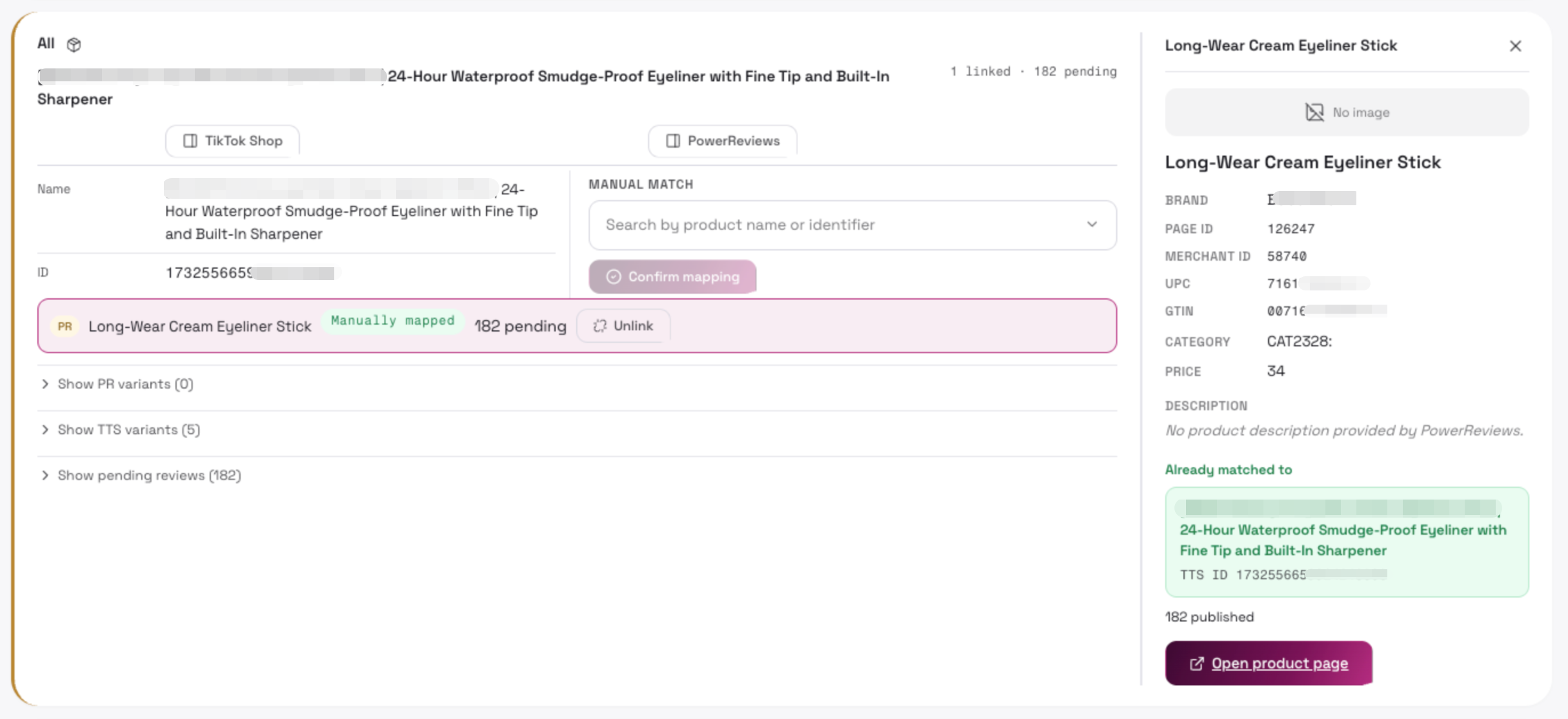
Which case can be pushed?
Section titled “Which case can be pushed?”The PowerReview product card does NOT show a button [Resolve multi in Needs review]
Next Step when see a [Resolve multi in Needs review] button
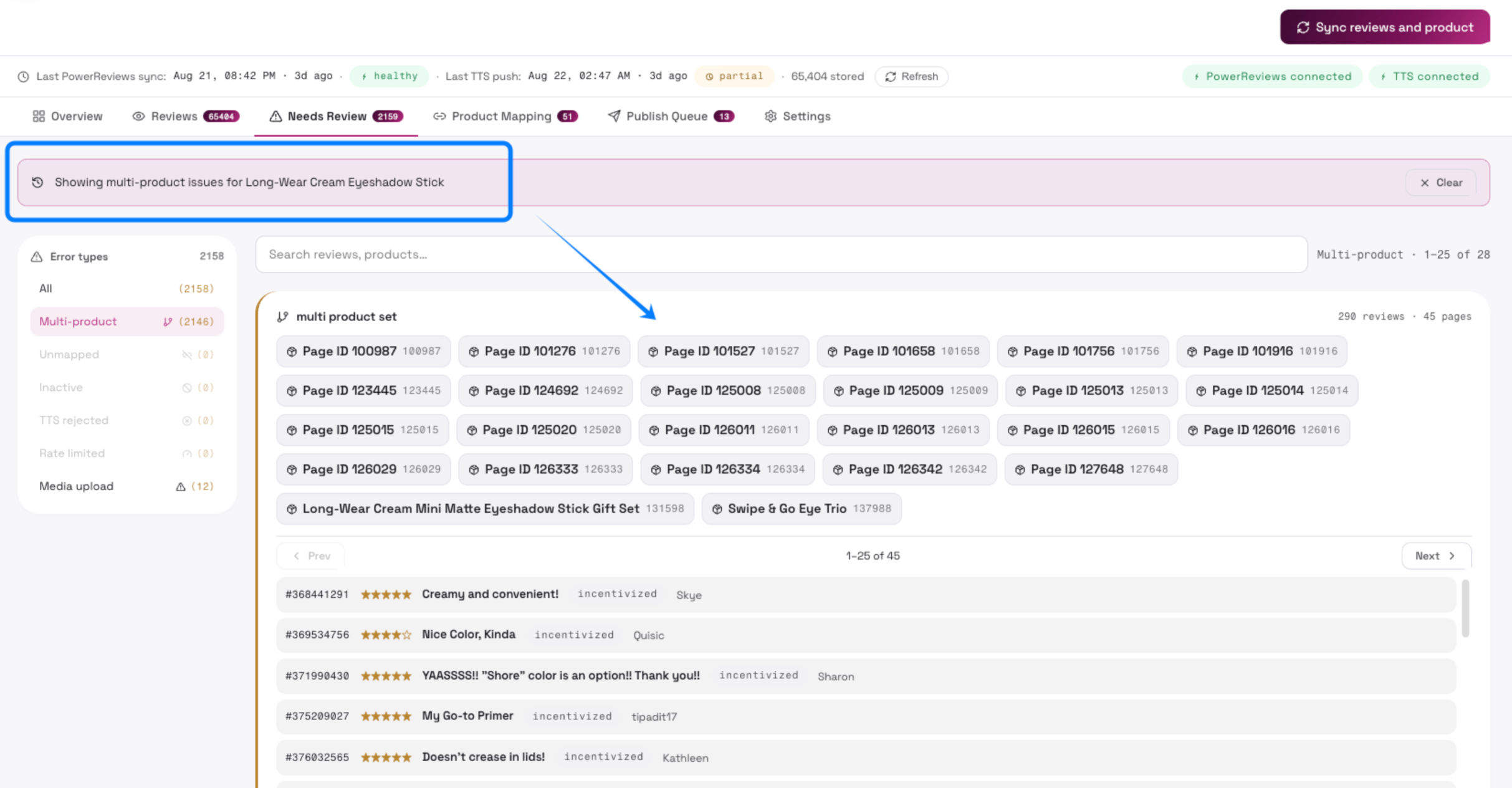
Section titled “Next Step when see a [Resolve multi in Needs review] button”When completed manual or auto matched, if you see a **[Resolve multi in Needs review] **button, then you will need to solve conflict on [Need Review] tab.
Click [Resolve multi in Needs review]
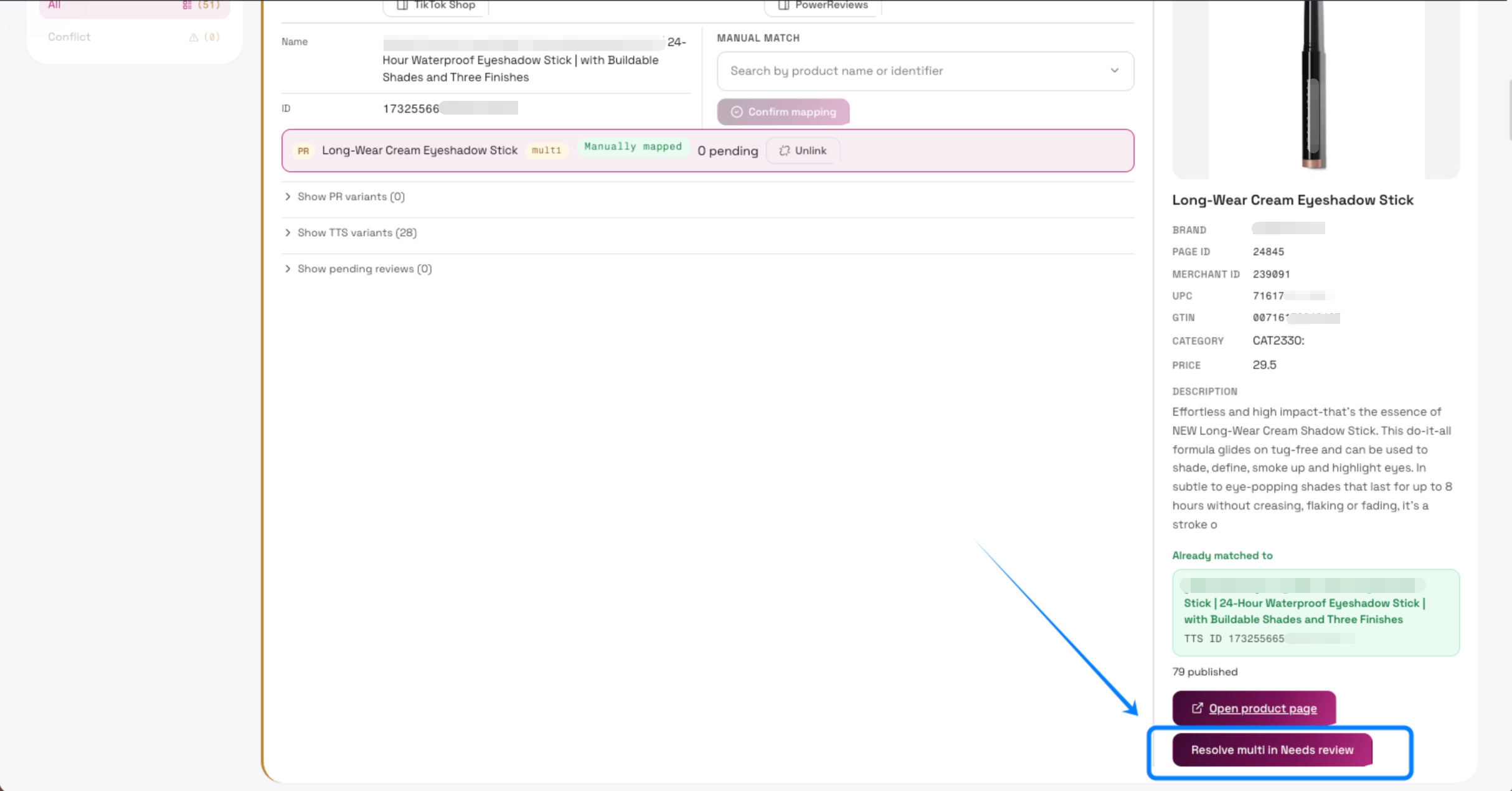
- It will redirect you to the [Need Review] tab and filter out the reviews related to the product.
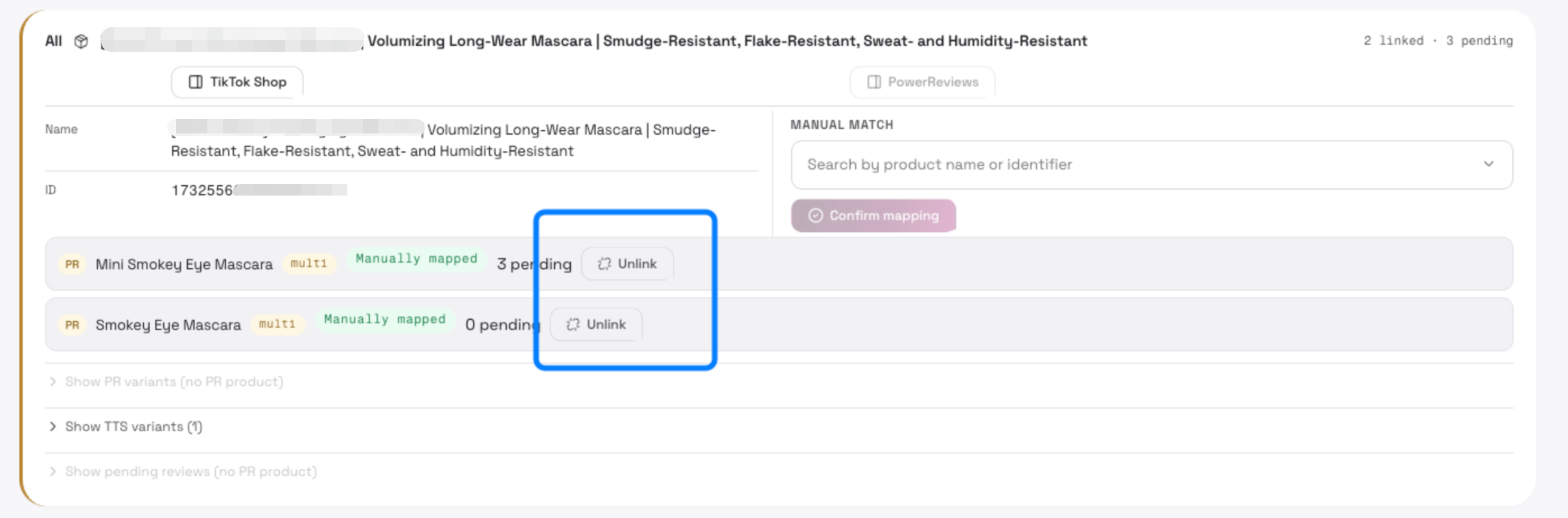
Unlink
Section titled “Unlink”Remove the mapping link to that TTS product
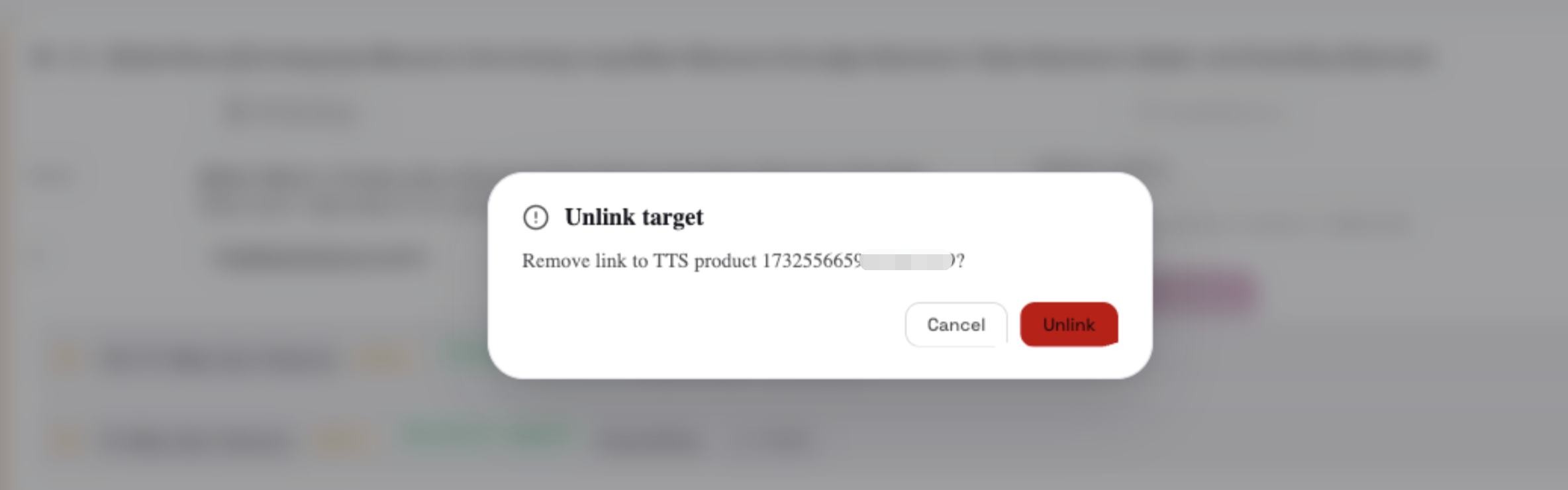
Check unlink product to “Unmatch” tab
6. Needs Review Page
Section titled “6. Needs Review Page”Product Identifiers
Section titled “Product Identifiers”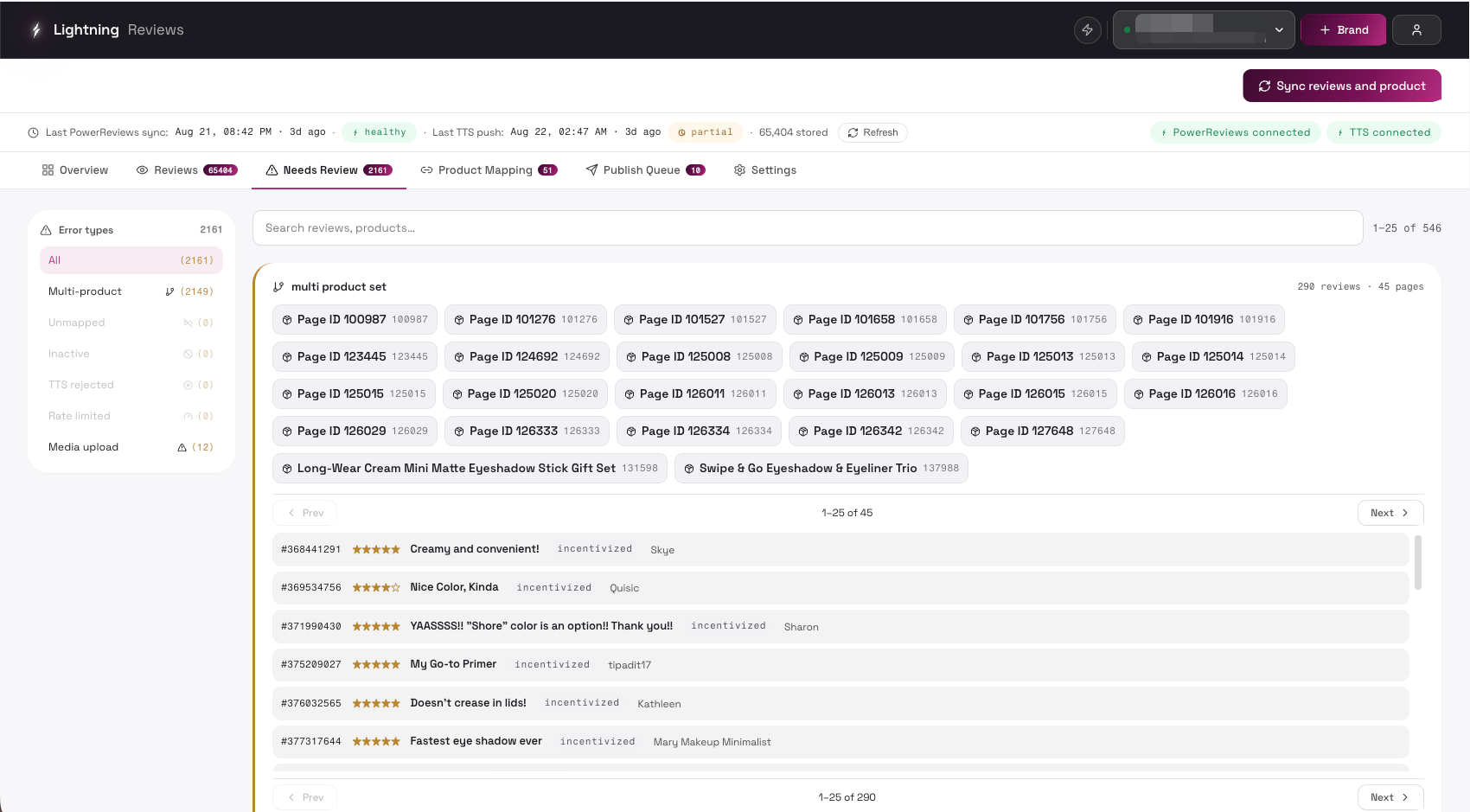
| Control | Description | UI |
|---|---|---|
| Error types sidebar (All / issue types) | Need merchant review: - Multi-product - Unmapped - Inactive TTS failed reason: - TTS rejected - Rate limited - Media upload | 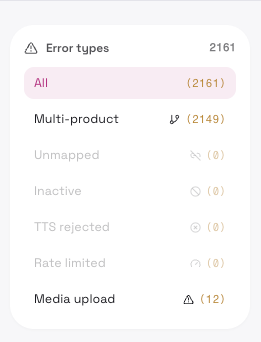 |
| Bulk action bar (only for a single selected issue type) | See “Bulk actions” table below | 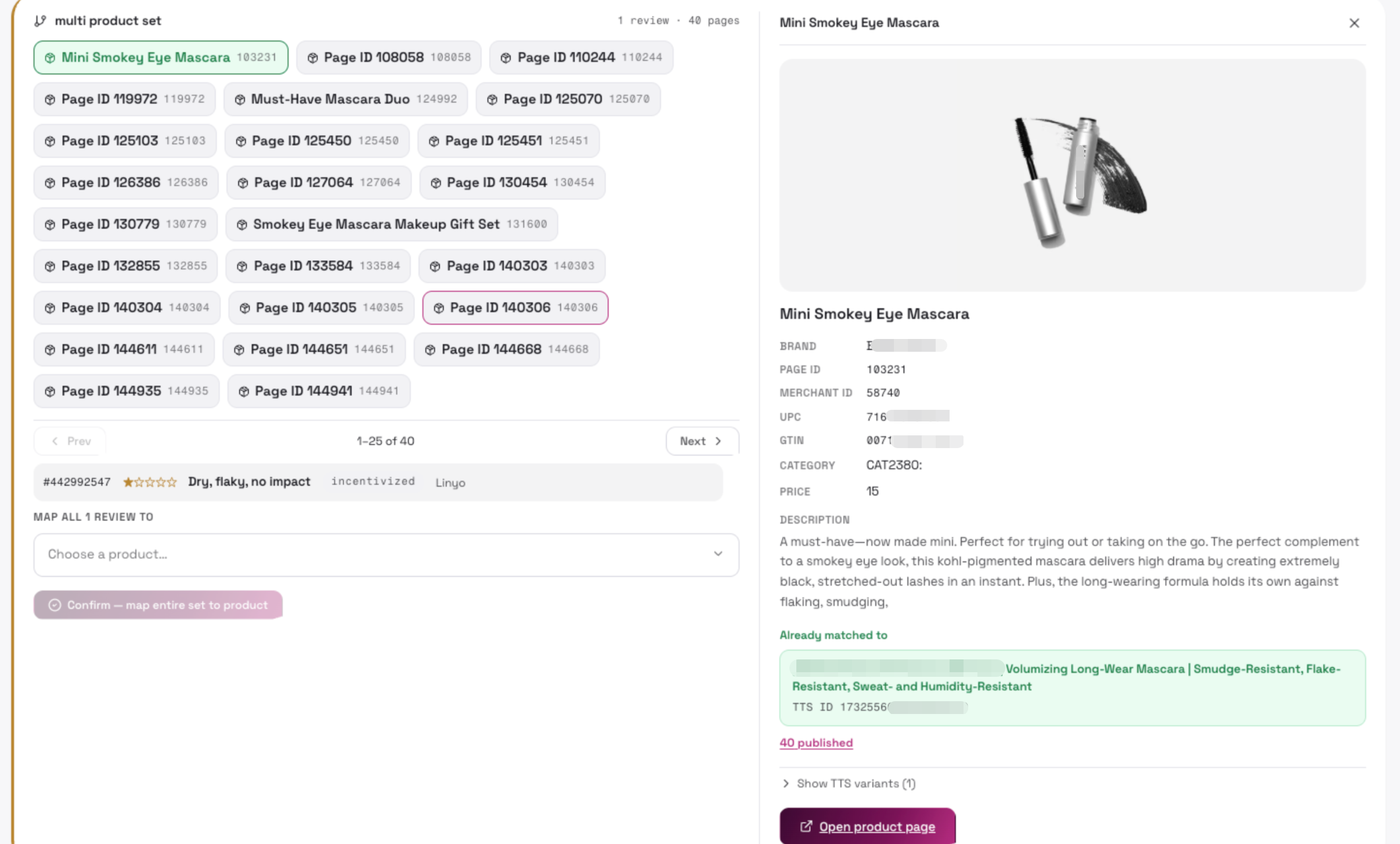 |
Mapping Review Page ID to Reviews
Section titled “Mapping Review Page ID to Reviews”- Choose a product… (product picker)
Multi-product conflict
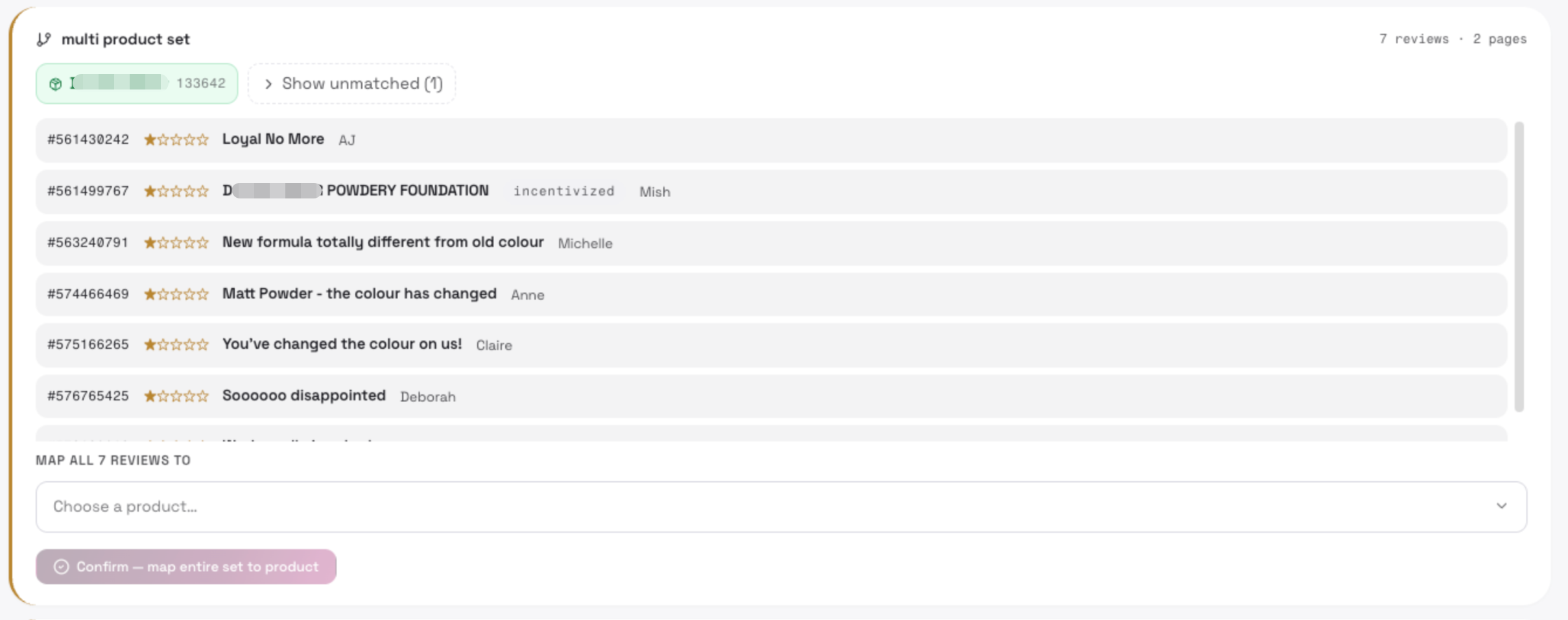
Pick which product this review belongs to; the dropdown shows each product’s Page ID / SKU / Merchant ID / UPC / GTIN and a “Go to Product” link to the live product page
Green label - Already auto or manually matched to a TikTok Shop product
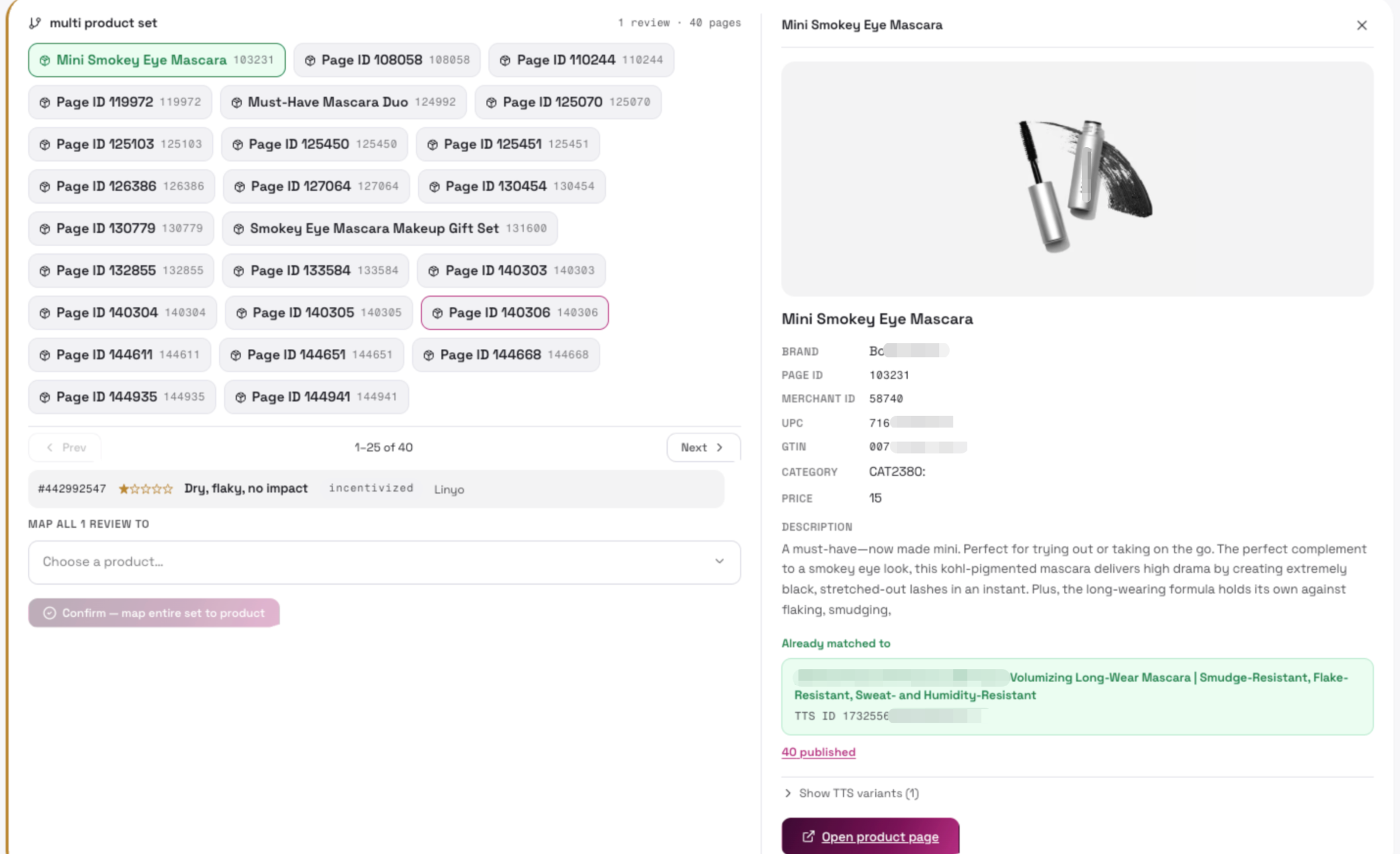
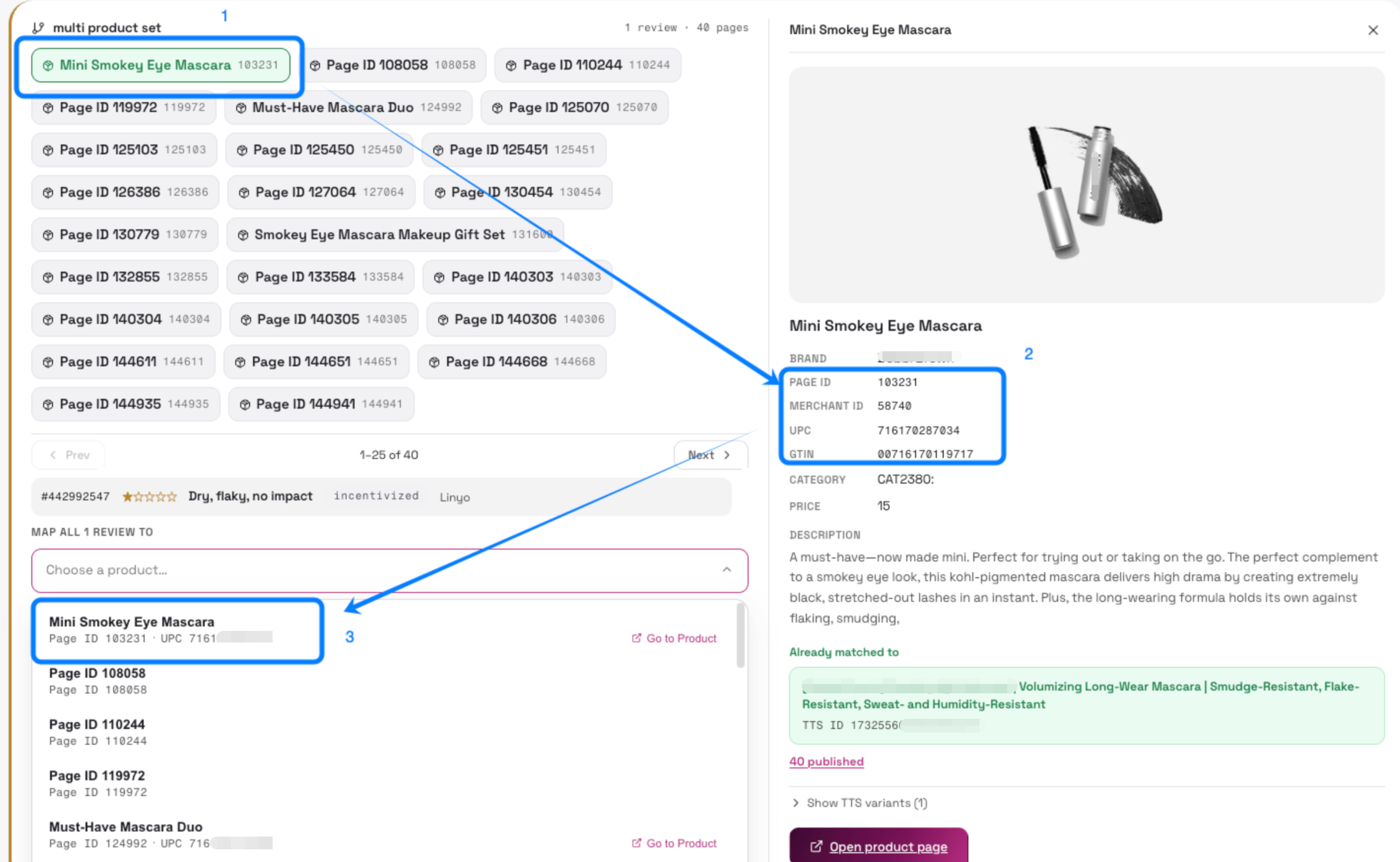
- Confirm — tied to a product(PowerReview page id)
Multi-product conflict
Resolve the conflict by publishing the review to the selected product
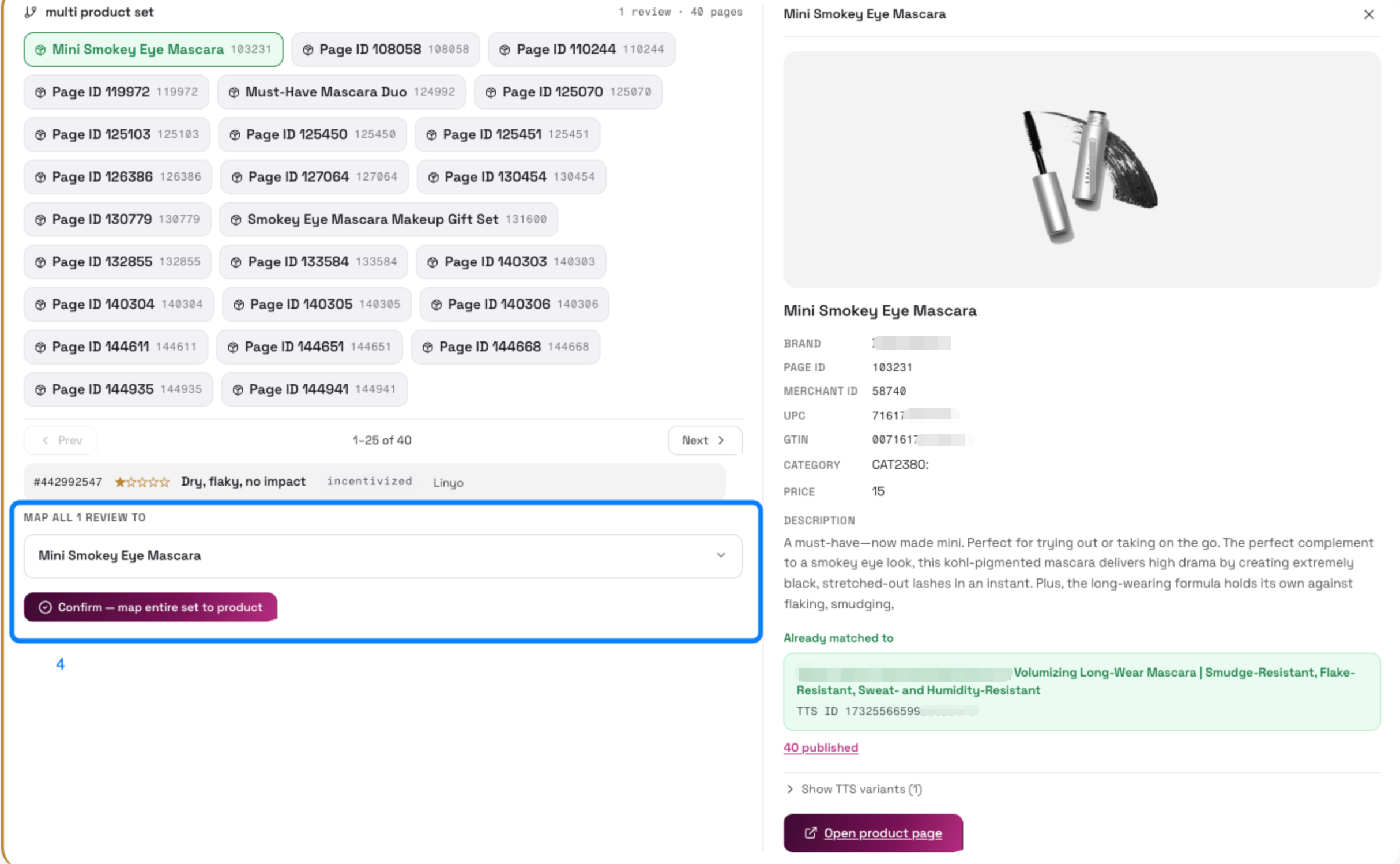
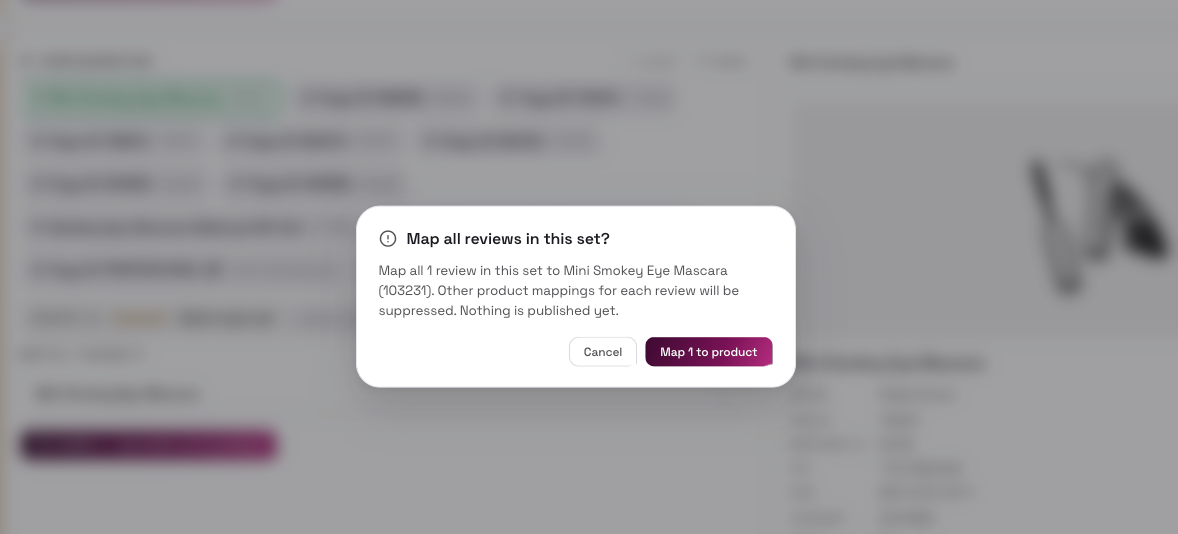
Then go to Publish Queue to push the tied reviews
7. Publish Queue Page
Section titled “7. Publish Queue Page”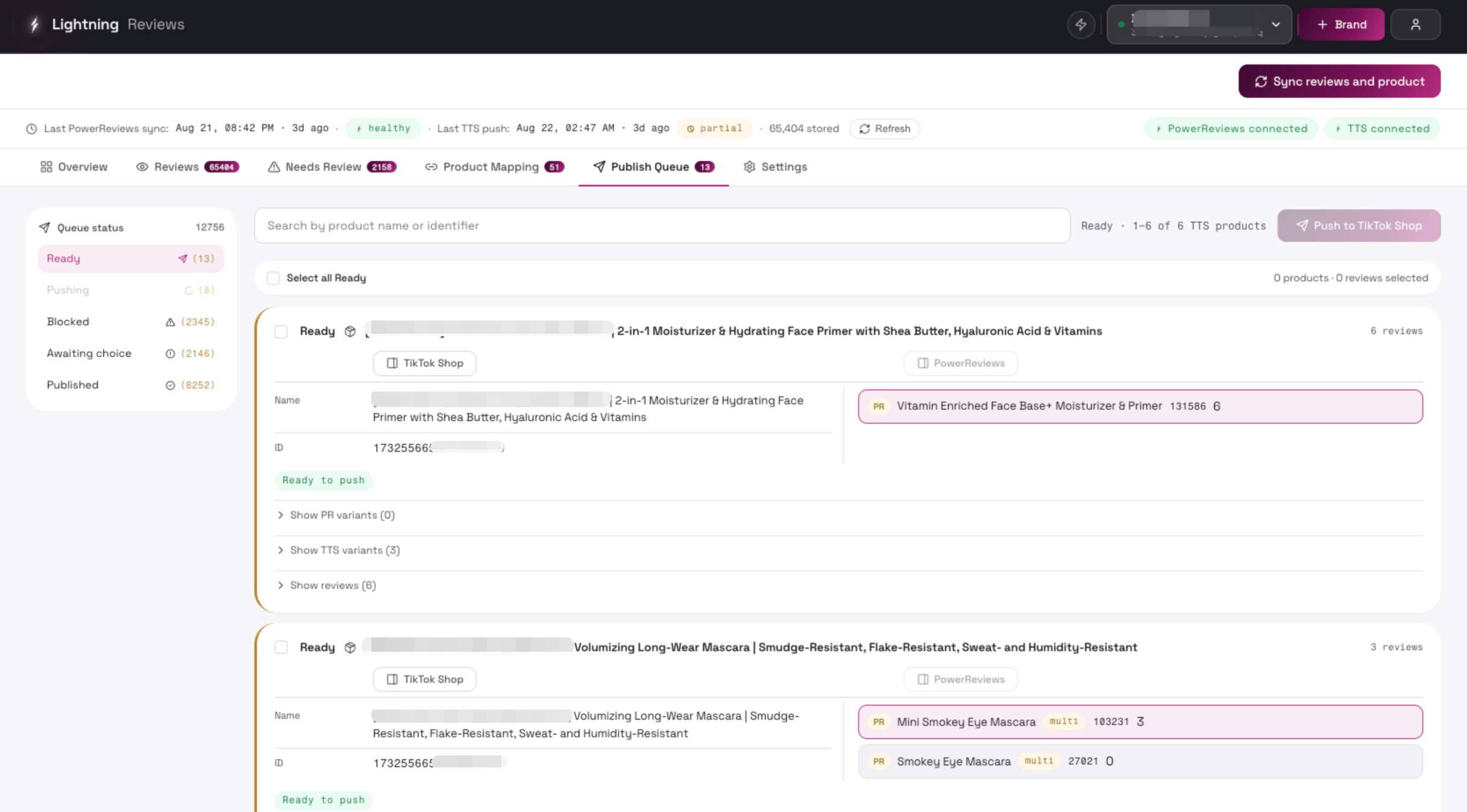
| Control | Description | UI |
|---|---|---|
| Queue status sidebar (Ready / Blocked / Awaiting choice / Published / Suppressed) | Filter by publish status: - Ready - Blocked - Mapping issues must be resolved in Product Mapping before these can be published. - Awaiting product choice - These reviews need a product decision — resolve them in Needs Review. - Published | 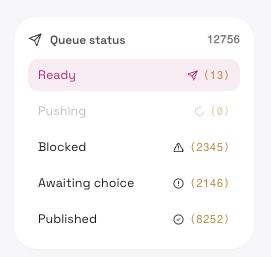 |
| Product card | PR product on the left (name, page ID), mapped TTS product on the right (name, ID, status badge: Ready to push / Published / Needs product decision / Suppressed / GTIN mismatch / Delisted / Unmapped) | 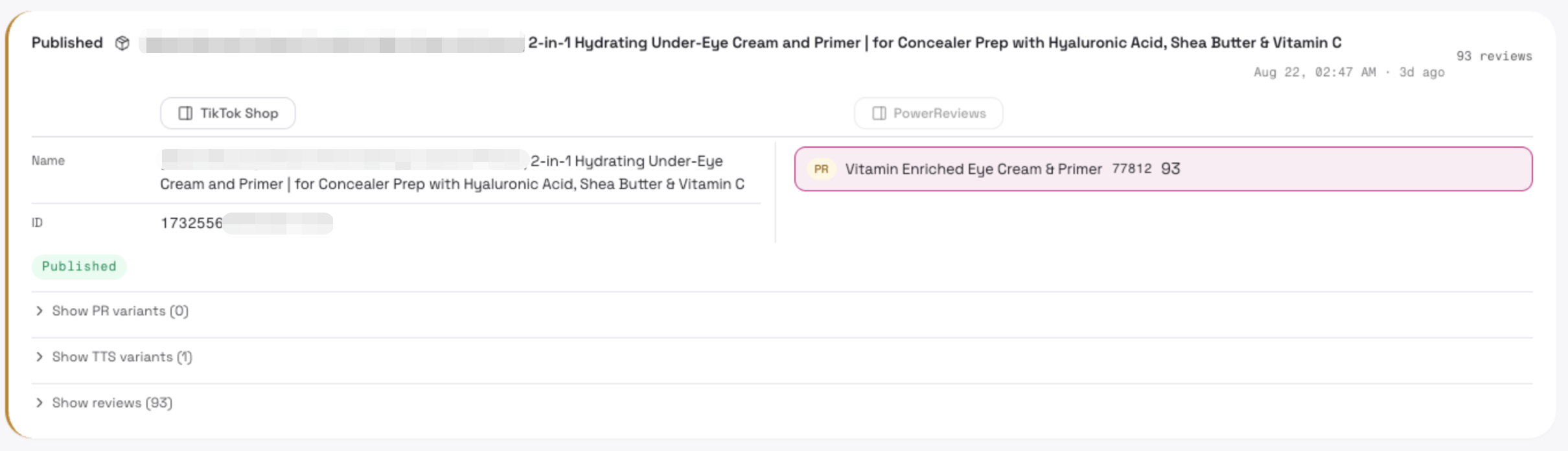 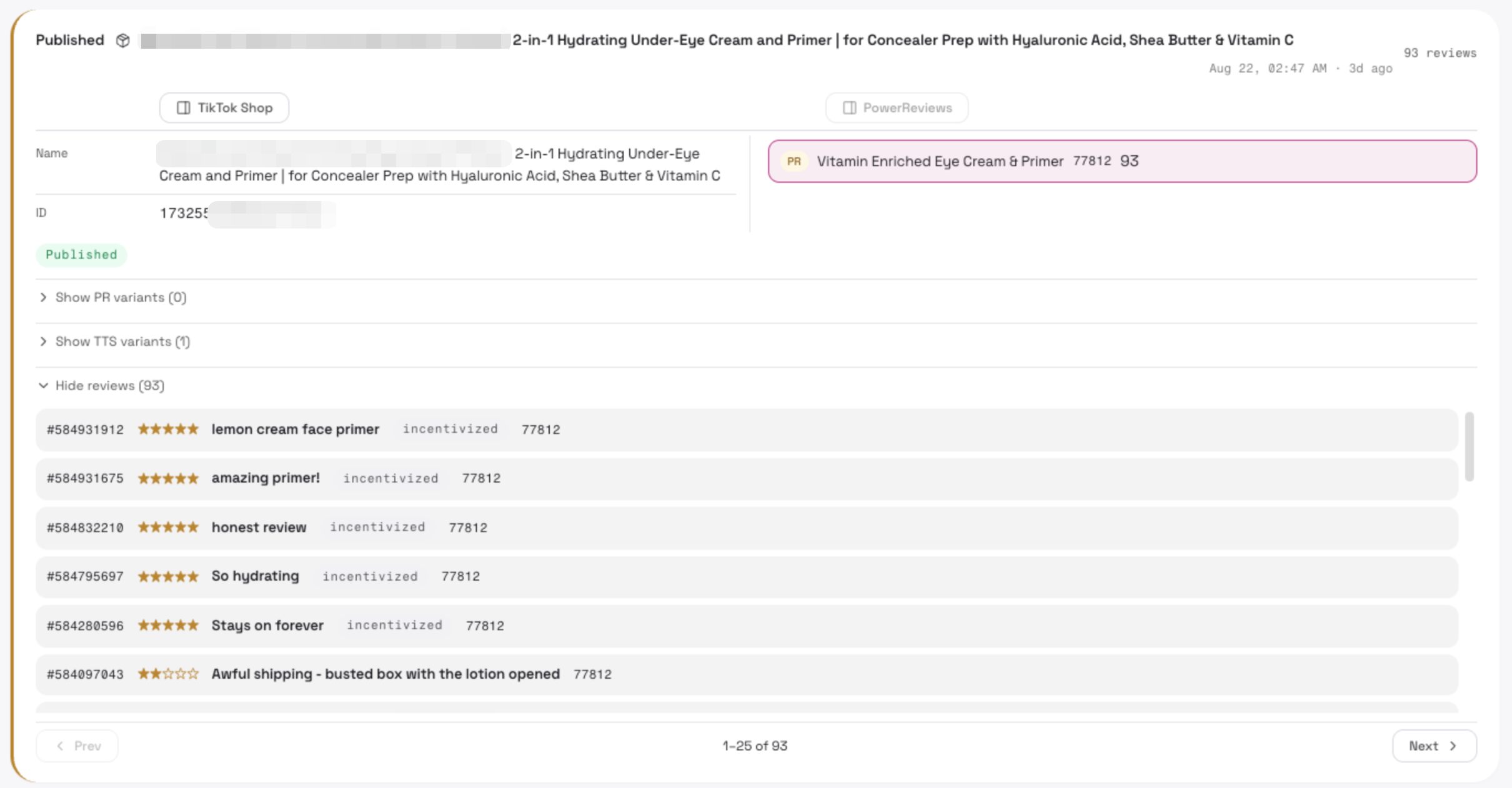 |
| Linked product rows | **Click a row** to view that TTS / PowerReivew product’s details on the right | 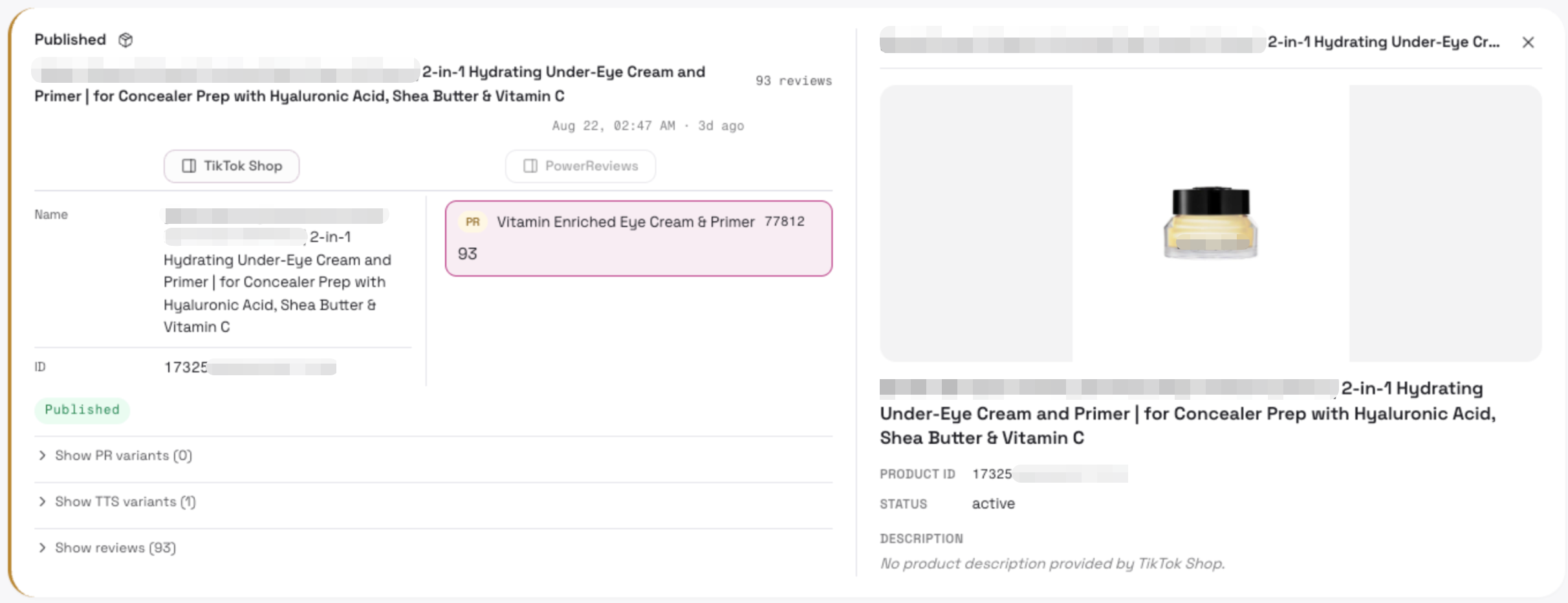 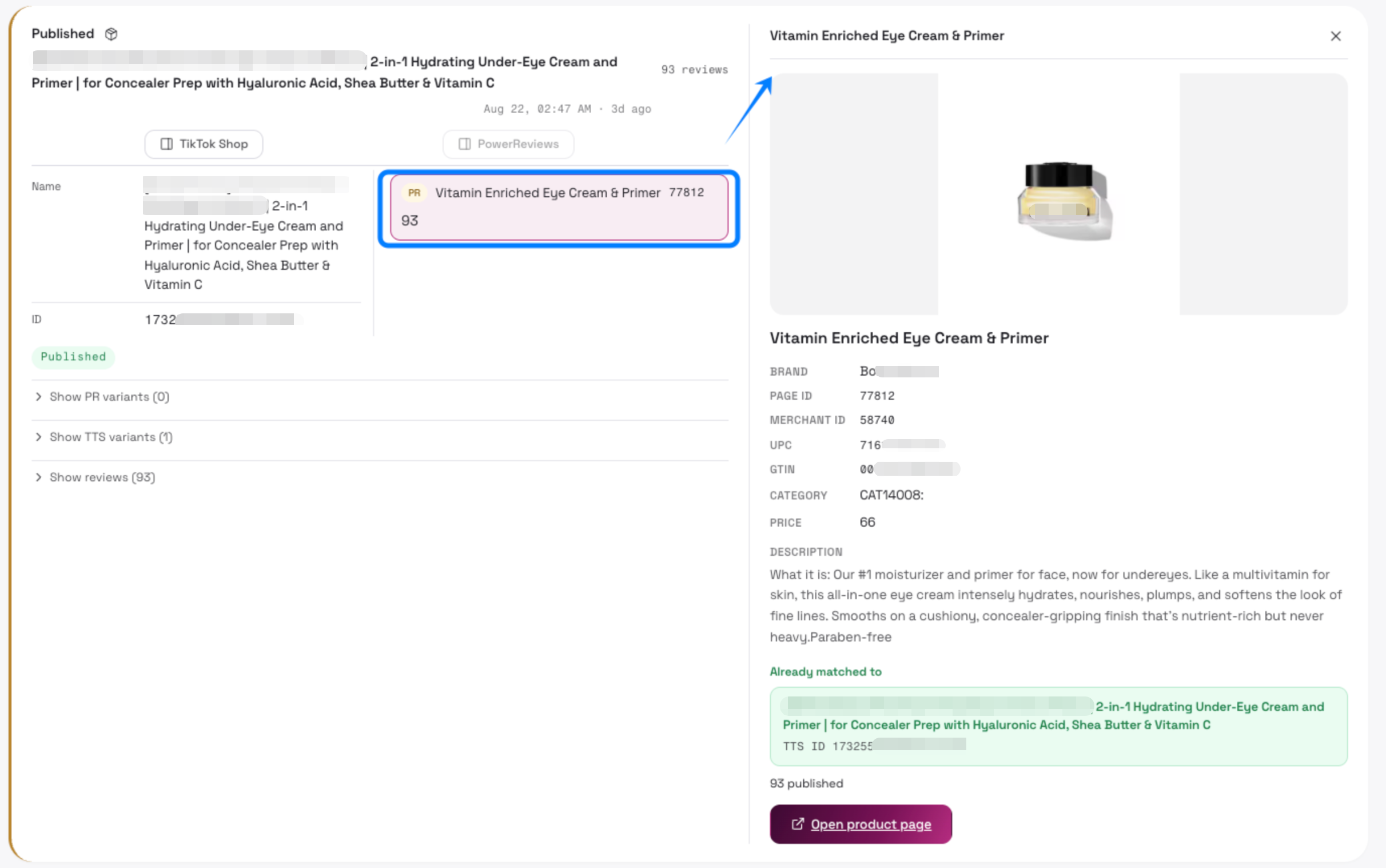 |
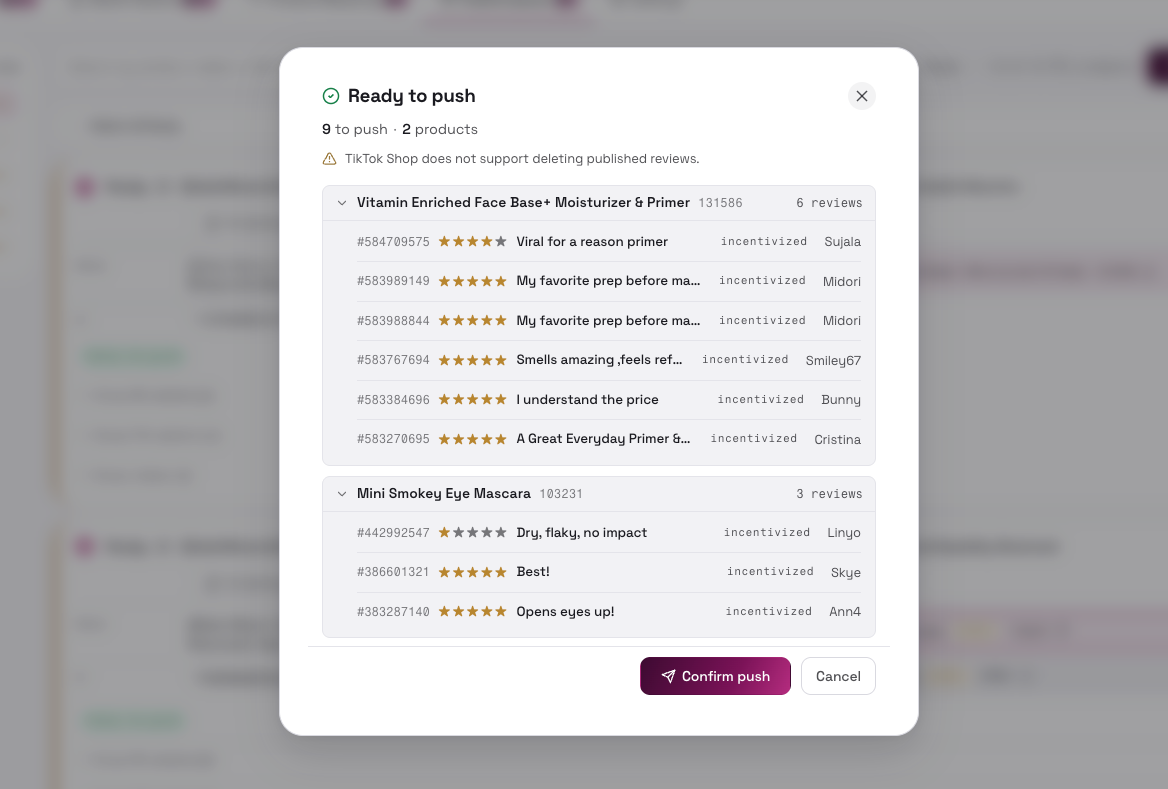
Push reviews by products
Section titled “Push reviews by products”- Show reviews and TTS variant for final check (expand/collapse)
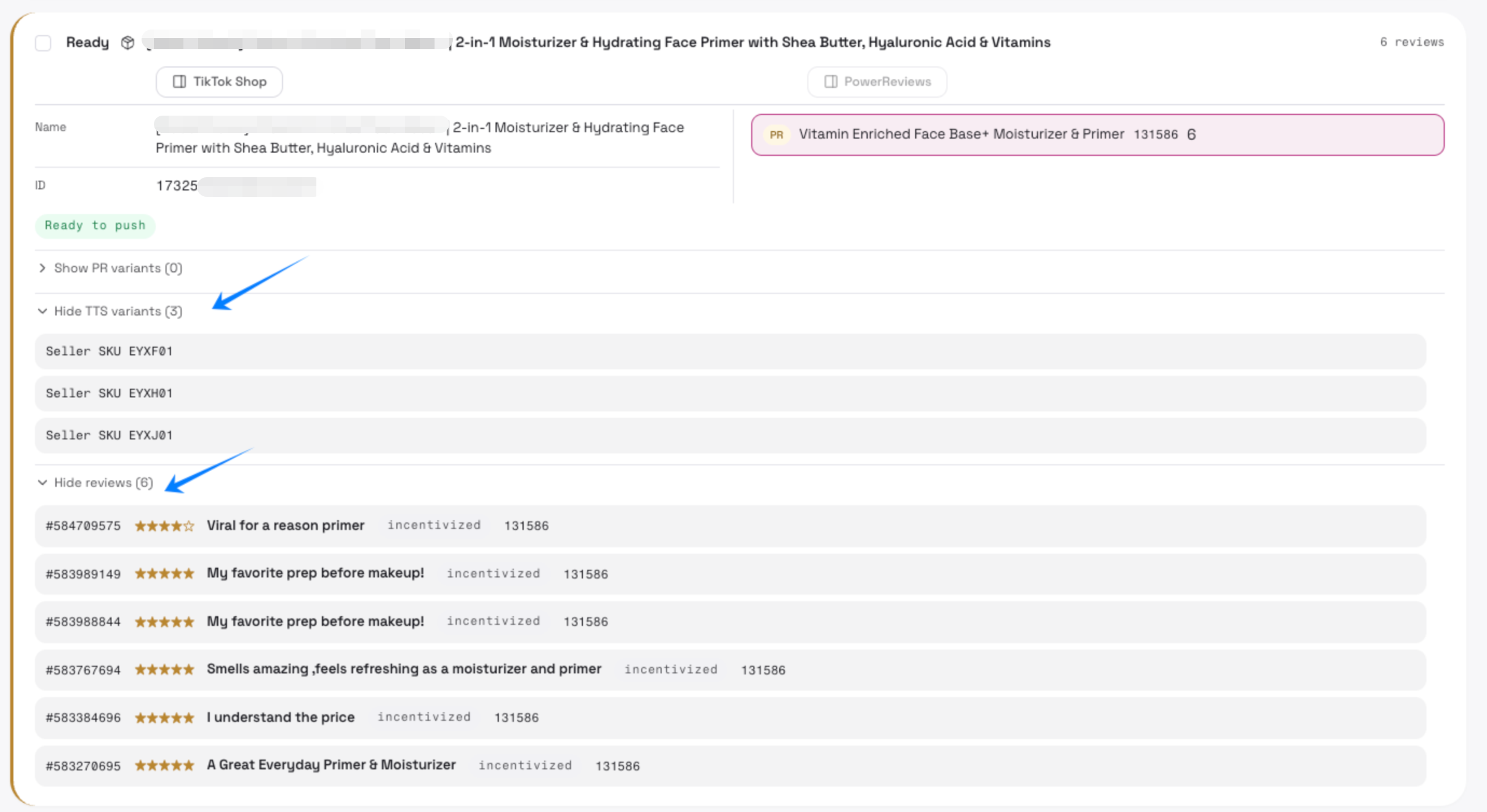
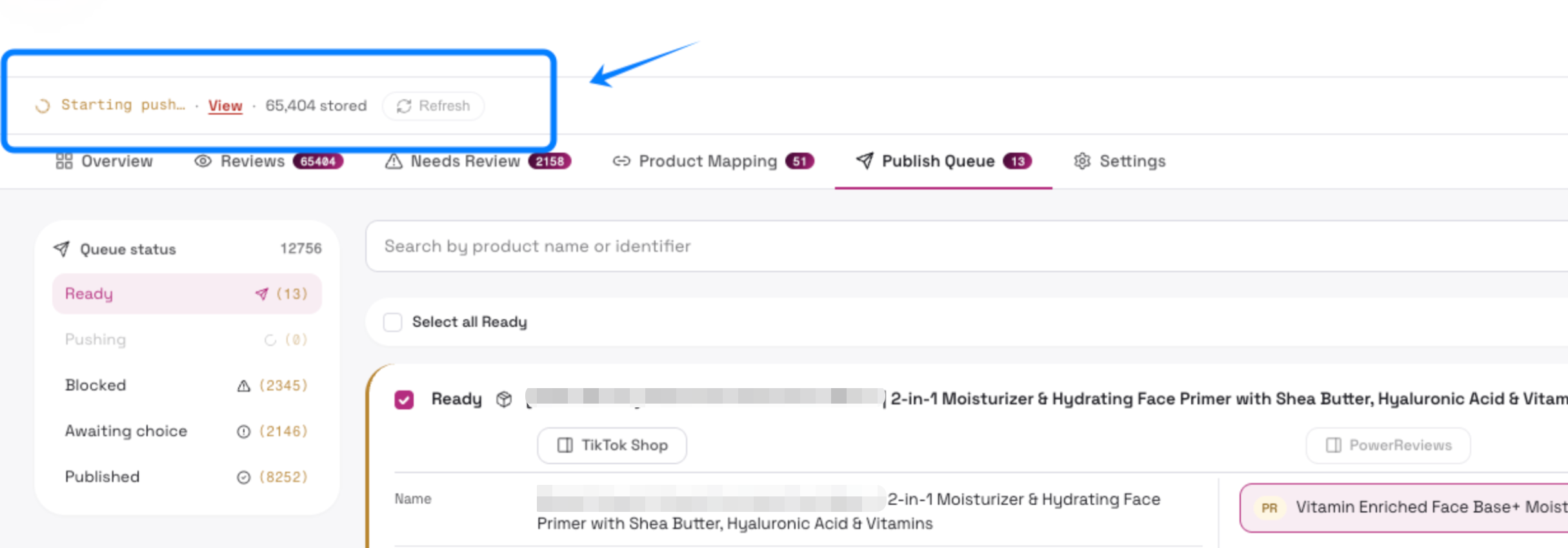
- Push Reviews
When some reviews are publishable: skip the blocked items and push the N clean reviews
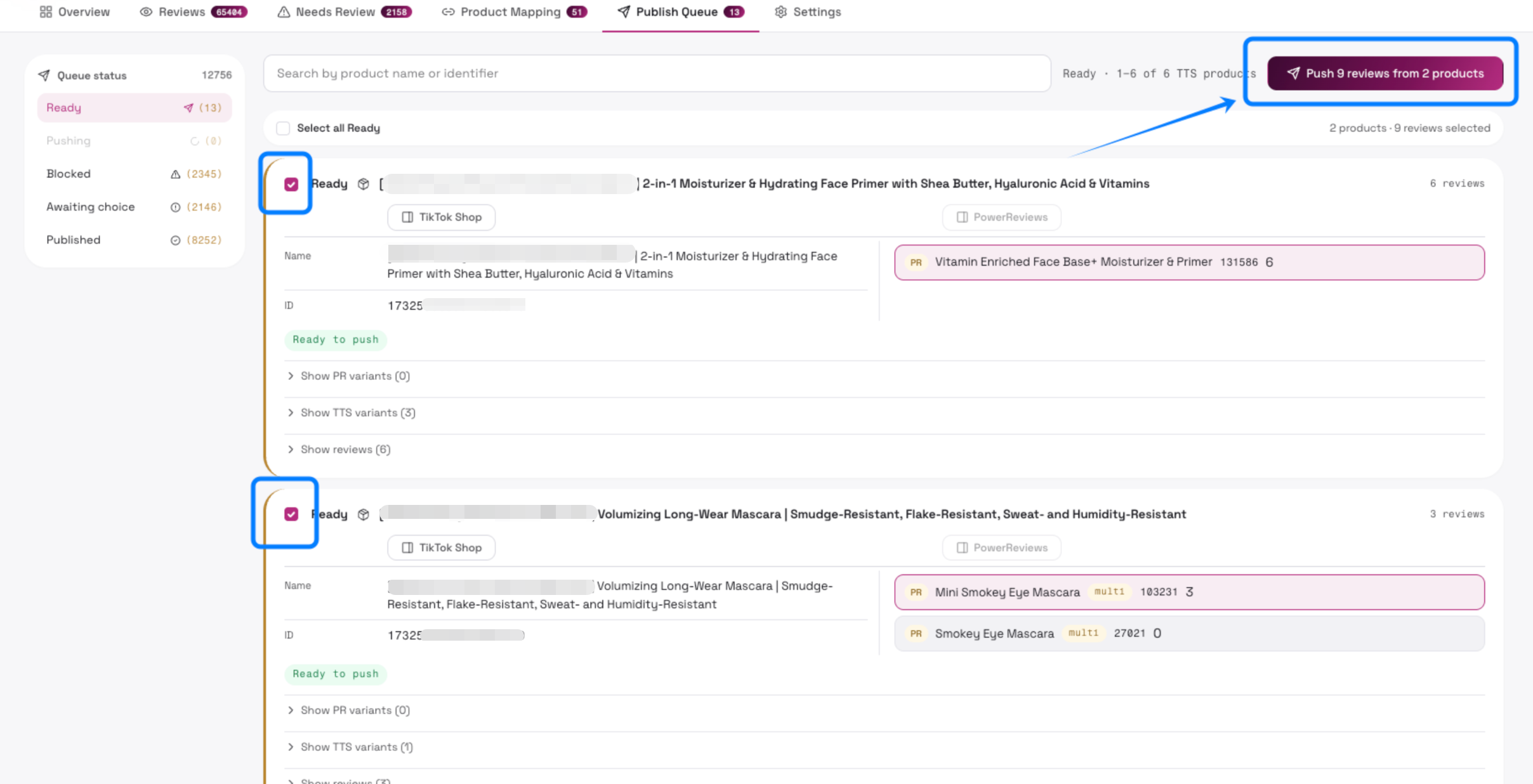
- Confirm to push
When everything passes: confirm the push; if the queue also contains “already published” reviews, confirm clears them from Ready as well.
ATTENTION
Section titled “ATTENTION”Once the reviews are pushed to TikTok Shop, they will NOT be able to edit or delete. Please double confirm before pushing reviews.
Check on TikTok Shop
Section titled “Check on TikTok Shop”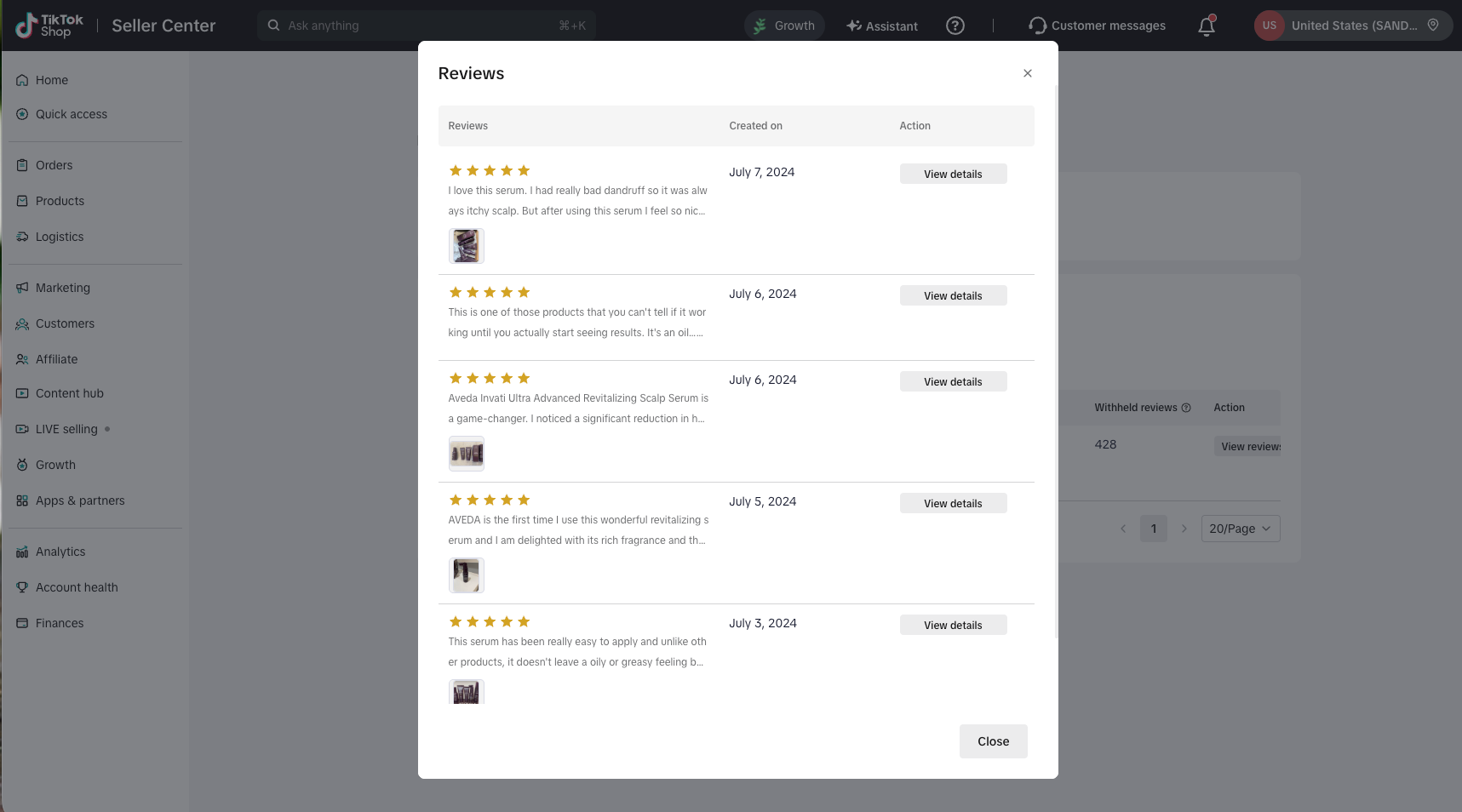
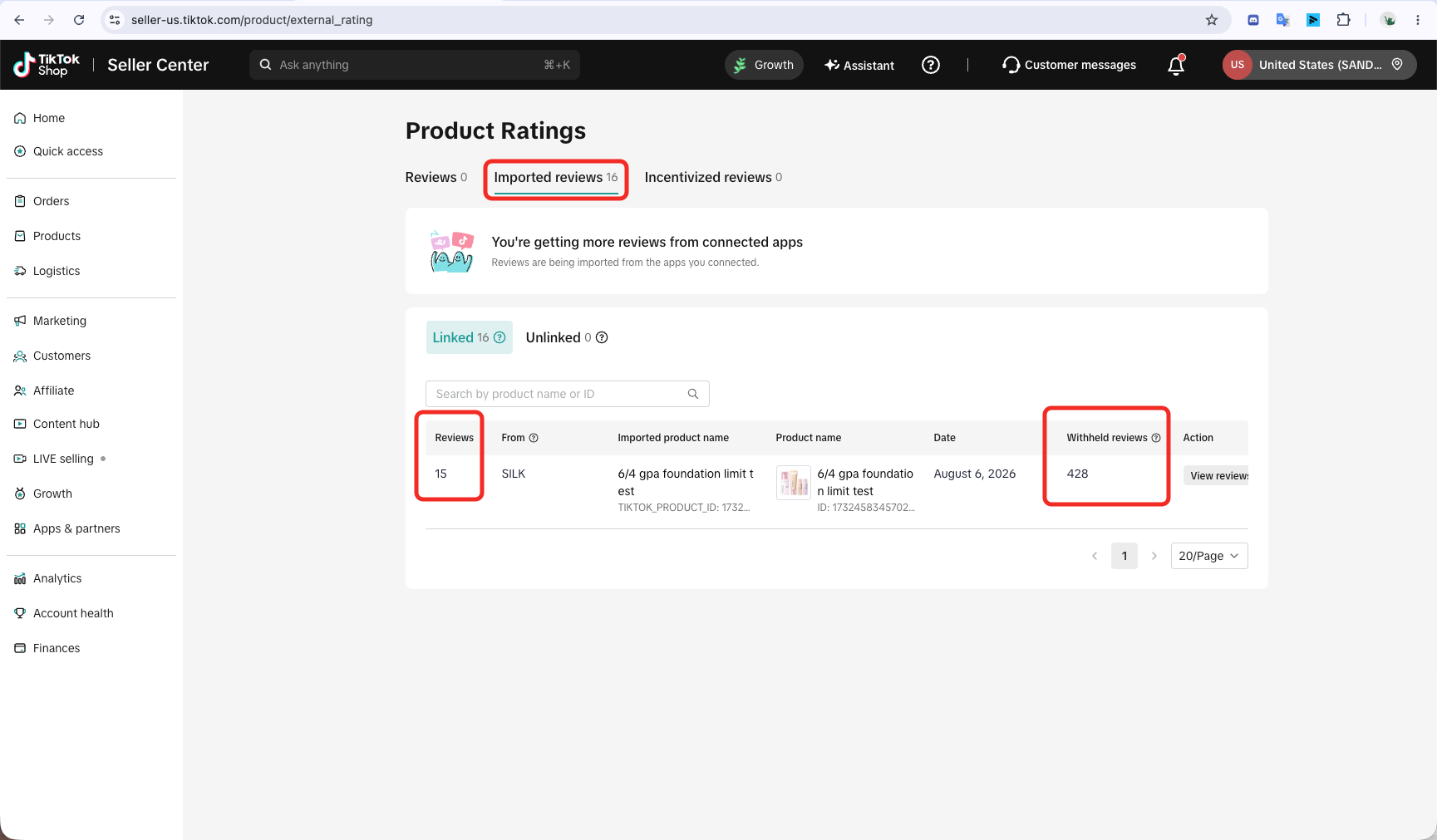
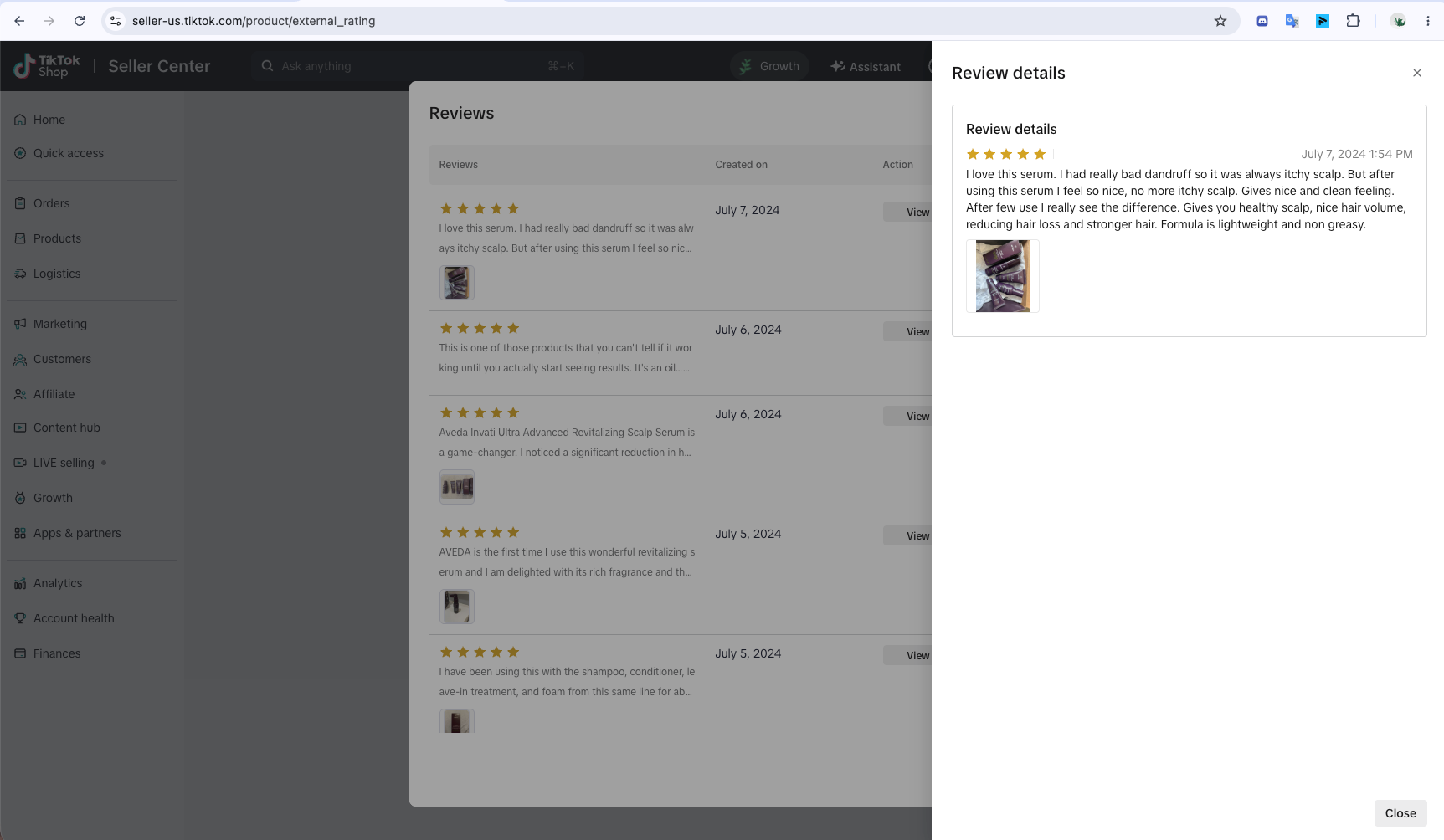
Withheld reviews
Section titled “Withheld reviews”Some successfully matched reviews are not displayed to buyers for reasons specified here.
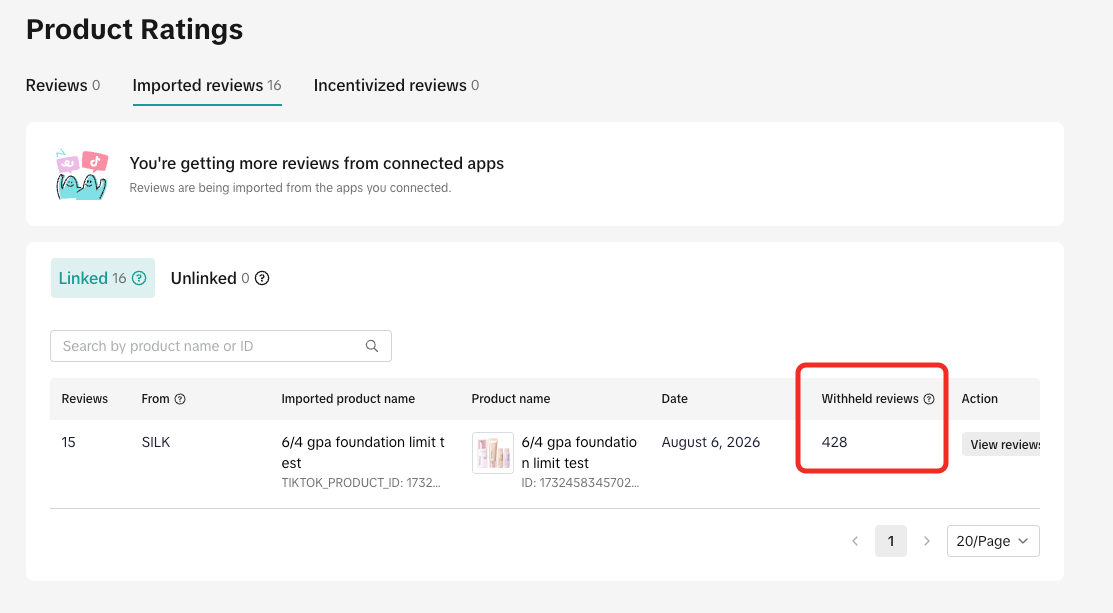
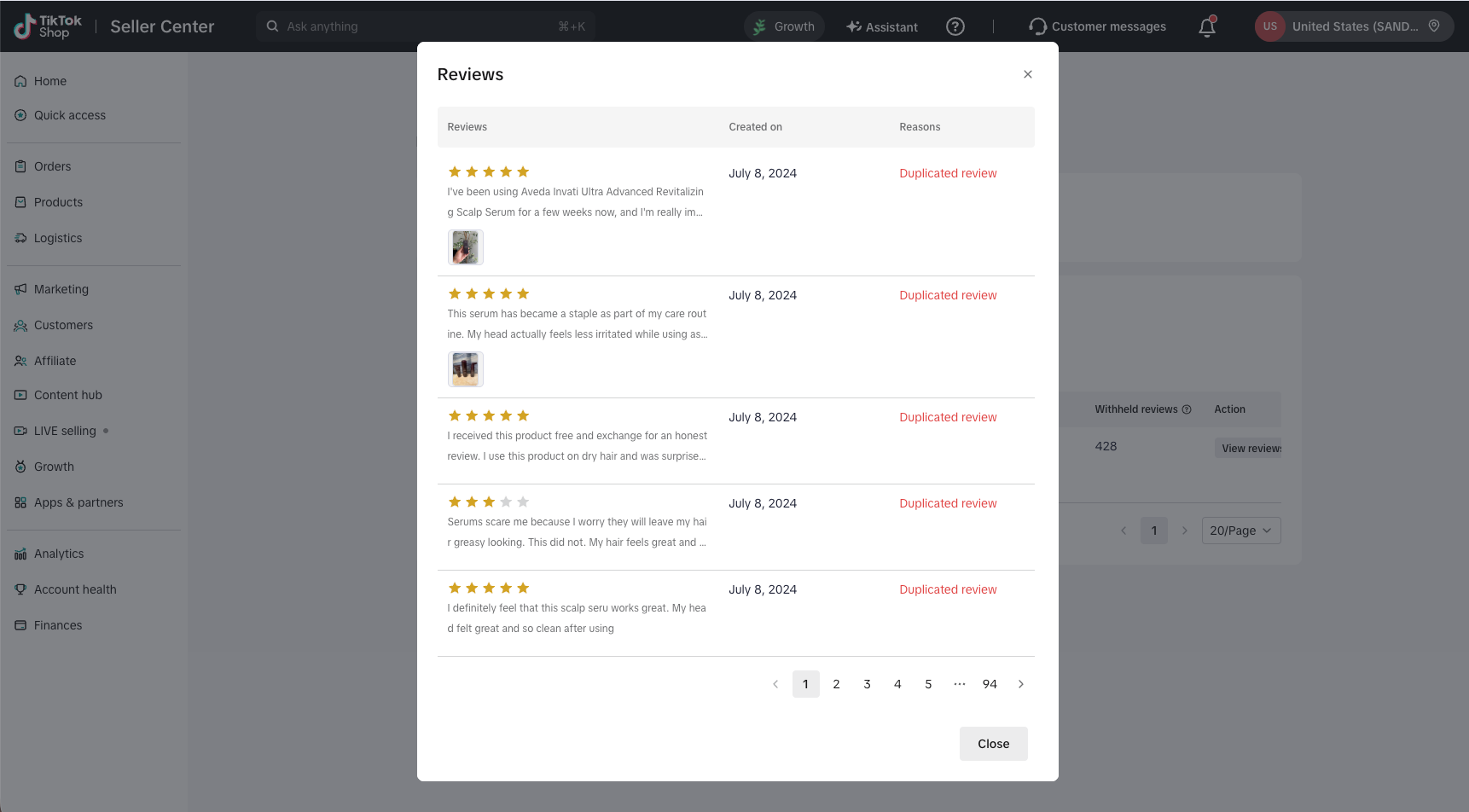
Check Error Reason
Section titled “Check Error Reason”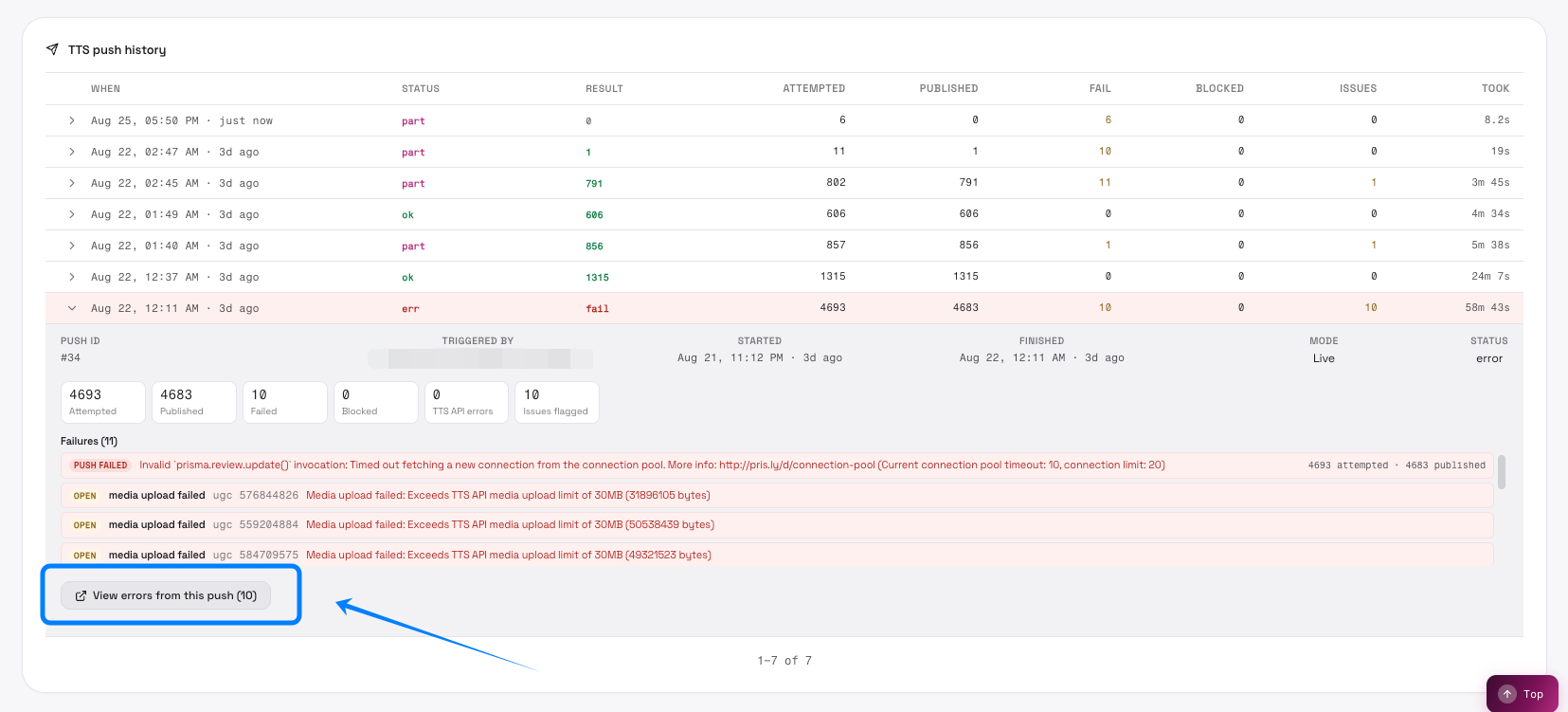
8. Settings Page
Section titled “8. Settings Page”Review Source tab
Section titled “Review Source tab”Switch to review source settings (PowerReview credentials)
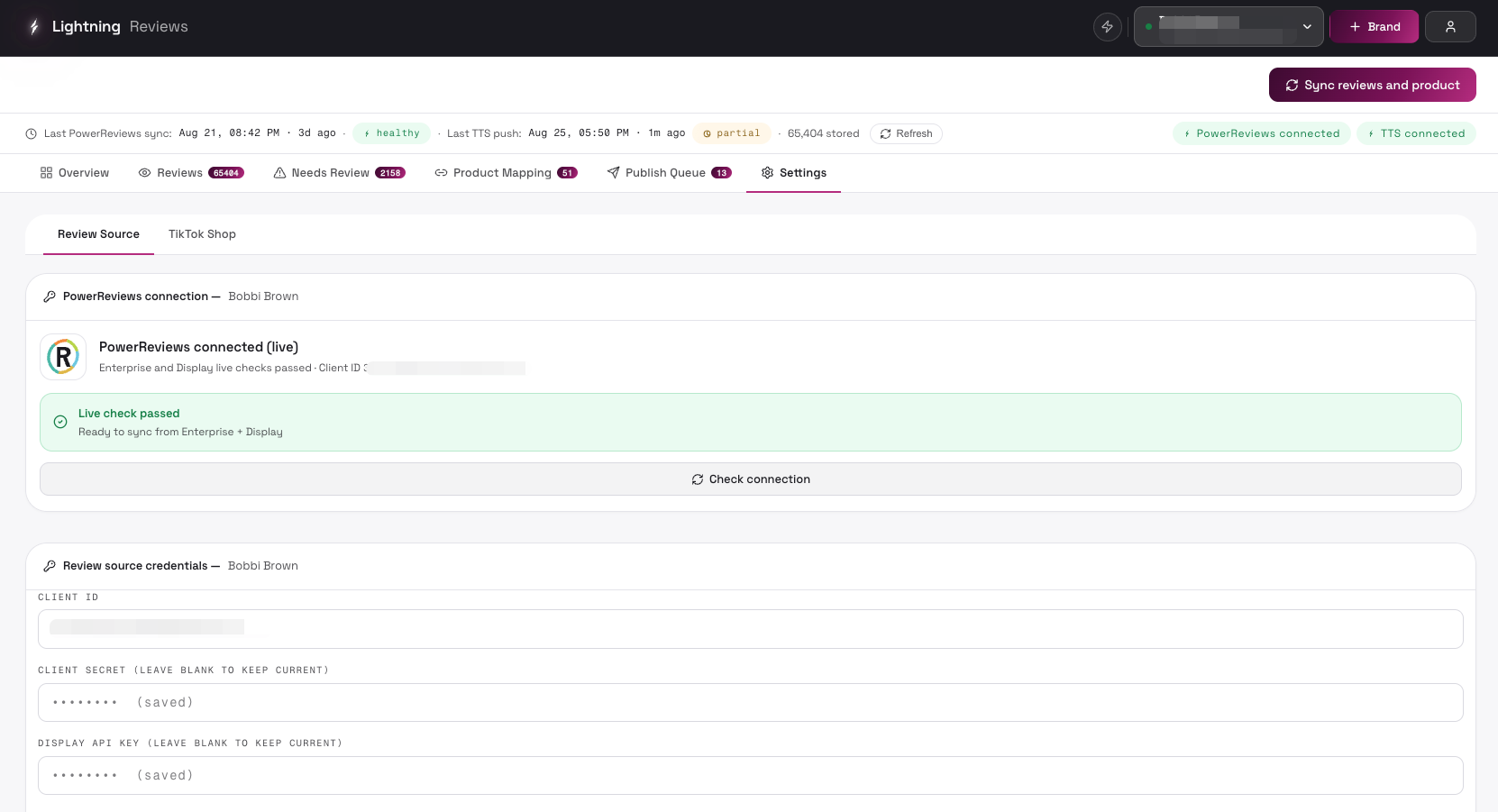
| Control | Description | UI |
|---|---|---|
| Client ID input | PowerReviews OAuth Client ID (Enterprise) / Merchant ID (Legacy) | 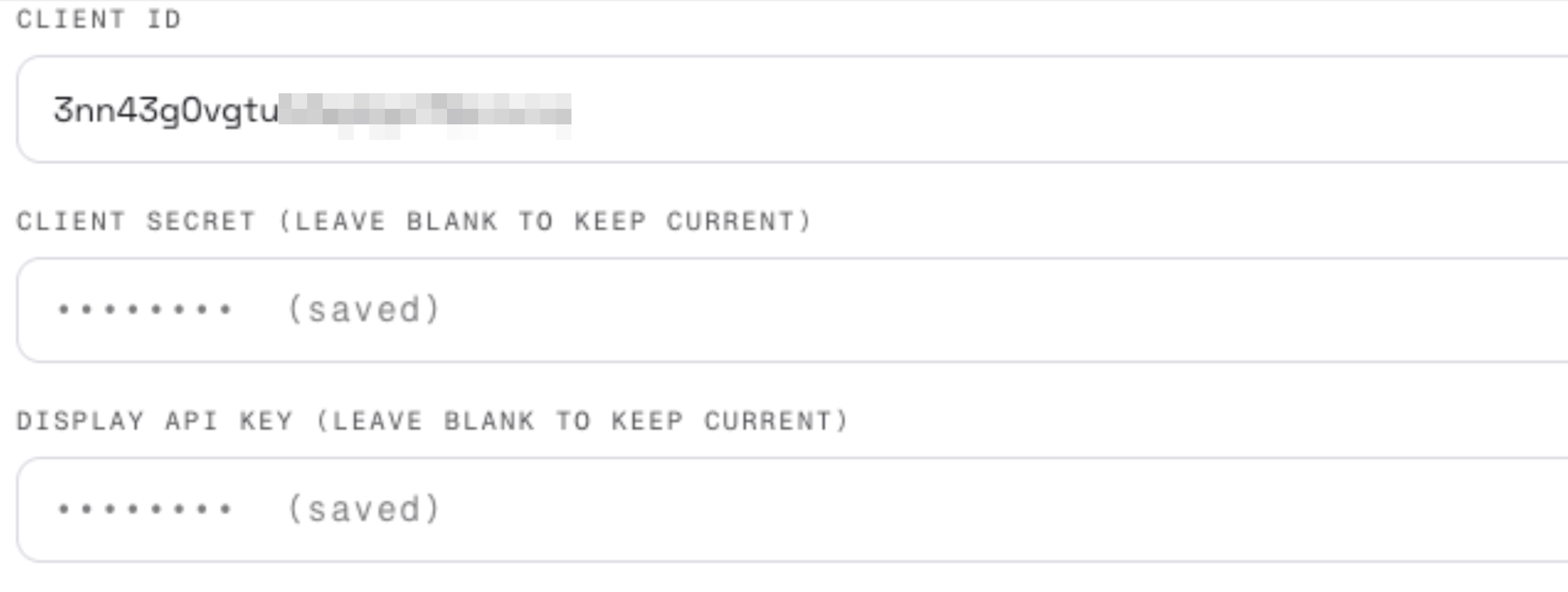 |
| Client Secret input | Client secret (leave blank to keep the current one) | |
| Display API key input (PowerReviews only) | Display API key (leave blank to keep the current value) | |
| Locale | Default review locale (e.g. en_US) | 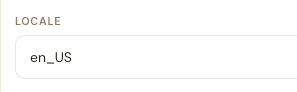 |
| Incentivized review handling policy cards (radio) | Choose how incentivized reviews are handled during sync (options as shown on the page) |  |
TikTok Shop tab
Section titled “TikTok Shop tab”Switch to TikTok Shop settings (authorization + product catalog sync)
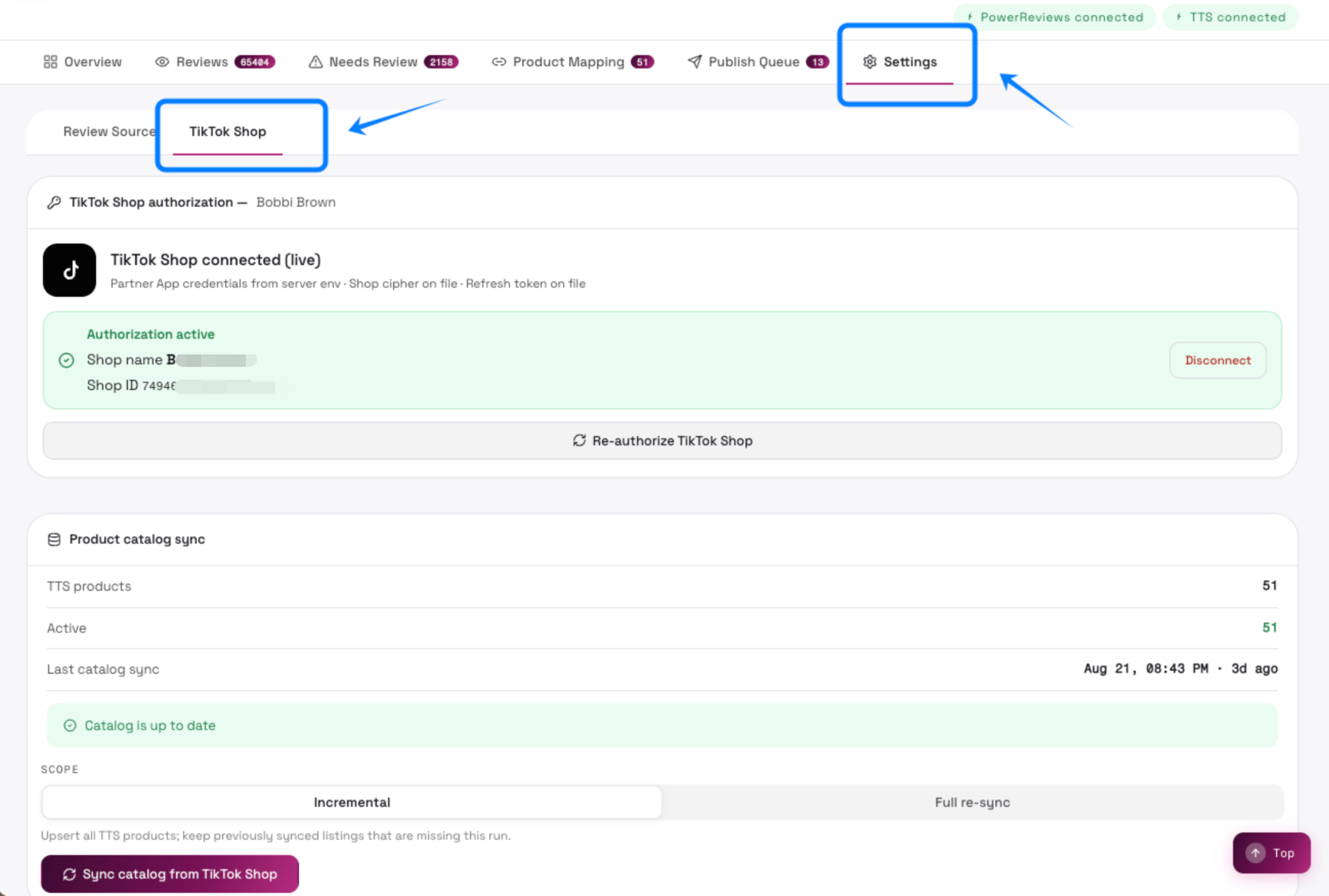
| Control | Description | UI |
|---|---|---|
| Authorize with TikTok Shop / Re-authorize with TikTok Shop | Opens the TikTok authorization window; log in and approve, then it redirects back automatically (three-step guide: click authorize → log in and approve → auto redirect) | 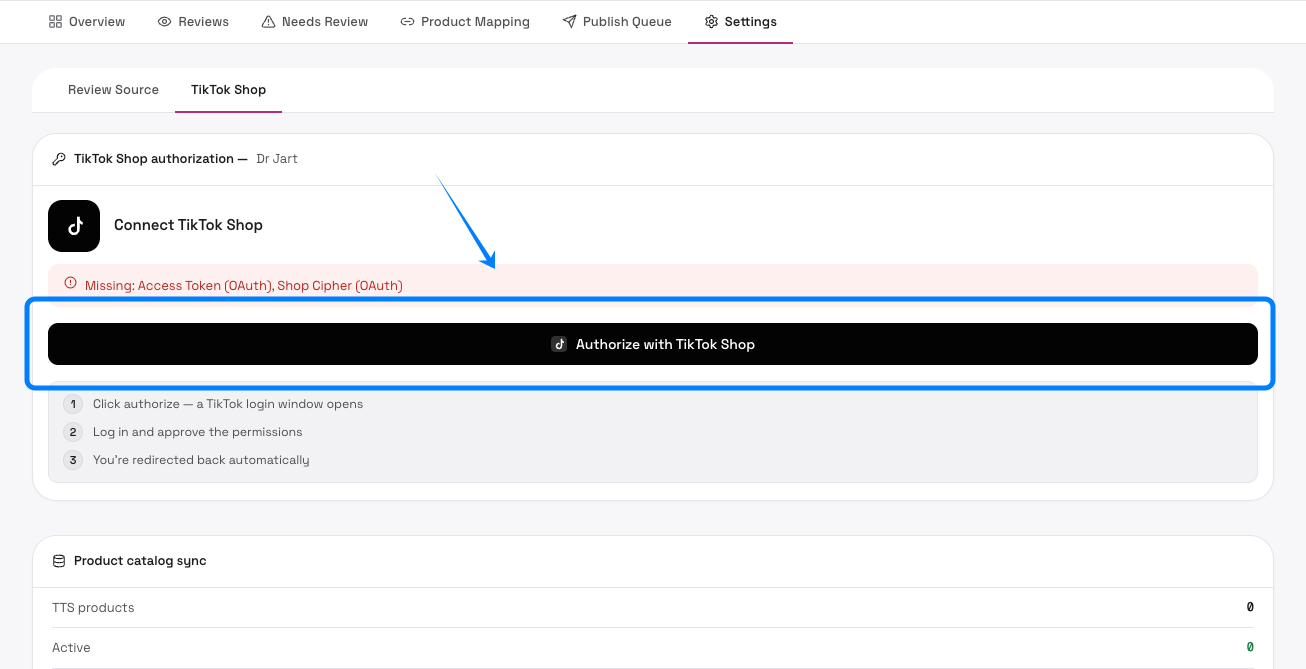 |
| Re-authorize TikTok Shop | Re-authorize while connected (e.g. switch shop or refresh an expired authorization) | |
| Disconnect | Disconnect TikTok Shop (clears tokens and shop info) | 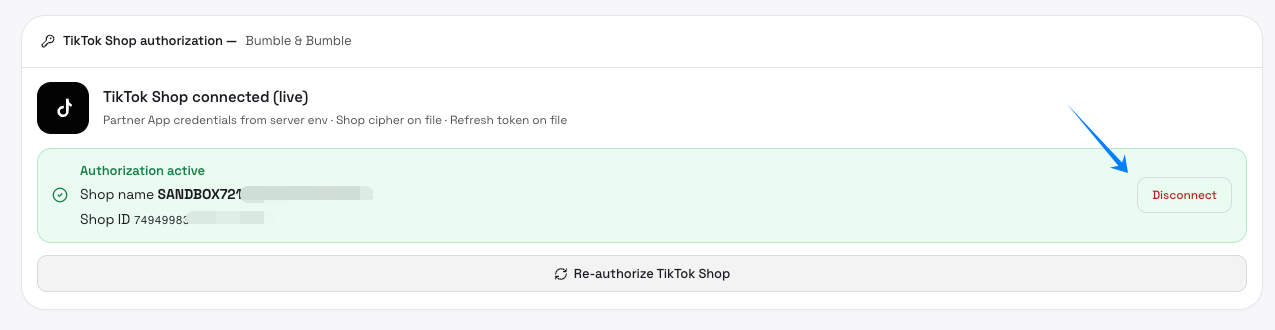 |
| Incremental / Full re-sync (scope toggle) | Incremental: upsert all TTS products but keep previously synced listings not returned this run; Full re-sync: delete tts_api rows not seen in this run after upserting |  |
9.Account Management
Section titled “9.Account Management”Manage Users (Admin only)
Section titled “Manage Users (Admin only)”| Control | Description | UI |
|---|---|---|
| New user | Create a new user (brand_manager role) | 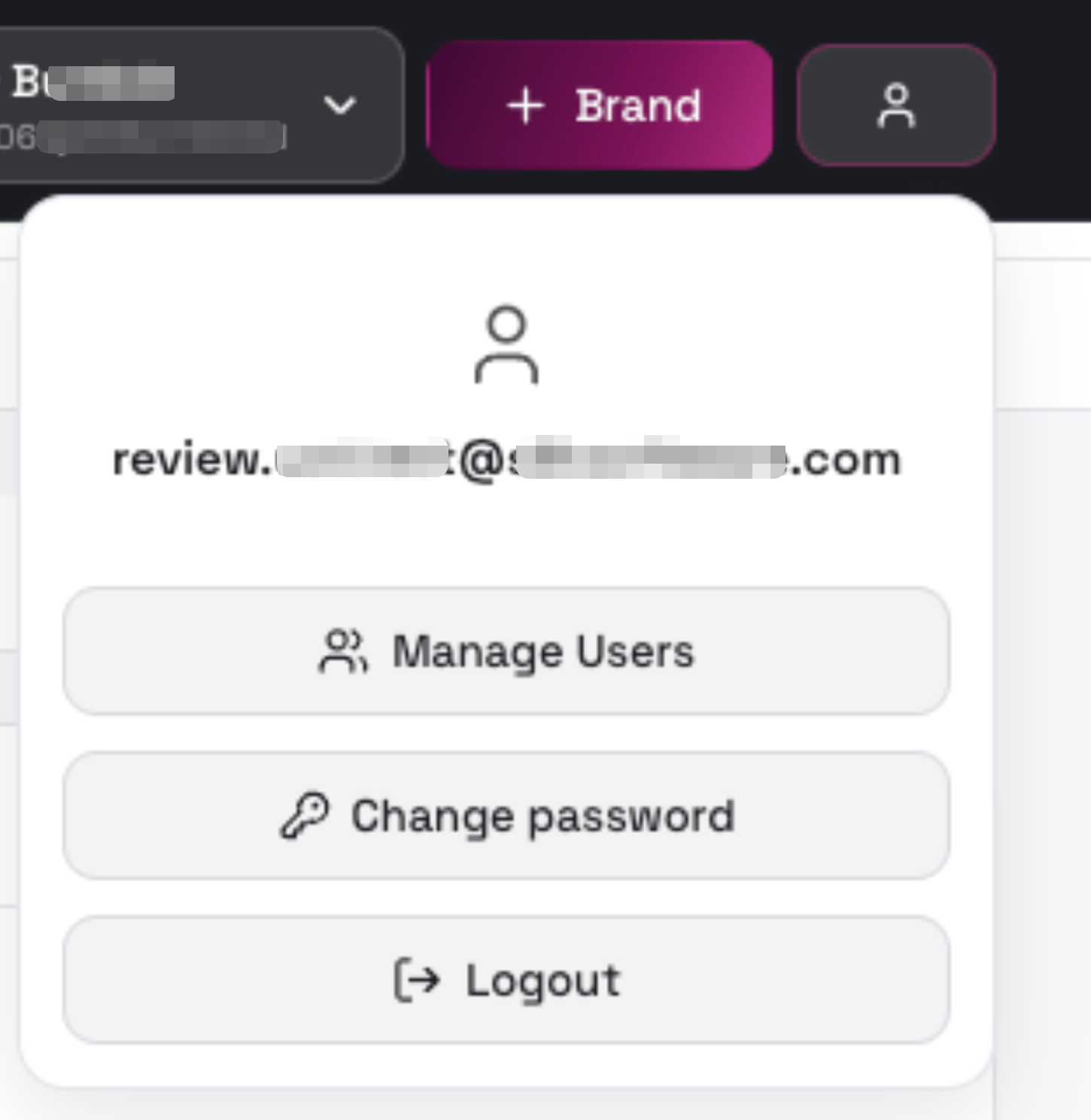 |
| User row — active toggle | Enable/disable the user’s sign-in (disabling requires confirmation) | 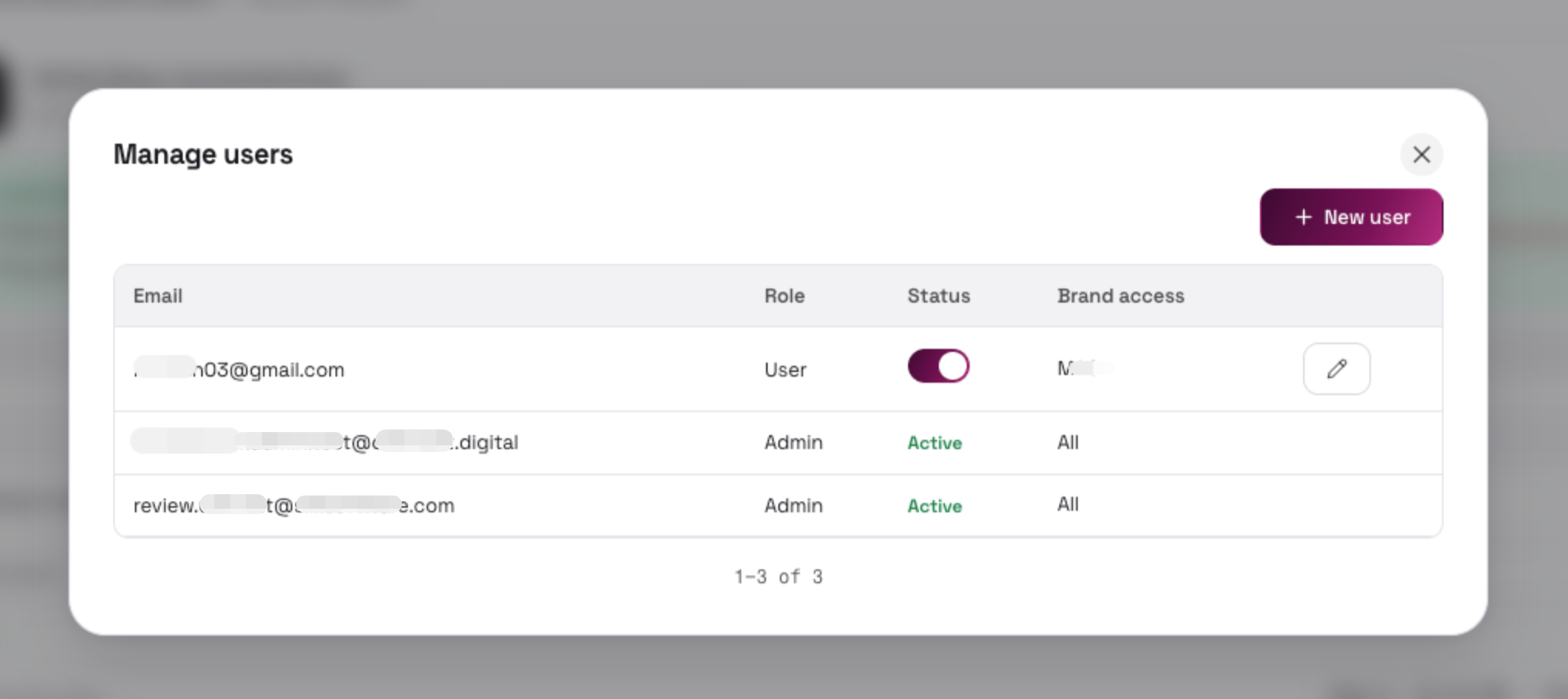 |
| User row — edit (✏️) | Edit the user’s email, brand access, and password | 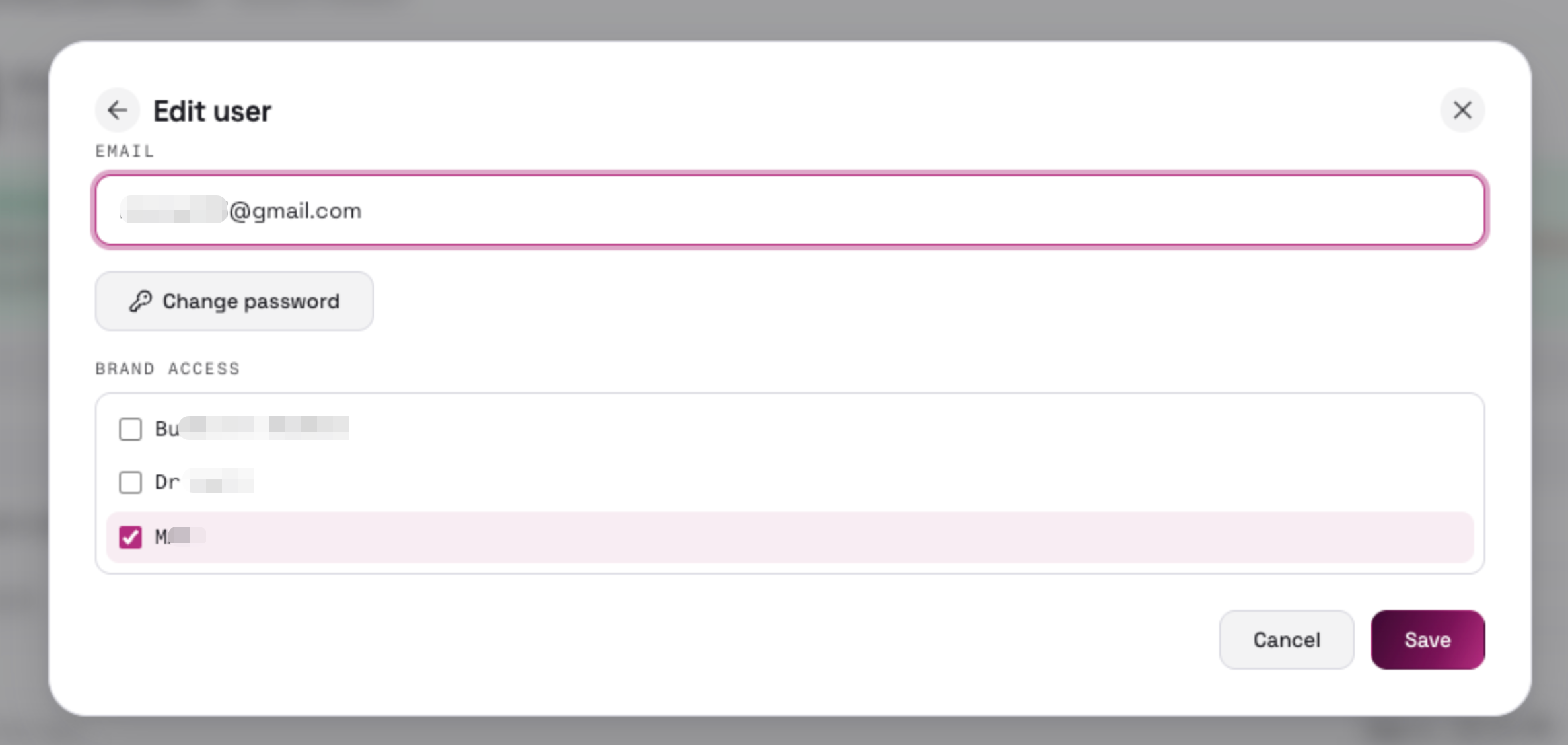 |
| Create user | Submit the new user (email, password ≥ 8 chars, brand access scope) |  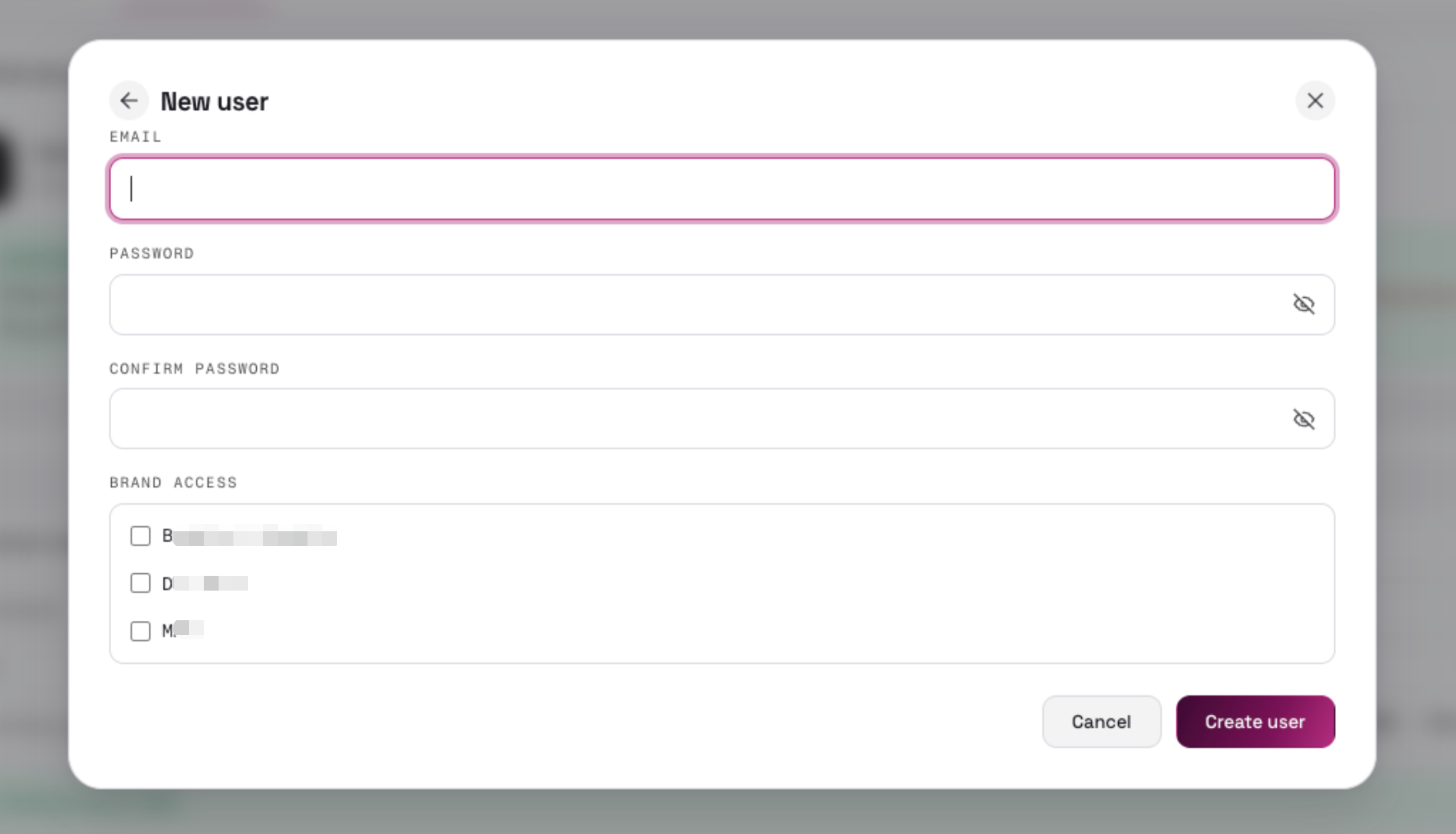 |
Change password dialog
Section titled “Change password dialog”| Control | Description | UI |
|---|---|---|
| Current password / New password / Confirm password | Enter current password, new password (≥ 8 chars), and confirm | 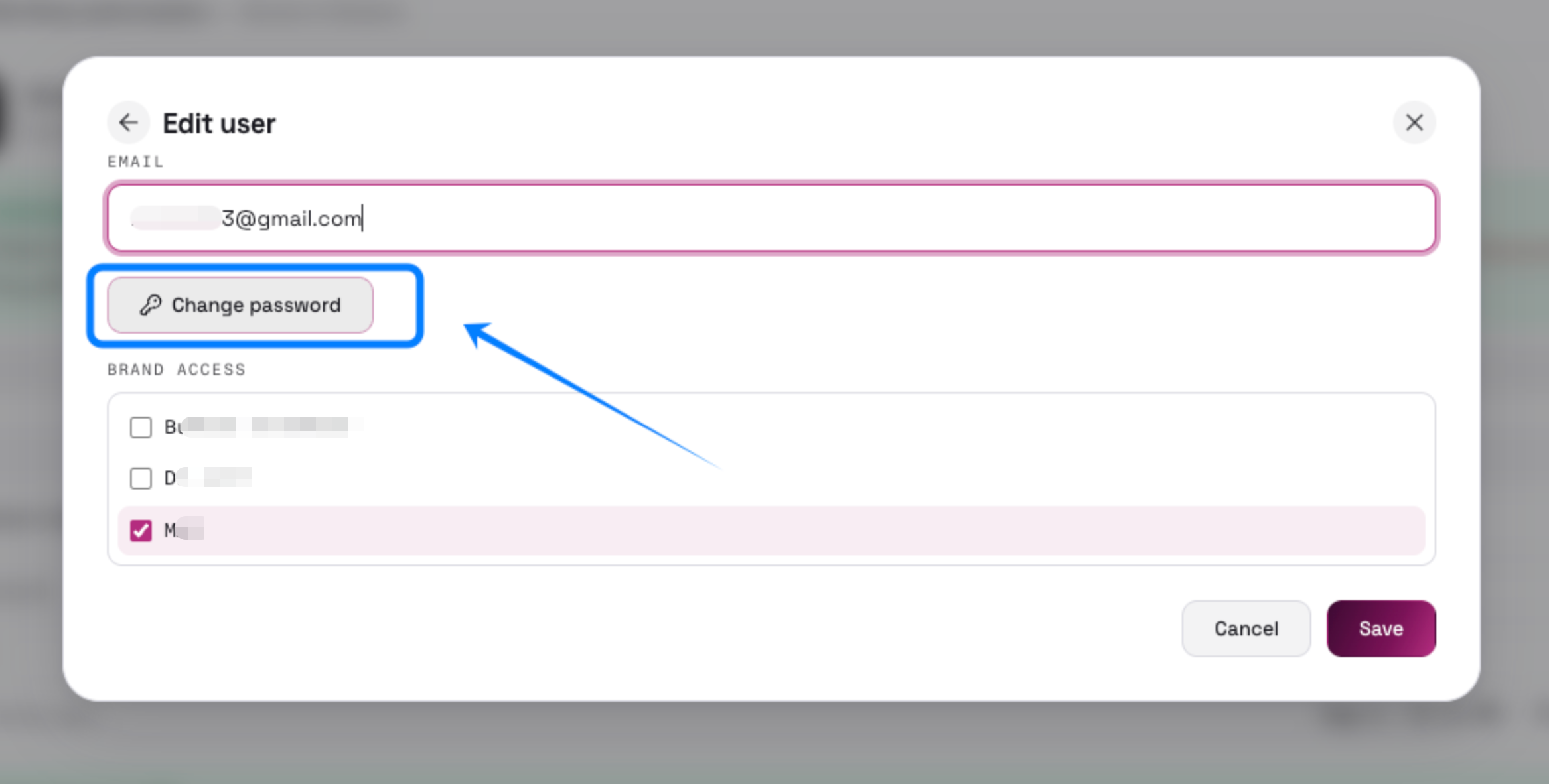 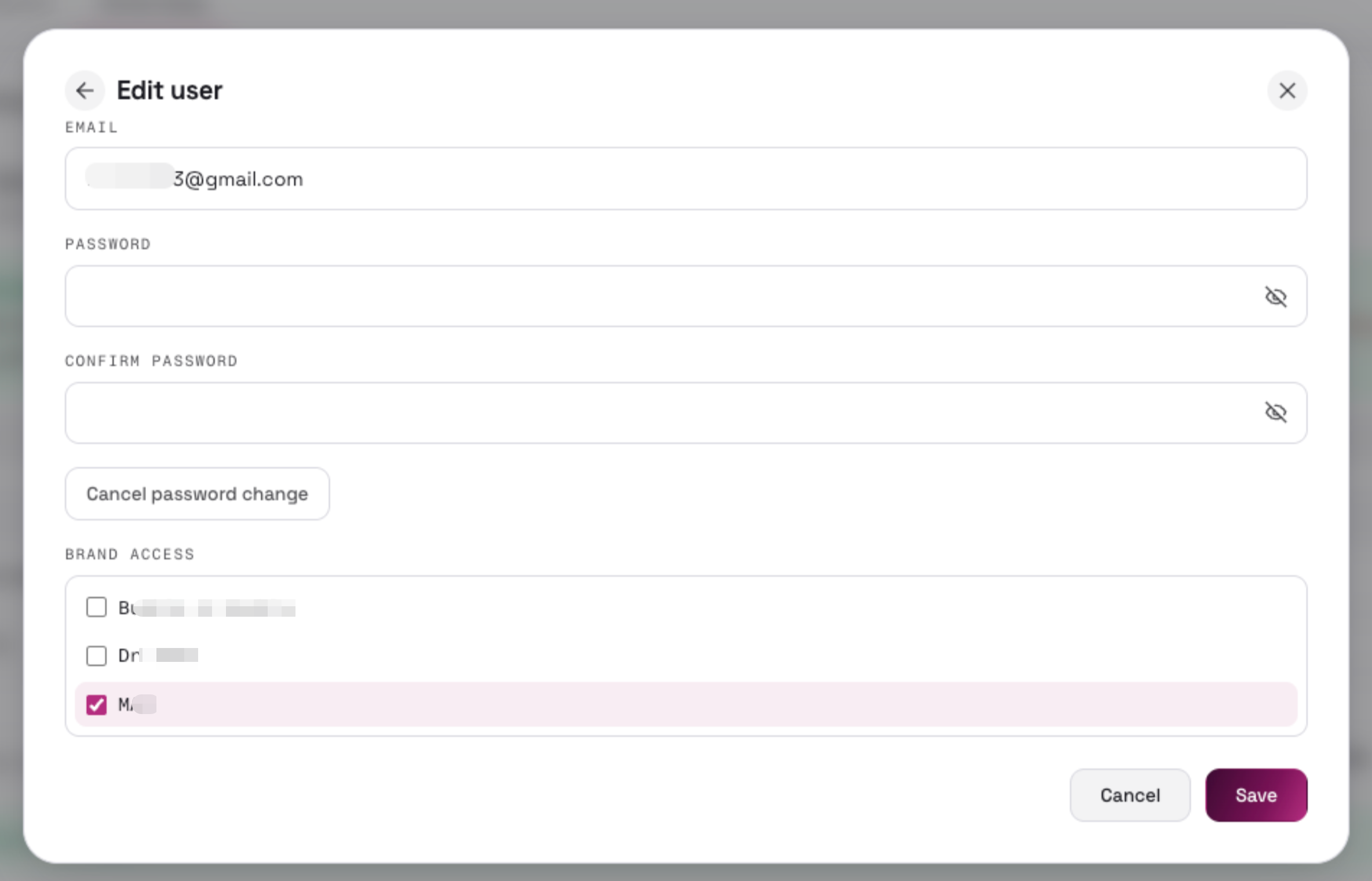 |
Definition
Section titled “Definition”| Term | Explanation |
|---|---|
| PR (PowerReviews) | The third-party review platform where brands collect buyer reviews. “PR sync” = pulling reviews from PowerReviews. |
| TTS (TikTok Shop) | TikTok’s e-commerce platform; synced reviews are published (pushed) here. TTS = TikTok Shop. |
| Review Sync Console / SilkReview | The system itself: syncs reviews from PowerReviews/Yotpo and publishes them to TikTok Shop. |
| Reviews | Browse, search, and filter all stored reviews. |
| Needs Review | Lists issues that need human attention (unmapped, rejected, rate limited, etc.). |
| Product Mapping | Manage PR page ID ↔ TikTok Shop product mappings. |
| Publish Queue | Queue of reviews waiting to be published to TikTok Shop. |
| Settings | Configure the review source (Review Source tab) and TikTok Shop connection (TikTok Shop tab). |
| Brand | The workspace unit; each brand has its own sync, reviews, and publish queue. |
| Status strip | The bar below the header showing sync/push health and connection status. |
| Last PR sync | Time and health of the most recent review-source sync. |
| Last TTS push | Time and result of the most recent push to TikTok Shop. |
| Refresh | Manually refresh review counts and lists. |
| Status pill | Small rounded badge showing connection state (e.g. “TTS connected”); click to jump to the relevant Settings tab. |
| Account button (👤) | Opens the account menu: Manage Users (Admin only), Change password, Logout. |
| Dark/light mode toggle | Switch the UI theme. |
| Add a brand | Create a new brand workspace (Admin only). |
| Sync from PowerReviews | Opens the sync dialog; turns into “Cancel sync” while running. |
| Reviews stored | Total reviews in the database. |
| Eligible for TTS | Of the stored reviews, how many can be published to TikTok Shop. |
| Pending publish | Reviews queued for publishing but not yet pushed. |
| Suppressed | Reviews marked “never publish” (TTS rejected, product delisted, GTIN wrong, etc.). |
| Published to TTS | Reviews successfully pushed to TikTok Shop. |
| Rejected | Pushes refused by TTS review moderation / risk control. |
| Mapped products | PR products that have a TikTok Shop mapping. |
| Unmatched | PR products with no TikTok Shop mapping yet. |
| Needs review | Count of open issues. |
| Pull history | Records of past review-source syncs; click a row to expand its detail. |
| TTS push history | Records of past pushes to TikTok Shop. |
| Publish ledger | Bar chart of review counts by publish status (display only). |
| Fetched | Reviews returned by the source API during this run. |
| New / updated | Reviews written or changed in the database. |
| Unchanged | Reviews already stored with no content changes. |
| Filtered (product filter) | Reviews dropped by product-filter rules before ingest. |
| Excluded | Reviews skipped (unverified buyer, product filter); exportable as CSV. |
| Issues | Problems flagged by this run. |
| Duration | How long the run took. |
| SyncRunDetail | The expanded detail section of a pull-history row. |
| Retry products + display enrich | Re-runs product matching + display enrichment for a failed sync without re-fetching reviews. |
| Display enrich | Fetches product display data (description, images, etc.) from PowerReviews for use in published reviews; PowerReviews Enterprise only. |
| Export N skipped (CSV) | Exports the reviews skipped during this pull (unverified buyers / product-filter drops) as a CSV file. |
| Watermark | The high-water mark of incremental sync: records where the last successful pull stopped, so the next pull continues from there without gaps or duplicates. |
| Triggered by | How the run was started (manual, retry, etc.). |
| Run ID | Unique identifier of this sync/push run. |
| Mode / Scope | Sync mode and scope (incremental vs. full). |
| Page ID | PowerReviews’ unique identifier for a product page (the PR-side product key). |
| Variant / shade | SKU variants (e.g. shades) sharing one product name but each with its own Page ID; grouped under one product name in the sidebar. |
| Sort products | Order the product list by most/fewest reviews, latest sync, or name A→Z / Z→A. |
| All reviews | Clears the product filter and shows every review. |
| Eligible for TTS | Filter for reviews that can be published to TikTok Shop. |
| Filtered out | Filter for reviews that fail eligibility (unverified, incentivized policy, etc.). |
| Locale | The review’s language/locale (e.g. en_US, de_DE). |
| Verified buyer | Whether the reviewer is confirmed as a real purchaser. |
| Incentivized | Reviews written in exchange for incentives (discounts, free samples); flagged for policy reasons. |
| Media | Photos/videos attached to the review. |
| Eligible / incentivised / unverified | Qualification badges on the review card. |
| Needs product choice | Conflict badge: the review matches multiple products and needs a human decision. |
| Pending / published / suppressed | The review’s publish status. |
| Clear filter | Dismisses the “reviews from this sync” banner filter. |
| Multi-product | One review matches several products; the target product can’t be auto-decided. |
| Unmapped | The review’s product has no TikTok Shop mapping. |
| GTIN mismatch | The product’s GTIN doesn’t match the TikTok catalog. |
| Inactive / Delisted | The product has been delisted from TikTok Shop; reviews can’t be published until it’s back or remapped. |
| Identifier conflict | The product identifier matches multiple TikTok products. |
| TTS rejected | The push was rejected by TikTok Shop moderation. |
| Rate limited | Too many pushes too quickly; automatically retried on the next push. |
| Media upload | Attached media failed to upload; retried on the next push. |
| Dismiss | Close the issue (rate-limited and media-upload issues auto-retry later). |
| Suppress | Skip this review permanently; it will never be published unless changed. |
| Mark resolved | Mark the issue as handled. |
| Accept first product | Bulk action: assign all selected conflict reviews to the first candidate product and publish. |
| Dismiss all / Suppress all | Bulk versions of Dismiss / Suppress. |
| Choose a product… | Dropdown to pick which product a conflicting review belongs to. |
| Go to Product | Opens the live product page in a new tab. |
| ErrorCard | One issue displayed as a card. |
| ErrorGroupRow | Issues grouped under their product for group-level actions. |
| ErrorsBulkBar | Toolbar with bulk actions, shown when a single issue type is selected. |
| MulproSetCard | Card listing all reviews in a multi-product conflict set with set-level actions. |
| Matched | The PR product has a TikTok Shop mapping. |
| Unmatched | No TikTok Shop mapping yet. |
| Conflict | One PR product matches multiple TikTok products. |
| Auto-match | Re-runs automatic matching in priority order: UPC → GTIN → Seller SKU → ASIN. |
| Manual match | Create a mapping by searching and selecting a TTS product. |
| Seller SKU | The SKU the seller defines inside TikTok Shop. |
| Bundle | A listing that bundles multiple standalone products. |
| Unlink / Unlink all | Remove one mapping link, or all mappings of a PR product. |
| TikTok Seller Center | TikTok’s official seller back office, opened in a new tab for manual verification. |
| Conflict candidates | All candidate TTS products for a conflicting mapping; click one to map directly. |
| Match group | The set of products grouped by automatic matching. |
| Category tree | TikTok’s product category hierarchy, used to browse the catalog in the picker. |
| Confirm mapping | Commit the mapping. |
| Related listings | Bundles/standalones related to the selected product; can be mapped at the same time. |
| Catalog | The TikTok Shop product list, synced from TTS. |
| Missing GTIN | Catalog listings without a GTIN value. |
| ProductMappingPicker | The search/browse dialog used to pick a TikTok Shop product for mapping. |
| Ready | Everything checks out; waiting to be pushed. |
| Blocked | Can’t be published until mapping issues are resolved (see Product Mapping / Needs Review). |
| Awaiting choice | Multi-product conflict unresolved; needs a product decision. |
| Ready to push | Product status badge; same as Ready. |
| Needs product decision | Product status badge; same as Awaiting choice. |
| Push to TikTok Shop | Publishes the selected reviews to TTS. |
| Pre-flight check | Validation before pushing: unresolved conflicts, duplicate IDs, GTIN mismatches, etc. |
| Push N clean | Skip the flagged items and push only the N clean reviews. |
| Clear queue | Remove already-published / duplicate entries from the Ready queue. |
| Duplicate review IDs | Pre-flight issue: the same review appears more than once in the queue. |
| TtsModal | The confirmation dialog shown before a push. |
| Review Source | The review data platform for this brand (PowerReviews or Yotpo). |
| Client ID | PowerReviews OAuth Client ID (Enterprise) / Merchant ID (Legacy), or Yotpo App/Store ID. |
| Client Secret | The OAuth secret paired with the Client ID. |
| Display API key | PowerReviews’ Display API key (PowerReviews only). |
| Yotpo app / store ID | The store identifier in Yotpo. |
| Locale | Default review locale (e.g. en_US). |
| Incentivized review handling | Policy for incentivized reviews during sync: skip them, store all, or store and flag. |
| Authorize with TikTok Shop | OAuth flow granting the app access to the shop. |
| Re-authorize | Re-run the OAuth flow (shop change, expired token). |
| Disconnect | Clear tokens and shop info. |
| Sync catalog | Pull the product catalog from TikTok Shop. |
| Incremental / Full re-sync | Incremental: upsert catalog rows but keep listings not returned this run. Full: delete catalog rows not seen in this run. |
| Catalog is up to date | Catalog sync status indicator. |
| Sign in | Submit the login form. |
| Manage Users | Admin-only: create/edit users and assign brand access. |
| Change password | Update the account password. |
| Logout | End the session. |
| Admin | Role with user-management and global privileges. |
| brand_manager | Standard role: full control over assigned brands. |
| UPC | 12-digit barcode standard (US/Canada). |
| GTIN | Global trade item number; umbrella standard that includes UPC/EAN. |
| ASIN | Amazon’s product identifier; used as a fallback matching clue. |
| SKU | Merchant-internal product/variant identifier. |
| Seller SKU | The seller-defined SKU inside TikTok Shop. |
| Page ID | PowerReviews’ product-page identifier. |
| Product ID / Merchant ID / Catalog page ID | Platform-specific product/store identifiers. |
| Healthy | Sync completed without errors. |
| Partial | Sync finished with some failures. |
| Error | Sync failed. |
| Cancelled | Sync stopped by the user. |
| Not yet synced | No sync has run yet. |
| In progress / Running | The run is still active. |
| Started / Finished / Failed | Run lifecycle states. |
| Live / In stock / Out of stock | TikTok Shop listing states. |
| TTS connected / auth expired / not connected | TikTok Shop authorization states. |