Billing
Routes: /connections/:id/billing and /connections/:id/billing/checkout
Tutorial ID: billing
See also: Get Started, Connections.
Purpose
Section titled “Purpose”View subscription status, choose a plan, track merchant-wide order usage, and manage Shopify billing.
Who can use it: Owner has full access: subscribe, change plan, manage/cancel via Shopify, restart pending checkout. Member has a read-only usage view; contact the merchant Owner for billing changes.
Available plans
Section titled “Available plans”| Plan | Monthly | Annual | Order limit | Overage |
|---|---|---|---|---|
| Basic | $49/mo | ~$490/yr (2 months free) | Up to 1,000 orders/mo | +$0.XX/order over limit |
| Scale | $149/mo | ~$1,490/yr | Up to 20,000 orders/mo | +$0.XX/order over limit |
| Enterprise | $250/mo | ~$2,500/yr | Up to 50,000 orders/mo | +$0.XX/order over limit |
Overcast bundle: Silk Connector is $0/mo when bundled with any Overcast service plan. Standalone Shopify pricing above applies only without an Overcast bundle.
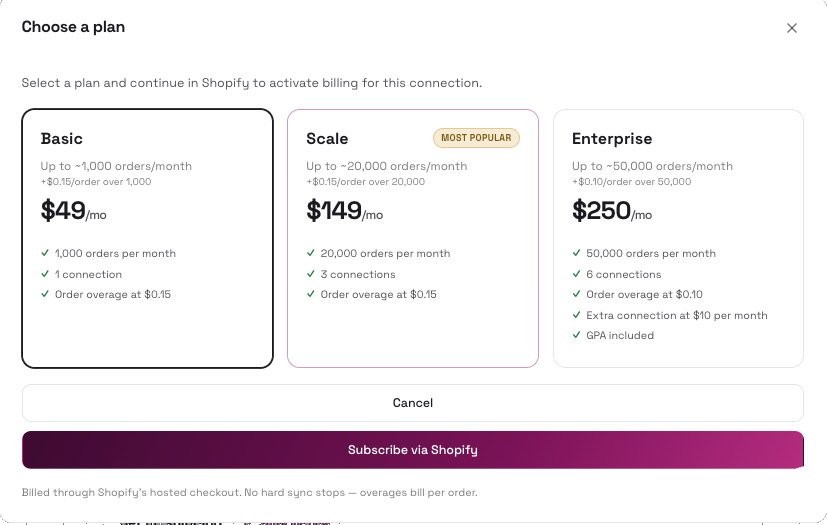
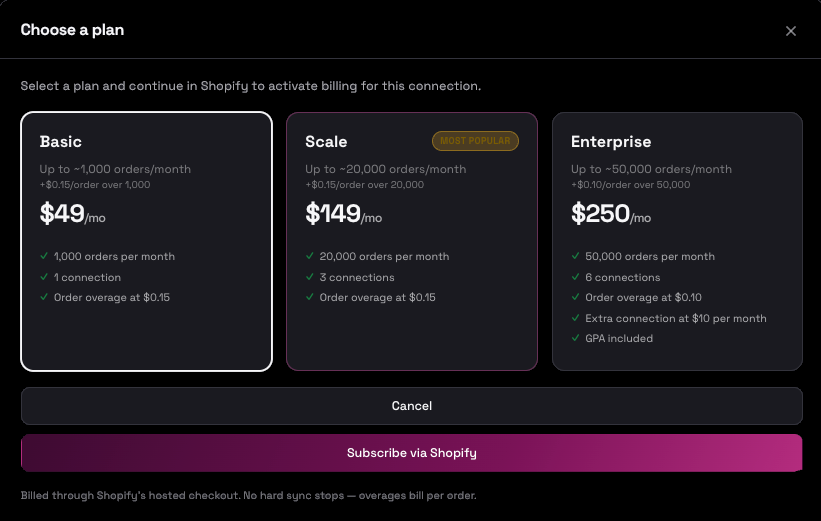
Billing page — Owner
Section titled “Billing page — Owner”Not yet subscribed
Section titled “Not yet subscribed”- Open Billing from the sidebar, Home subscription banner, or Connections merchant billing banner.
- Review the subscription prompt or pending Shopify approval banner.
- Scroll to Choose plan; toggle Monthly / Annual.
- Expand plan cards (Basic, Scale, Enterprise) and compare order limits and overage rates.
- Click Subscribe on a plan → checkout page.
- If PENDING_CONFIRMATION, follow the banner to resume Shopify approval.
Active subscription
Section titled “Active subscription”- Review Current plan, usage progress bar, and billing period dates.
- Change plan: select a new plan/interval and proceed to checkout (
mode=change). - Next invoice: review upcoming charge.
- Payment & billing: click Manage payment in Shopify or Cancel subscription (Shopify-hosted flows).
- Cancel options: Cancel at period end or Cancel immediately.
Member
Section titled “Member”Open Billing to see current subscription status and merchant order usage. You cannot subscribe, change plans, or open Shopify billing management. Contact your merchant Owner to manage the subscription.
PENDING_CONFIRMATION — Continue in Shopify
Section titled “PENDING_CONFIRMATION — Continue in Shopify”This state means the merchant started Shopify app billing but left before approving the charge.
| Banner | Meaning | What to do |
|---|---|---|
| Complete your Shopify subscription | Owner can restart checkout (canRestartPending) | Select a plan → click Continue in Shopify → approve on Shopify’s billing page |
| Waiting for Shopify confirmation | Approval submitted but not yet confirmed | Wait (page polls automatically) or click Refresh. Do not start a duplicate checkout unless prompted. |
| Complete your Shopify plan change | Subscribed but plan change pending in Shopify | Click Continue in Shopify to resume plan change approval |
Merchant Billing Banner on Connections list
Section titled “Merchant Billing Banner on Connections list”Shown when the merchant is not billing-entitled:
| State | Owner sees | Member sees |
|---|---|---|
| Pending + can restart | Complete your Shopify subscription + Continue in Shopify | Waiting for Shopify confirmation + Open Billing |
| Pending + waiting | Waiting for Shopify confirmation + Open Billing | Same (informational) |
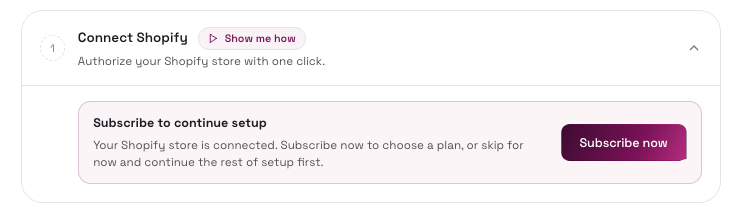
Billing checkout
Section titled “Billing checkout”Confirm plan selection and redirect to Shopify’s hosted billing approval page. Route: /connections/:id/billing/checkout. Owner only.
- Arrive from Billing Subscribe, Get Started Subscribe now, or Change plan.
- Review the checkout card: Approve subscription or Change plan; subtitle Shopify billing approval — Silk TikTok Shop Connector · Recurring app charge. Plan name, billing interval, overage rate, Total due today.
- Click Continue to Shopify (new subscription) or Continue in Shopify (when resuming pending confirmation).
- Complete approval on Shopify’s billing page.
- Return to Silk automatically — Billing page or Get Started depending on where you started.
- Click Cancel and return to go back without approving.
| Param | Values | Purpose |
|---|---|---|
plan | basic, scale, enterprise | Selected plan |
cycle | monthly, annual | Billing interval |
mode | change | Plan change (vs new subscribe) |
returnTo | URL path | Return destination after approval (e.g. Get Started) |
Tips / common issues
Section titled “Tips / common issues”- Billing is per merchant account (order quota shared across all connections), not per connection.
- If another connection already has a pending Shopify approval, checkout may ask Switch billing owner? → Replace and continue.
- Invoice history on the page may include illustrative rows; live billing is authoritative in Shopify Admin.
- Do not close the Shopify tab before approving; this triggers PENDING_CONFIRMATION.
- If redirect fails, use the Billing banner to restart pending checkout.
- Success state shows Subscription active.